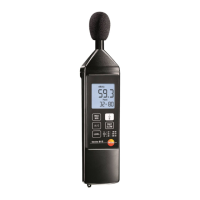
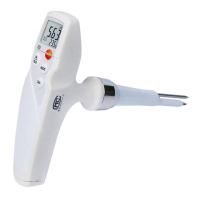
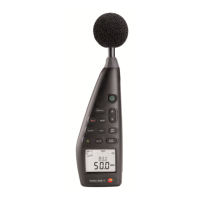
5 Using the product
20
5.10. Using individual value storage
Storing an individual value
> Press the key.
- lights up briefly and the individual value is stored under
the next available memory address.
Displaying a stored individual value
> Press the key.
- lights up. The individual value of the most recent
individual value storage and the memory address are displayed.
> Switch between individual memory addresses using the and
keys.
- If memory addresses have not yet been allocated, 00 is
displayed instead of the reading.
Deleting an individual value memory
1. Switch the instrument off.
2. Hold down the key and the key.
- While the keys are held down: CLr is displayed, SURE flashes
and a countdown (5 seconds) starts.
3. Once the countdown is complete, release the keys.
- The memory is deleted.
5.11. Using measurement series storage
Setting the storage interval
1. Press the key.
2. Use the and keys to set the interval (in seconds)
(minimum: 1 second, maximum 1 minute).
3. Press the key again.


 To Next Page