7 testo 816-1 software
28
Saving recorded readings
1. In the main menu, select the File | Save function.
- Windows dialogue box for saving files is opened.
2. Enter a file name and select a file format.
In order to be able to display the data later in the software, select
the file type .ghf. If the data is to be exported for use in some other
software, select the file type .txt
3. Select the location you want to save it to and click on [Save].
7.7. Data Logger
Function for displaying measurement series from the instrument
memory.
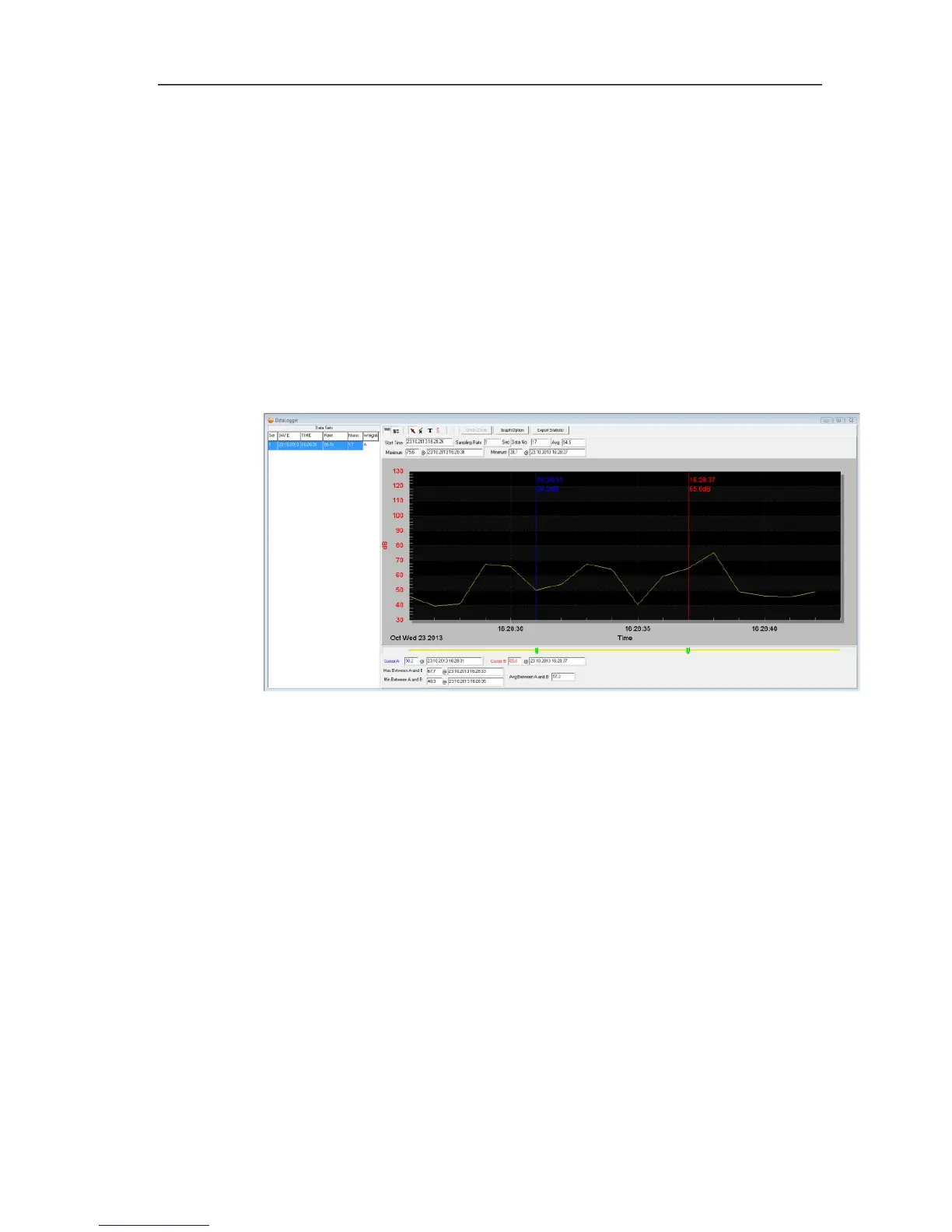
The measurement series available in the instrument memory are
displayed on the left-hand side and can be selected by clicking on
them with the mouse.
On the right-hand side the selected measurement series is displayed.
The functions for displaying and evaluating the measurement data
correspond to those for Real Time (see above section).
In addition to the functions described there, it is possible to save all
measurement series (data sets) available in the instrument
memory. In order to do this, the .rec data format must be selected
in the Windows dialogue box for saving files.


 To Next Page