14 6. Setting instrument
6.5 Printing measurement protocols
In this chapter, the printing of measurement protocols is explained
1
Printing mmeasurement pprotocols:
The instrument is in measurement display (Hold mode).
i Hold down and press . Call up memory menu.
Select stored measurement protocol with / and confirm with .
Measurement protocol values are displayed.
View further stored measurement protocols with / .
Start printout with .
Return to memory menu with .
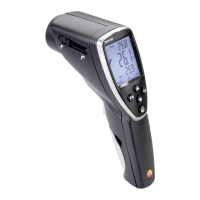
The IR diode is situated on the front of the testo 845. Point the
testo 845 at the printer.
Return to measurement menu with .
The configuration menu can be exited at any time. To do this, press
. Instrument switches to measurement display. Changes already
carried out in the configuration menu are stored.
6.6 Printing current readings
In this chapter, the printing of current readings is explained
1
Printing ccurrent vvalues:
The instrument is in measurement display (Hold mode).
Start printout with .
6.7 Reading memory full
When 90 measurement protocols have been stored, FULL is displayed. Delete
reading memory as required.


 To Next Page