8 Controls via testo Smart App
18
Controls via testo Smart App
If the measuring instrument is connected to the testo Smart App, it is primarily
operated via the app. The measuring instrument remains in the measurement
view and settings menus cannot be opened on the measuring instrument.
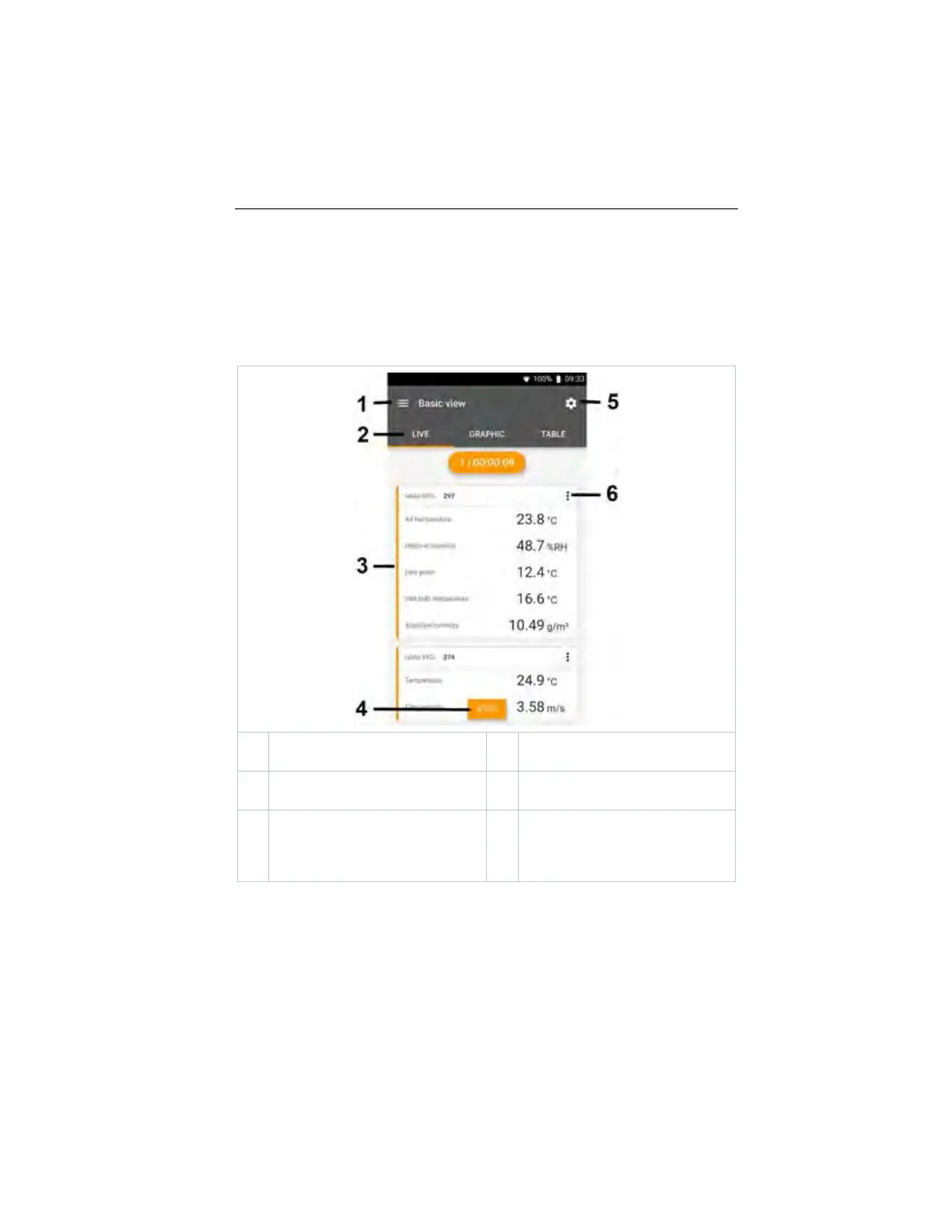
Overview of operating controls
1
Choice of applications
2
Switch between the views (live,
graphic, table)
3
Display of connected measuring
instruments including readings
4
Start/stop
5
Measurement configuration (the
menu changes depending on the
measuring instrument connected
and the application selected)
6
Configuration of the measuring
instrument
1.888.610.7664 sales@GlobalTestSupply.com
www.Testo-Direc t.com



 To Next Page