45
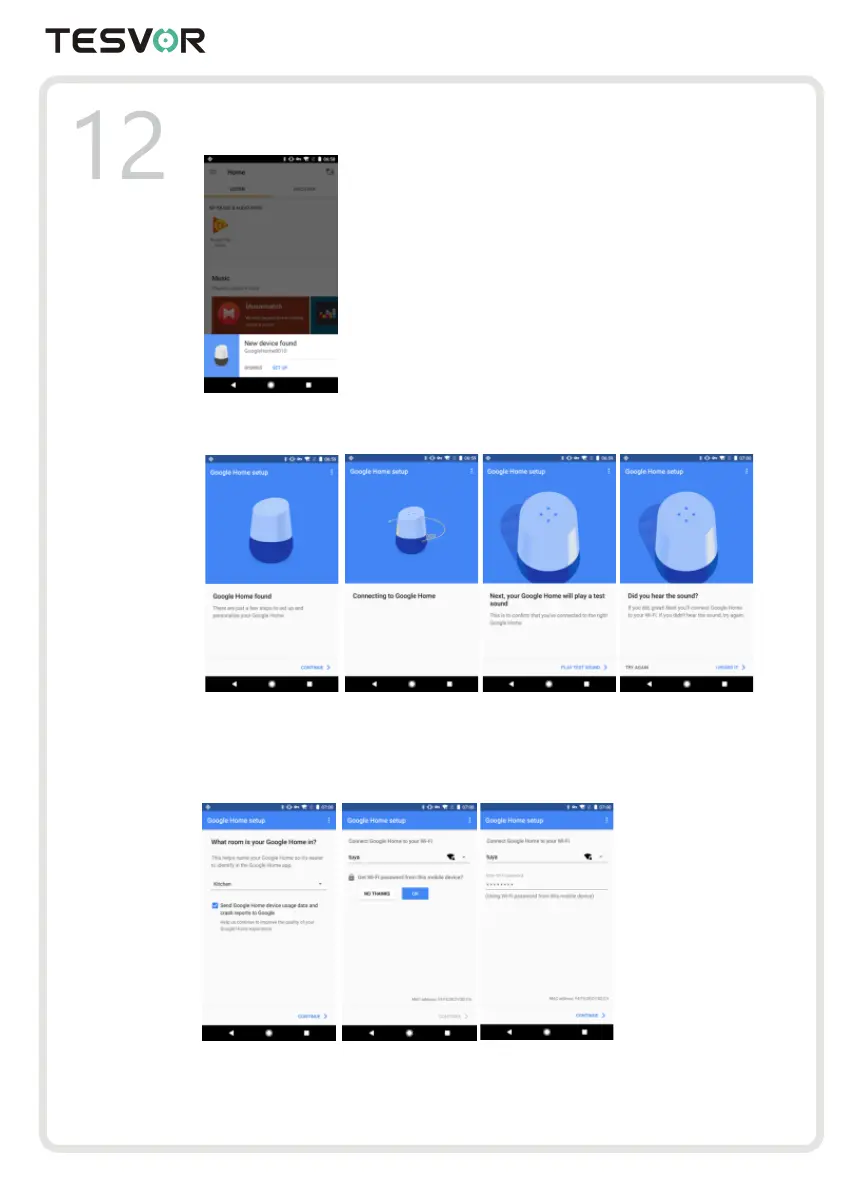
6. When Google Home app is successfully connected to the Google Home device, tap "PLAY TEST
SOUND", it will play a test sound to confirm you are connected to the right device.If you heard the
test sound, tap "I HEARD IT".
7. Select the Room (ex Living Room) where your Google Home is located. This helps you identify the
device when you want to cast to it. Choose the Wi-Fi network you want to connect to your Google
Home. To automatically fetch the password for this network on this device, tap "OK", then the
password will populate in the password field. You can also manually enter your password. Then tap
"CONTINUE".
8. Google Home will now attempt to connect to the provided Wi-Fi network. When Google Home is
successfully connected to your Wi-Fi network, tap "CONTINUE".



 To Next Page