EasyManua.ls Logo

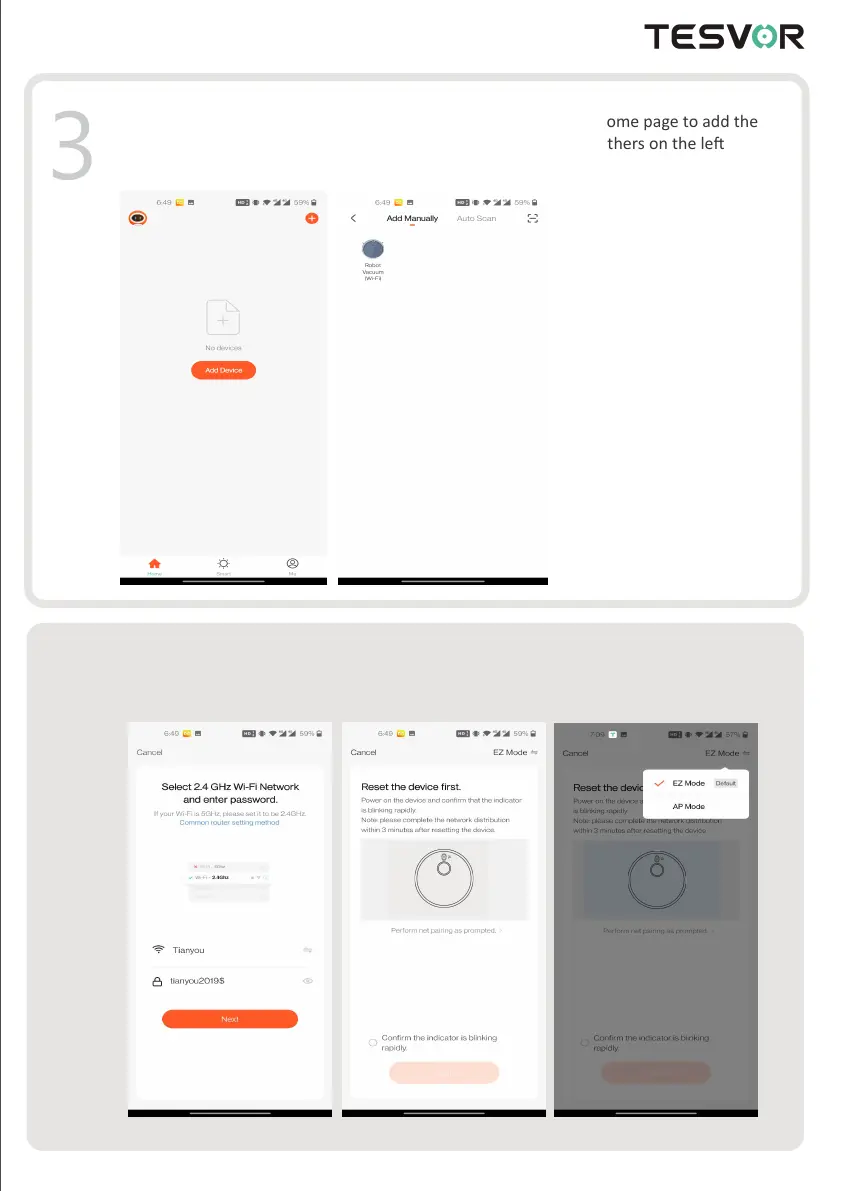
Tesvor S6 - Add Device to Tesvor App; Configure Wi-Fi Network Settings

Tesvor S6
51 pages
Print Icon
To Next Page IconTo Next Page
To Previous Page IconTo Previous Page
Loading...
Input WIFI account and password (choose 2.4GHz Wi-Fi),
then click "Next". First choose the "AP Mode" on the right corner;

3
4




reserve the right to update the app and


2

Other manuals for Tesvor S6

Related product manuals