8
46
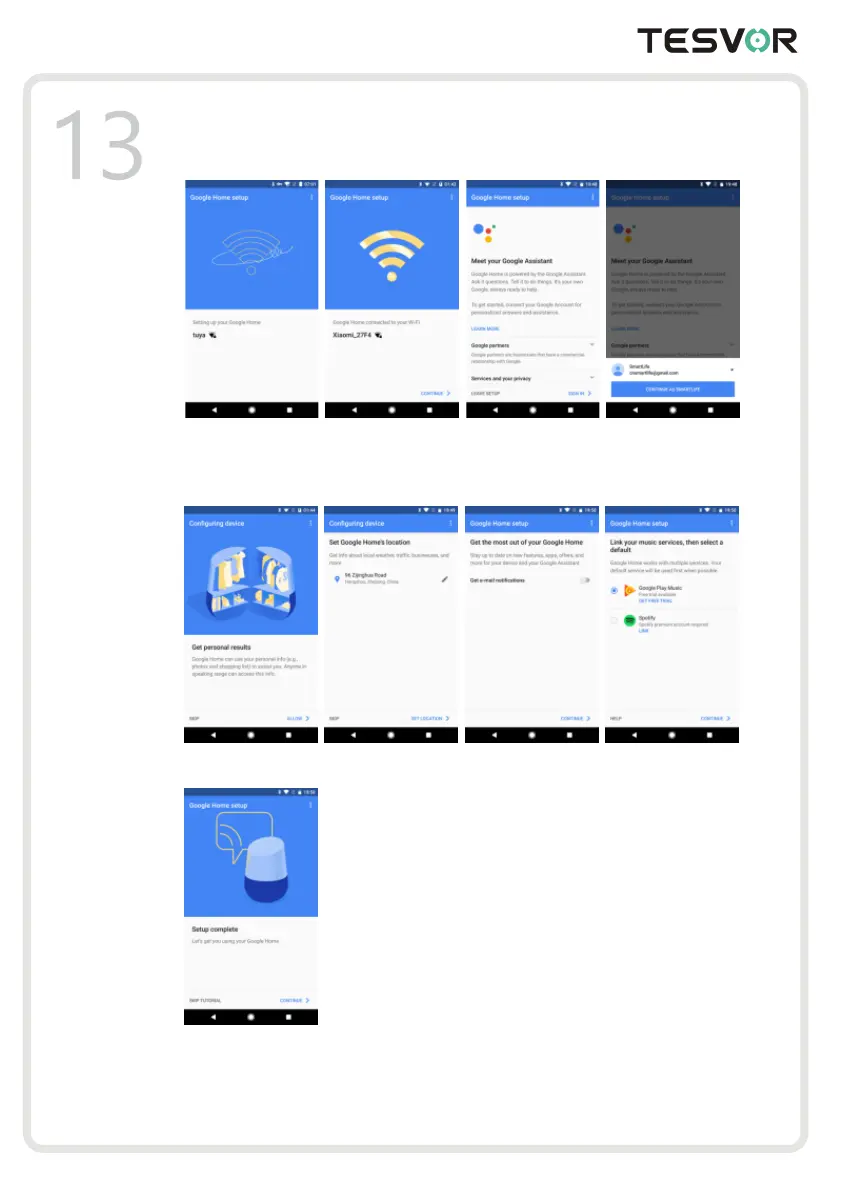
9. In order for the Google assistant to answer your questions and to enjoy a personalized experience,
you must sign into your Google account, then tap "SIGN UP". Choose the Google account you want
to link to your Google Home device, then tap "CONTINUE AS XXX". Enter the address where this
Google Home is installed, and select your default music service.
10. Tap "SKIP TUTORIAL" to finish the setup. You can also tap `CONTINUE` to watch the Google
Home tutorial.
3.2 Link 7HVHRU account in Home Control
1. Ta p "Home Control" in the hamburger menu on the Google Home app’s home page, then tap "+".



 To Next Page