1. Make sure your Echo device is powered on.
2. Make sure that Echo show has Wi-Fi networks with smooth access to Amazon services
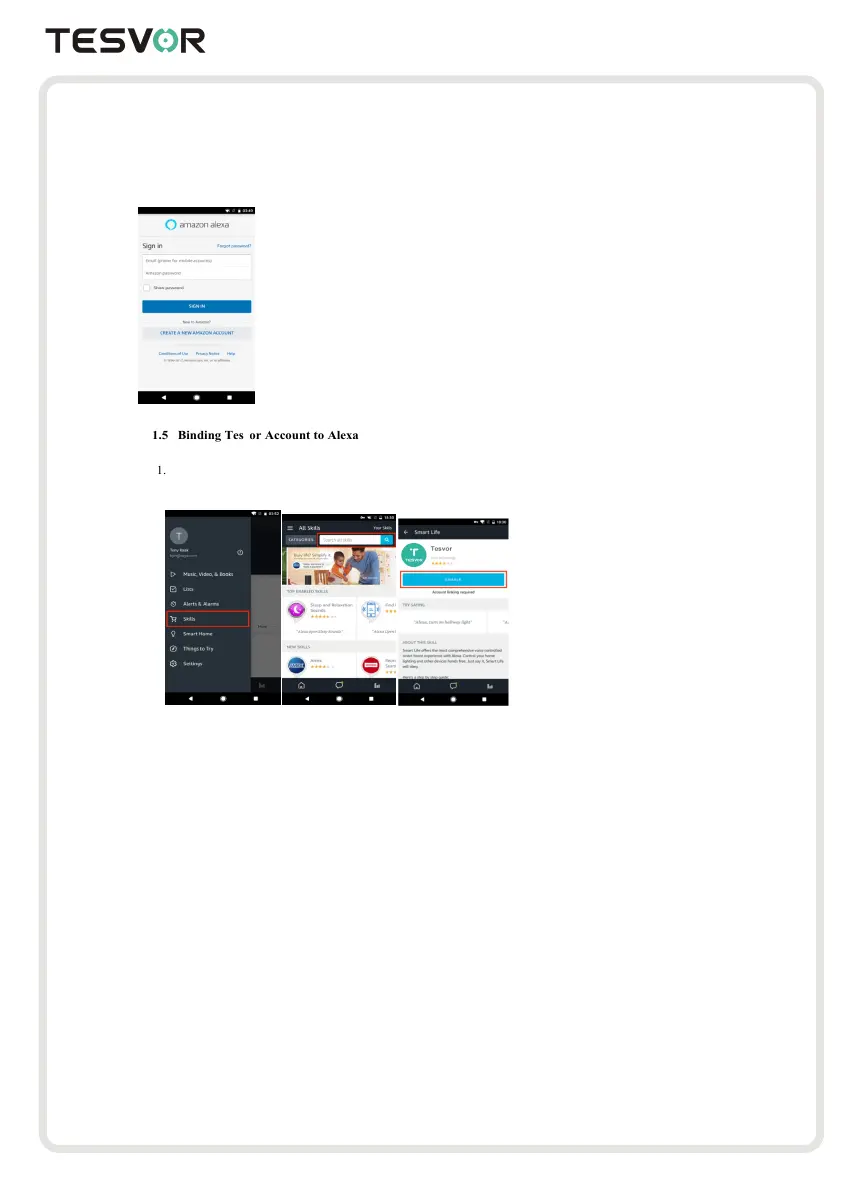
3. Open Alexa app on your mobile phone
4. Enter Amazon's account and password and click "SIGN IN" to login.
Click "Skills" on the menu and search for "7HVHRU".
Select "7HVHRU" in the search results andclick
"ENABLE" to enable Skill.
2. In the new page, enter your 7HVHRU app account and password, and correctly select the country whereyour
account belongs, then click "Link Now" to bind your 7HVHRU account. Country, account number and
password must be consistent with the content registered in APP. After the account bindings successful,click
the ✘in the upper left corner to go back to Alexa app.
Control your smart devices with Echo show



 To Next Page