27
611 - 612
GB
INSTRUCTIONS
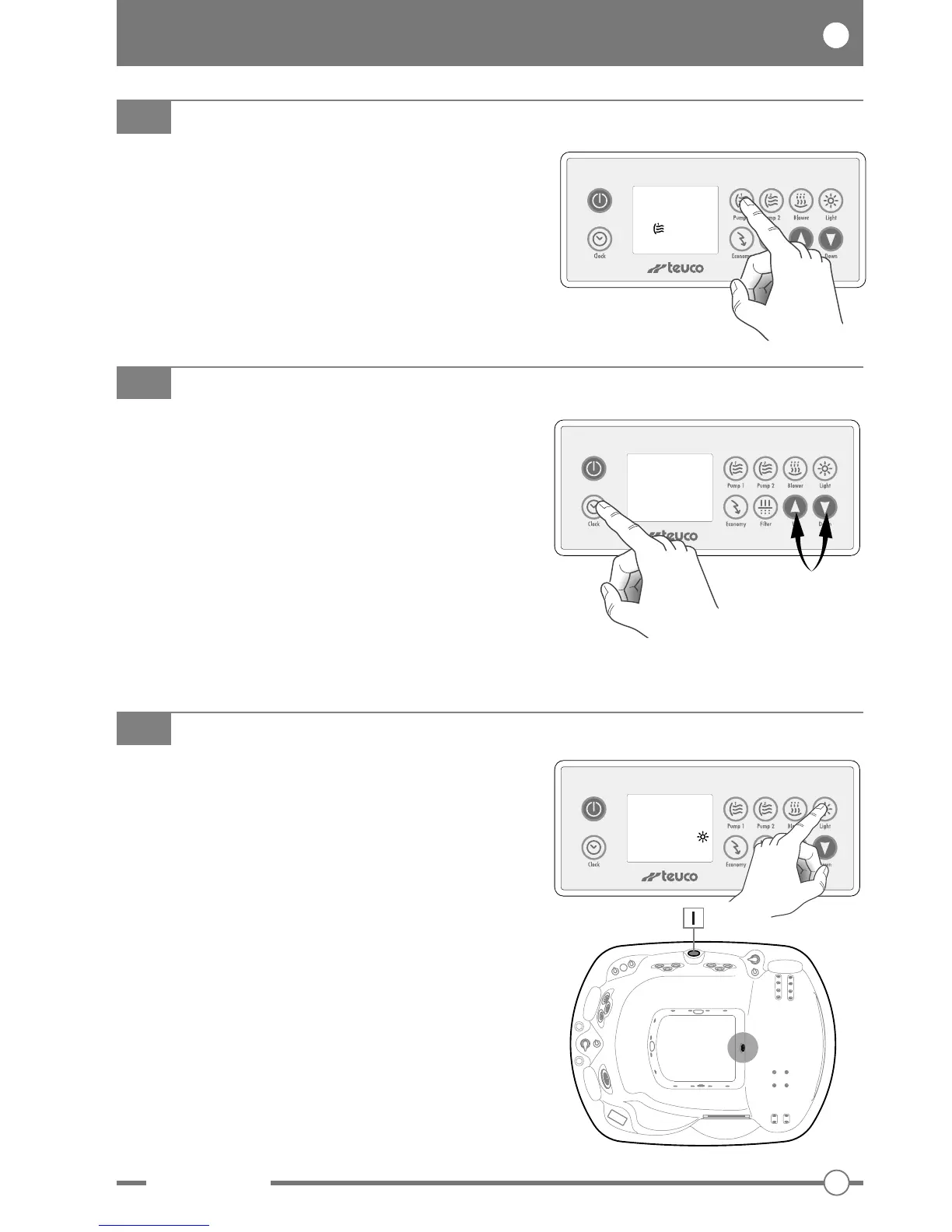
Press the “Clock” button to display the time.
SETTING THE EXACT TIME
To set the exact time, press and hold the “Clock”
button (the hours field will blink).
Use buttons “
▲
” and “
▼
” to set the hours.
Press “Clock” again to set the minutes (the minutes
field will blink).
Use buttons “
▲
” and “
▼
” to set the minutes.
Press the “Clock” button once more to terminate the
setting procedure.
CLOCK
08:30
AM
FILTER BOOST
This function serves advantageously to filter the water
following heavy use of the minipool, or to mix the
treatment chemicals more quickly.
Press the “Pump 1” button and hold for 5 seconds.
The display shows B 00.
Pump 1 and the ozonator are activated for 45 minutes.
B 00
Press the “Light” button to switch on the underwater
light in the minipool.
Press “Light” a second time to switch the underwater
light off.
QUICK START: the underwater light can be switched
on by pressing the remote button on the panel (I).
LIGHT
08:30
AM


 To Next Page