26
615
GB
INSTRUCTIONS
The temperature of the water can be displayed in
degrees Celsius or degrees Fahrenheit.
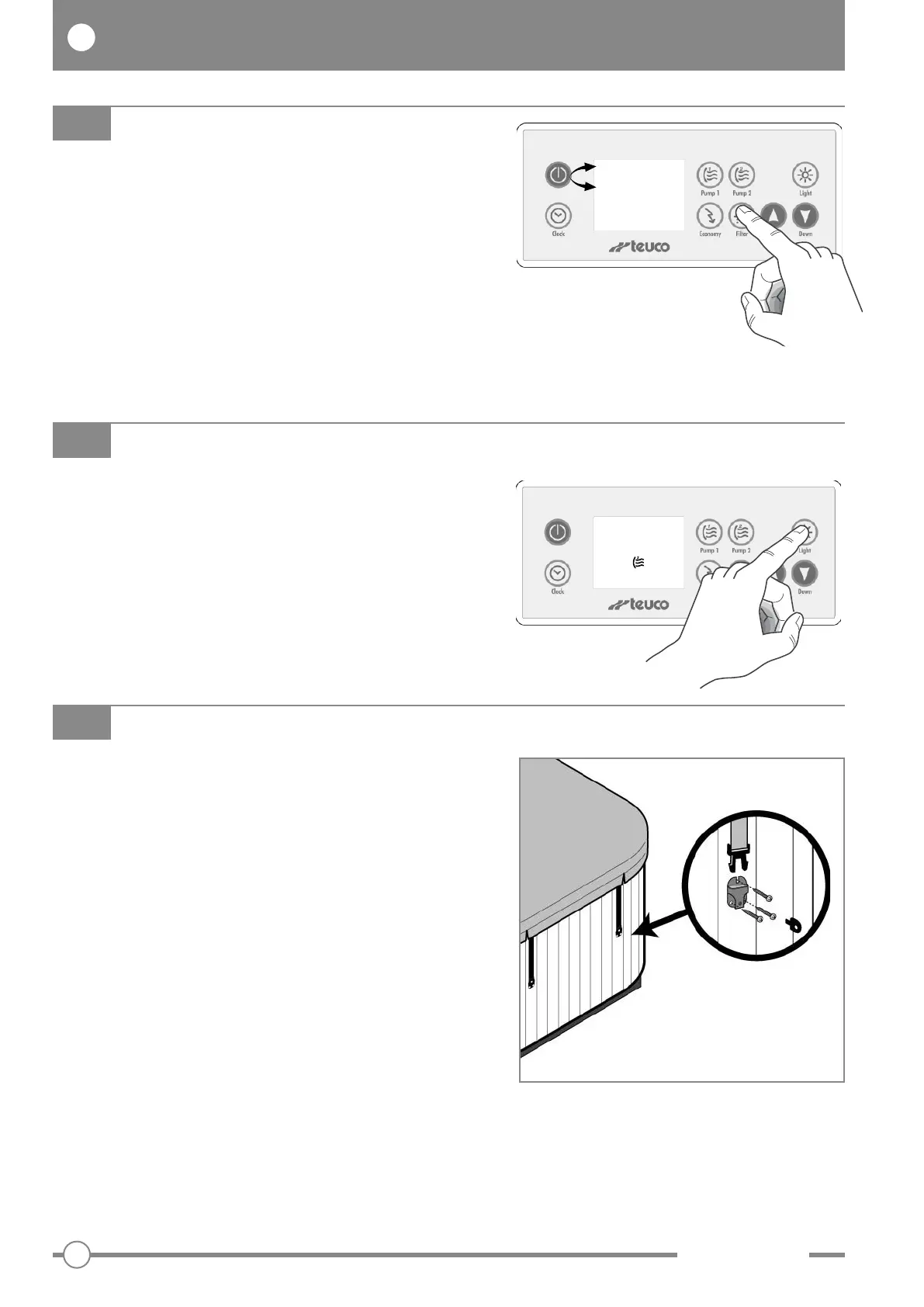
Press the “Light” button and hold for 5 seconds to
display the temperature in °C or °F.
TEMPERATURE DISPLAY IN DEGREES CELSIUS OR FAHRENHEIT
99.0
°F
Always keep the minipool covered over (when not in
use) so as to avoid heat loss and evaporation, and to
prevent the water being fouled with leaves and dirt.
During the installation procedure, secure the straps
of the canvas to the panels with the screws provided
(see illustration).
The canvas must be held down with the straps and, if
necessary, locked for added security.
The canvas is not intended to carry weights.
Do not sit, step or lie on the canvas.
Do not place objects on the canvas.
The canvas can be dangerous if not secured or properly
closed.
Failure to follow the instructions for securing the canvas
can result in danger to the user.
Remove the canvas completely before stepping into the
pool, otherwise there is a risk of being trapped.
We recommend that at least two people carry out thermal
cover removal operations. The cover must only be lifted
and carried by its special handles.
MINIPOOL CANVAS
Messages can be displayed upside down so that
they are readable from both inside and outside the
minipool.
Press the “Filter” button and hold for 5 seconds to
rotate the display 180°.
ROTATE DISPLAY
37 .0
°C
37 .0
°C



 To Next Page
 Loading...
