• Concept E 450 Digital 9
Connecting
Connecting external players
1. Pull the mains plug of all devices to be connected
out of the socket to prevent accidental activation.
2. Connect the Concept E 450 Digital to your external
players as shown in the following examples.
• PC:
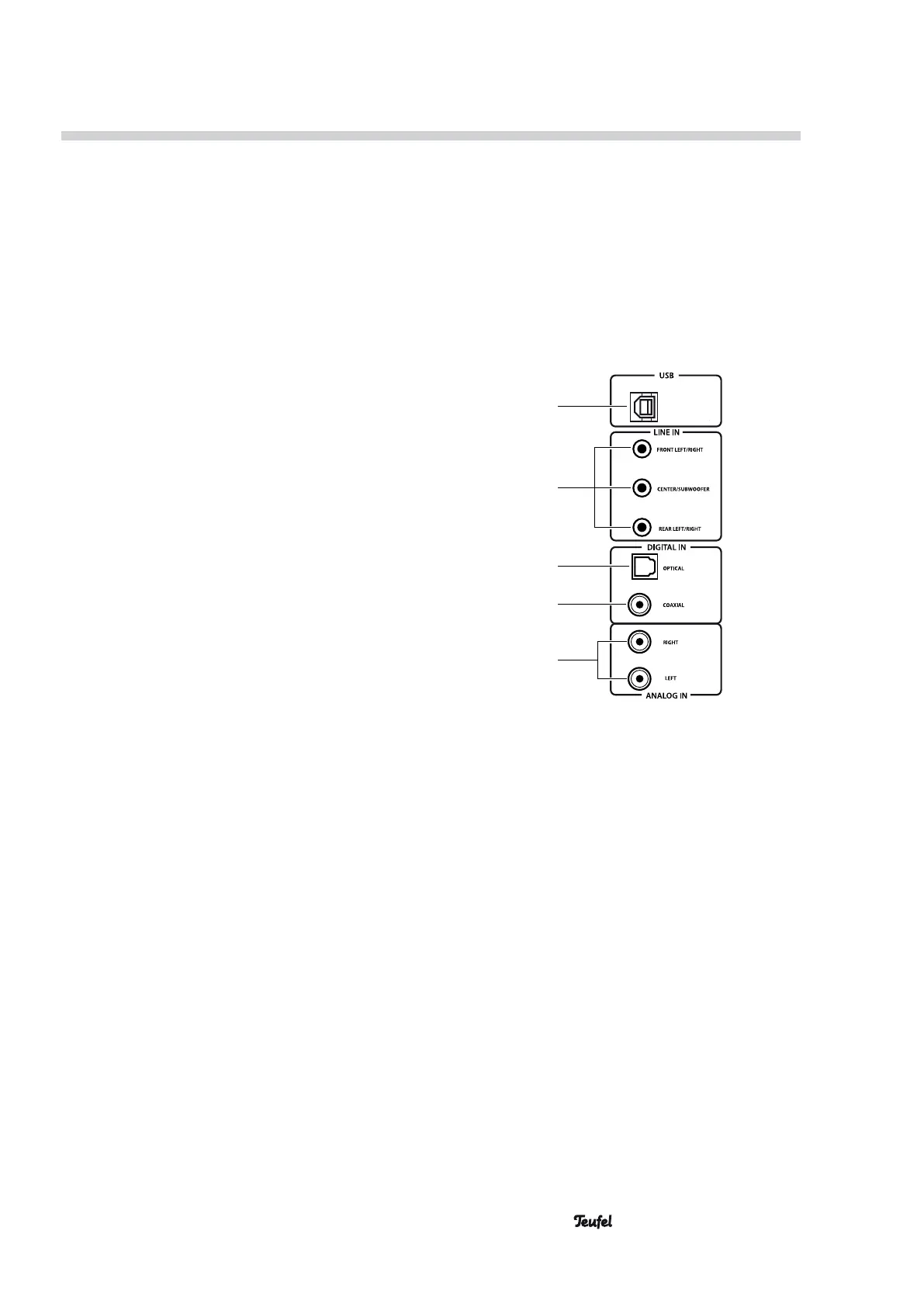
– Connection to USB (23) using a USB cable.
Set audio output on the PC to the USB sound
device or similar.
You can download a suitable driver for
Windows
®
from the product web site at
www.teufelaudio.com.
• Decoder station, ControlStation or PC with 5.1
sound card:
– Connection to LINE IN (24) using 3 stereo
cables “RCA to a 3.5 mm TRS” or “TRS to TRS
(3.5 mm)”.
• Blu-ray player or Smart-TV:
– Connection to DIGITAL IN OPTICAL (25) using
an optical cable with TOSLINK plugs or using a
coax cable.
• Satellite receiver:
– Connection to DIGITAL IN COAXIAL (26) using
an RCA cable or an optical cable.
• MP3 player:
– Connection to ANALOGUE IN (27) using a
stereo cable “RCA to 3.5 mm TRS”.
You can find suitable cables in our web shop.
You can also connect a smartphone or tablet to the
Concept E 450 Digital via Bluetooth (see “Bluetooth
pairing” on page 14).
23
25
26
27
24


 To Next Page