19 • CoreStation
Operate functions of the CoreStation via the main
menu. To use the menu:
1. Switch the CoreStation and your TV on.
2. On the TV set, select the CoreStation as a source.
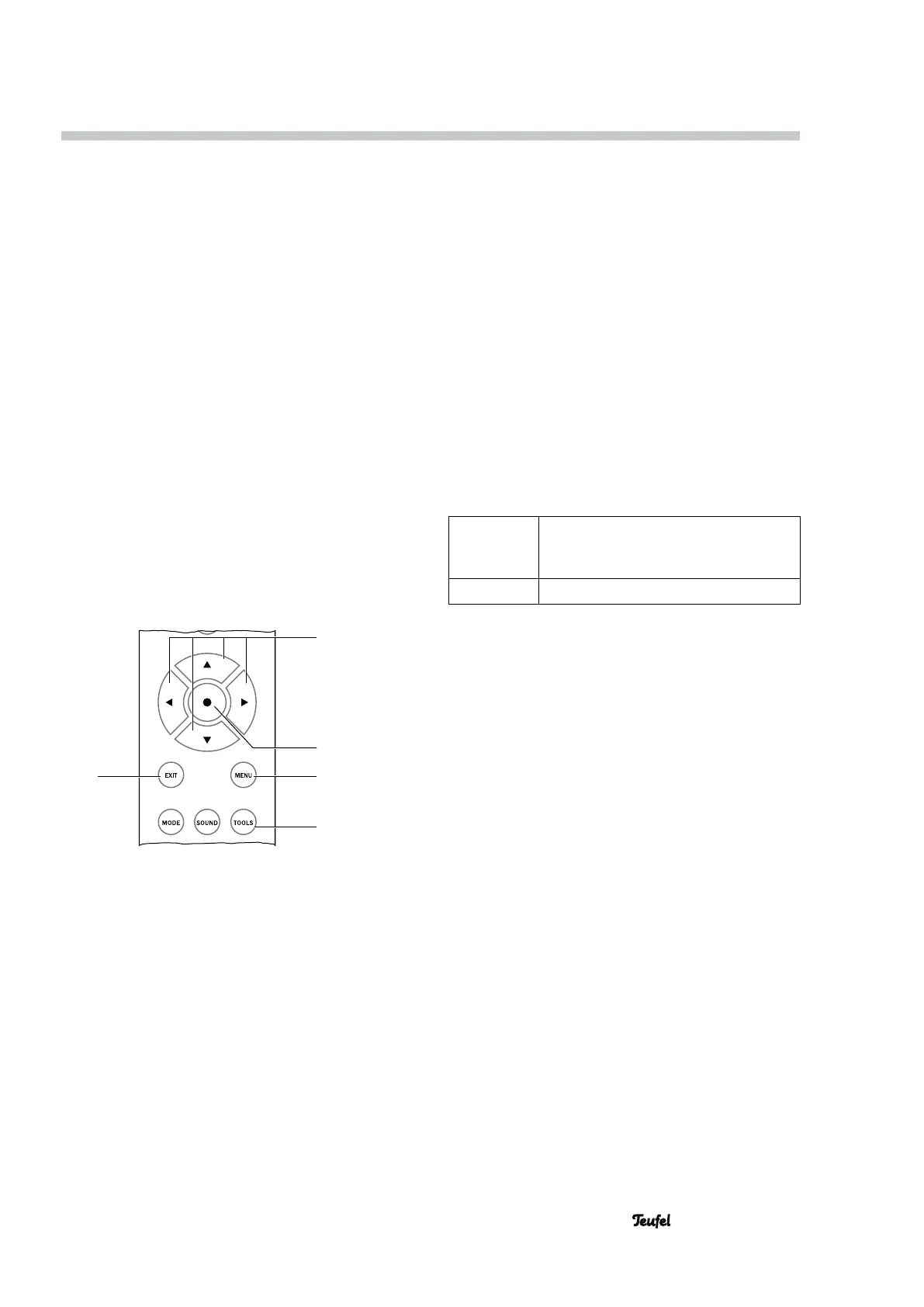
3. Push the MENU button (24).
The main menu will appear on the connected TV
set.
4. Select the desired submenu with the set buttons
▲/▼ (22).
5. Push the • button (23).
The submenu will open and you can select the next
submenu or change the values with the set buttons
▲/▼ (22).
6. You accept the setting by briefly pushing the •
button (23).
• With the EXIT button (30) you end or abort the
respective function.
• Push the MENU button (24) to leave the menu at
any time.
• With the TOOLS button (26) you can access the
system configuration menu directly.
30
22
23
24
26
If the menu is in German, you can switch the language
for the screen menu to English as follows:
1. Push the TOOLS button (26).
2. Select the item “D/E”.
3. Select the item “English”.
The onscreen menu will now switch to English.
4. Push the MENU button (24).
The menu will disappear.
In the following sections, the English menu title will
be specified followed by the German menu title in
brackets.
Menu functions
“Tuner” menu
This menu is only available in radio mode (FM).
Presets
Here, you can switch the station memory slots with
the set buttons ▲/▼ (22).
Frequency
To set the tuning frequency, push the set buttons
▲/▼ (22) to scan through the stations in the desired
direction; the scan will stop as soon as a station with
sufficient signal strength is found.
Mode
With stereo stations with a weak signal, a bothersome
noise may be heard; you can eliminate it by switching
to mono.
Auto Stereo If there is sufficient signal strength,
the device will automatically switch to
stereo.
Mono Continuous mono reception.
Memory Store
Current Frequency
Will save the current station to the next free station
memory slot.
APS
With this, you can automatically scan through the
FM frequency and store all available stations to the
station memory slots. Respond to the prompt “OK?”
by briefly pushing the • button (23). The device will
automatically save the first 30 stations. Already occu-
pied memory slots will be deleted in the process.
Memory Erase
• Select “Current Slot?” to erase only the currently
selected station memory slot.
• Select “All Slots” to erase all station memory slots.
Push the • button (23) to erase or the EXIT button
(30) to cancel.


 To Next Page