23
27
19
23 • CoreStation
You can connect compatible Bluetooth devices such
as most smartphones with your CoreStation via
Bluetooth. The sound output of the smartphone then
occurs via the CoreStation.
The Bluetooth wireless transmission system has a
range of approximately 10 metres, that can be de-
creased by walls and furnishings. If the connection is
cut off, the CoreStation will attempt to re-establish a
connection until you select another source.
Pairing
1. In the “System Setup” menu, select the sub-menu
“Wireless” and then the menu item “Bluetooth”.
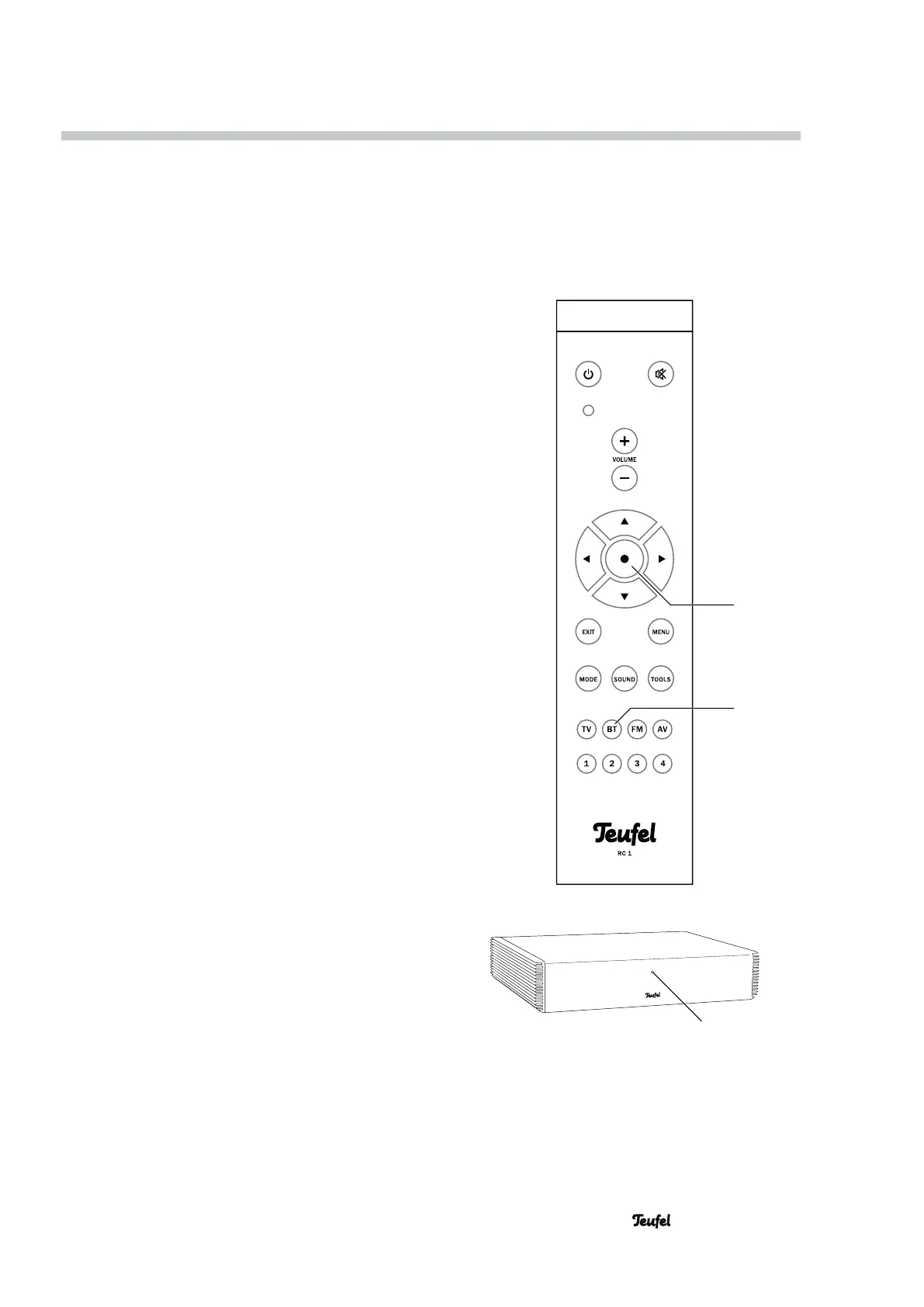
2. Push the • button (23) twice to start the pairing
process. The function LED (19) will now quickly
blink in blue.
3. Activate the Bluetooth function on your source
device (e.g. smartphone).
4. Let your source device search for Bluetooth devic-
es. You will find more information about this in the
instruction manual of your source device.
After the search run, the “CoreStation” should also
be present in the list of detected devices.
5. Select “CoreStation” from the list of detected
devices.
The function LED (19) will now be continuously
illuminated in blue. The CoreStation will play back
all sounds that would otherwise be played back by
your source device.
Playback
1. Use the BT button (27) to select Bluetooth as
source.
2. On your source device, switch the Bluetooth func-
tion on.
3. Start playback with your Bluetooth device.
The function LED (19) will illuminate in blue.
If your device is a smartphone, the Bluetooth
connection will be interrupted in the event of an in-
coming call and you can make phone calls as usual.
After finishing your phone call, the sounds will
once again be diverted and played back by your
CoreStation.
4. To end the Bluetooth connection, turn off the
Bluetooth function on your source device and select
another source on the CoreStation.
Bluetooth Playback


 To Next Page