18
2
13
12 • CoreStation
Connecting
WARNING
Risk of injury/damage!
Lay the cables so that they do not pose a tripping
hazard.
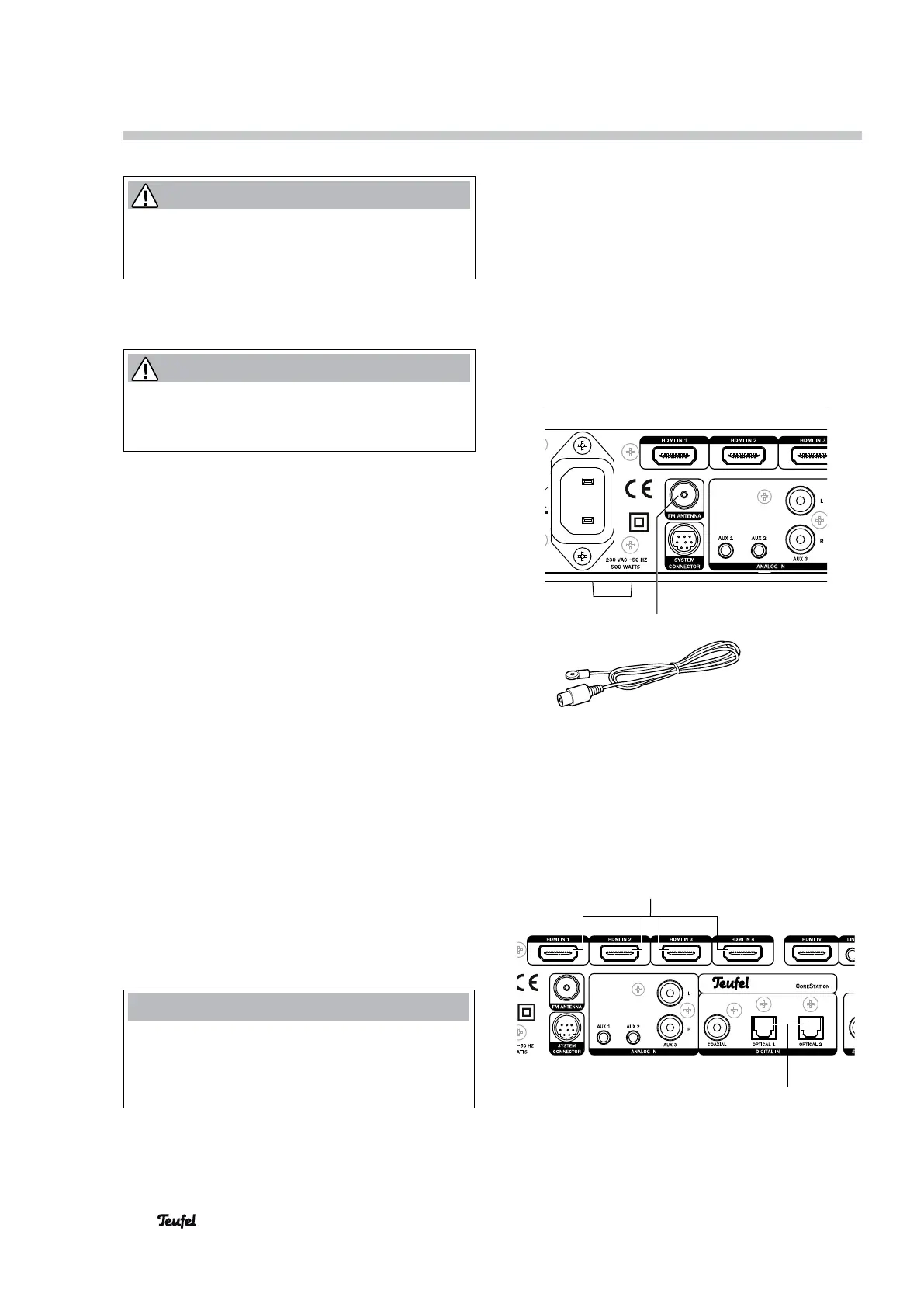
FM antenna
WARNING
Risk associated with lightning strike!
If you are using outdoor or roof antennas, be abso-
lutely sure that the antenna has lightning protection.
To receive FM stations, connect the antenna to the
FM ANTENNA jack (18). This may be a roof/outside
antenna, but also a cable television connection. You
will need a coaxial connector cable for this.
If no antenna connection is available at the set-up
location, you can use the enclosed throw-out anten-
na. Push the antenna plug into the FM ANTENNA
jack (18) and adjust the position of the throw-out
antenna for best reception. Then fix the antenna in
place.
Inputs for source devices
The CoreStation offers 4 HDMI inputs for digital
audio/video signals (HDMI 1, 2, 3 and 4), three
analogue audio inputs (AUX 1, 2 and 3) as well as one
coaxial and two optical digital audio inputs.
HDMI 1, 2, 3 and 4
You can connect a HDMI source device with a digital
video and audio signal to each of the jacks (2) (e.g.
PC, Blu-ray player or game console). For this, you will
need one HDMI cable per device.
If a device does not transfer the audio via HDMI, you
can assign one of the audio inputs of the CoreSta-
tion to this device in the “Audio Mapping” menu (see
page20).
NOTE
The functions CEC and ARC are deactivated to save
energy when the product is delivered. If necessary,
please activate these functions via the menu (see
“HDMI” on page 21).


 To Next Page