Information
If you are using a 7.1 sound
card, the outputs for the centre
channels are not used.
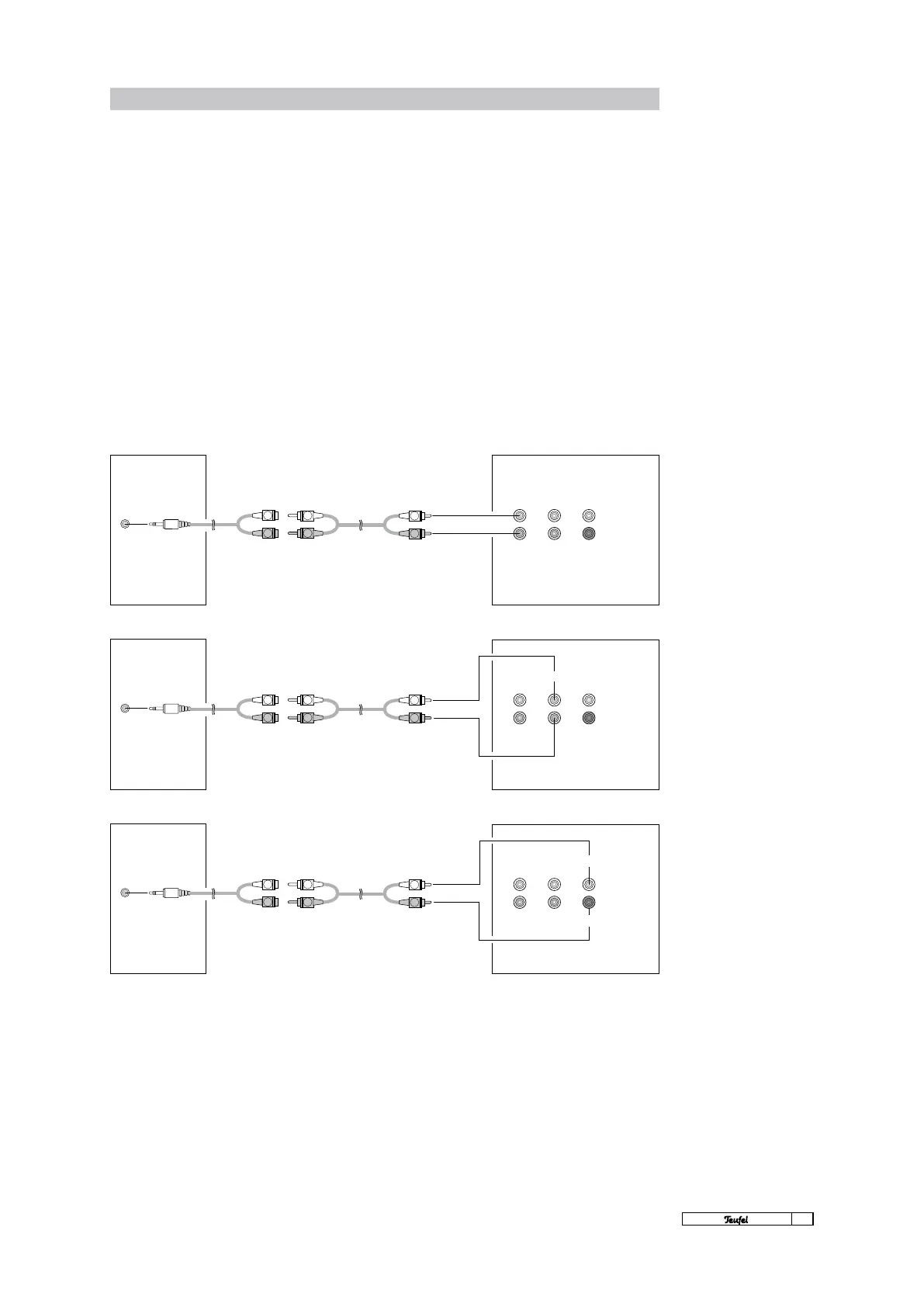
Example connection of a 5.1
sound card
L
R
L
R
L
R
L
R
L
R
L
R
L
R
L
R
L
R
11
· Motiv 5
LINE OUT
SUBWOOFER
CENTRE
INPUT
L
FRONT
REAR CENTRE
R
SUB
LINE OUT
REAR L/R
INPUT
L
FRONT
REAR CENTRE
R
SUB
LINE OUT
FRONT L/R
INPUT
L
FRONT
REAR CENTRE
R
SUB
Connection to a 5.1 sound card
The Motiv 5 is perfect for direct connection to any
computer. If your sound card is set up for 5.1 op-
eration, you will usually nd three 3.5mm mini-jack
outputs. Connect the card, using three adapters
(3.5 mm stereo mini-jacks to 2 x cinch), to the in-
puts for the front R/L, rear R/L, centre and sub-
woofer on the back side of the Motiv 5. The colours
of the outputs and the types of signals trans-
ferred at each output differ from sound card to
sound card. Please refer to the handbook of your
soundcard. The Teufel system then reproduces the
surround signal decoded by the sound card.
Connection: 5.1 sound card
SUBWOOFER MOTIV 5



 To Next Page