“When I switch the PC on or off I can hear a loud snapping
or crackling.”
The speaker system reproduces any kind of acoustic signal that
it receives from the signal source. It cannot differentiate be-
tween useful and disruptive signals. When the PC’s sound card
transfers the on/off impulses to the box set, the speakers will
reproduce it. These will not usually damage your speakers. Nev-
ertheless, we recommend minimising the volume using the PC’s
software before switching off, in order to limit these strong
impulses.
Basic function test
You can check the function of the subwoofer and the satellites
by only connecting the (stereo) signal from an external source
that is guaranteed to be good quality – such as a music CD
played on a (portable) CD player – via a cinch cable (and possibly
a Y adaptor) with the front input L/R on the subwoofer.
The other four inputs on the subwoofer do not need to be occu-
pied (= cinch cable disconnected). Using this connection set-up
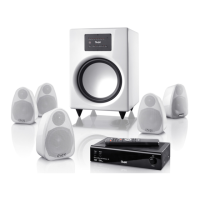
for front in L/R, the Motiv 5 amplier activates all satellites and
the subwoofer via internal distribution.
If the subwoofer and all ve satellites now play the signal from
a directly connected CD player properly, the Motiv 5 was not re-
ceiving the correct signal before.
Either the cinch cable is defective (try exchanging it) or the out-
put of your source appliance is not producing the correct signal.
If you continue to experience unwanted noise/individual mal-
functions, there is possibly a defect in the Teufel system.
Cleaning
To make sure you are able to enjoy your product from Laut-
sprecher Teufel for a long time, please note the following tips:
Do not expose the casing to direct sunlight.
Avoid extreme temperature differences and protect your speak-
ers from moisture.
When cleaning the speaker, only use a slightly damp or dry cloth.
Abrasive cleaners and products that contain alcohol should be
avoided. Remove dust from the membrane very carefully with a
dry cloth.
Technical data
Technical data can be found on our homepage at:
www.teufelaudio.com.
Frequently asked questions · Cleaning · Technical data
Please contact our service department if you have any questions, suggestions or if there is anything you think we could do better.
All information is provided without guarantee of correctness.
Subject to technical changes; typing errors and mistakes
excepted.
Lautsprecher Teufel GmbH
Gewerbehof Buelowbogen · Buelowstraße 66
D-10783 Berlin (Germany)
Ph.: 00800 200 300 40
Fax: +49(30) 300 930 930
www.teufelaudio.com



 To Next Page