Note
You can reproduce all
of the functions of the
dial control using the OK
button and both arrow
buttons, left and right.
Mode
You can select the various surround configu-
rations of the Decoderstation 5 by repeatedly
pressing this button.
Speaker
You can select the various speaker configura-
tions of the Decoderstation 5 by repeatedly
pressing this button.
Te st
After this button has been pressed, the Deco-
derstation 5 produces test signals for equalising
the speakers. The test signal is then emitted
from each loudspeaker in turn (see p. 15 – equali-
sing the speakers).
Volume + / – (speaker symbols)
You can use these two buttons to increase or
reduce the overall volume of the Decoderstation
5 or the individual speaker levels. The current
setting is shown in the LC display.
Left / right arrow
Pressing these buttons triggers the same
functions as rotating the control wheel on the
Decoderstation 5.
OK
Pressing this button triggers the same functions
as pressing the dial control on the Decodersta-
tion 5 (push function).
Front L.
This button leads straight back to the volume
control of the left front speaker.
Front R.
This button leads straight back to the volume
control of the right front speaker.
Centre
This button leads straight back to the volume
control of the centre speaker.
Side L.
This button leads straight back to the volume
control of the left surround speaker.
Side R.
This button leads straight back to the volume
control of the right surround speaker.
Subwoofer
This button leads straight back to the volume
control of the subwoofer.
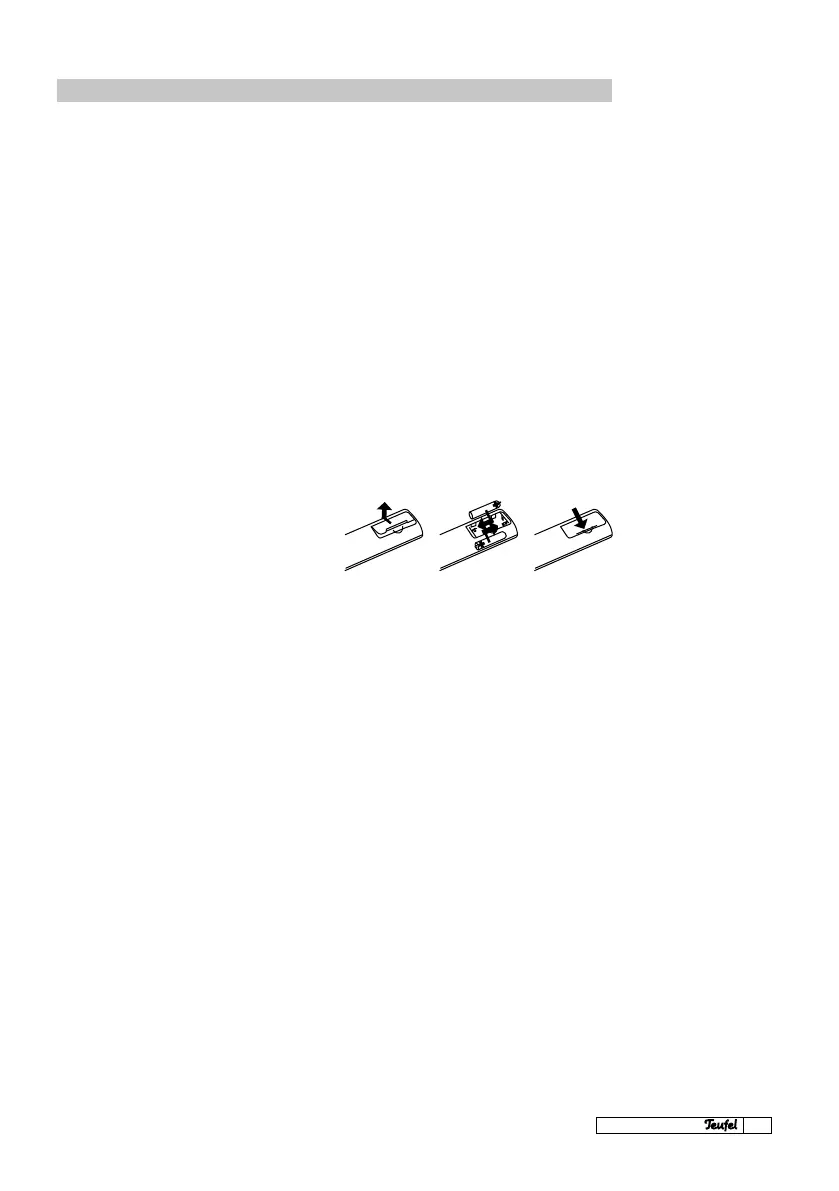
Inserting or changing the batteries.
Please change the batteries if the remote
control stops working even when right next to
the Decoderstation 5.
Please note:
Ě Do not combine new and old batteries
Ě Do not use different types of batteries
Ě Observe polarity and the markings in the
battery compartment
Function: Remote control



 To Next Page