8 • One S
Connecting via Bluetooth
®
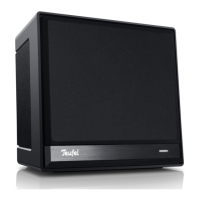
You can connect compatible devices
such as most smartphones and
tablets to your One S via Bluetooth
®
(pairing). The sound of the smart
device is then played by the One S.
1. Turn on the Bluetooth
®
function on
your smart device.
2. Tap the Bluetooth
®
pairing button
(10) on the back side of the
speaker. The Bluetooth
®
LED in the
button will now blink until pairing
is complete (no more than 60
seconds).
3. Let your smartphone search for
Bluetooth
®
devices (you can find
more information in the user
manual of your smart device).
“Teufel One S”
should also appear
in the list of detected devices
following the scan.
4. Select “Teufel One S” from the list
of detected devices. If your smart
device requires the entry of a PIN
code, enter the PIN code “0000”
set by factory default.
5. Pairing is now complete and the
smart device is linked to the One S.
The One S will now play back all
sounds that would otherwise be
played by your smart device.
• To terminate the Bluetooth
®
connection, switch the Bluetooth
®
function on your smart device off.


 To Next Page