EasyManua.ls Logo

Texas Instruments TI-60 - Page 6

Texas Instruments TI-60
170 pages
Print Icon
To Next Page IconTo Next Page
To Previous Page IconTo Previous Page
Loading...
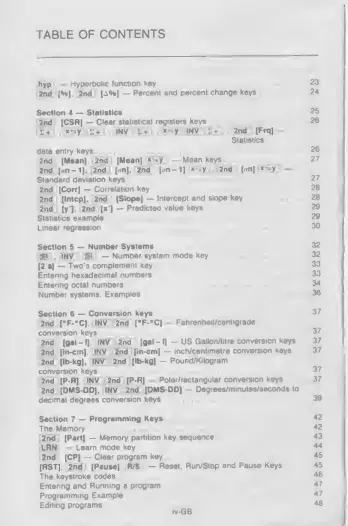
TABLE
OF
CONTENTS
itwol
Hyperbolic
function
Key
23
2nd
[H|,
2nd
]
^4%]
Percent
and
percent
change
keys
24
Section
4
Statistics
25
2n
d
i
(CSR)
-
Clear
statistical
registers
Keys
26
t*
»
y
INV
-
+
*
-V
INV
5t
2nd
(FrqJ-
Siatistics
data
entry
keys
26
2nd
(Mean]
2nd
(Mean]
x-^y
-
Mean
keys
2nd
[on-1],
2nd
(on].
2nd
[.m-1]
*
V
2nd
(
n|
«-.y
-
Standard
deviation
Keys
2nd
[Corr]
Correlation
key
2nd
[Intcp],
2nd
(Slope]
-
Intercept
and
slope
key
2nd
(yl.
2nd
(*']
-
Predicted
value
keys
Statistics
example
Linear
regression
Section
5
Number
Systems
[jjfiLI
IMV
'
OH]
-
Number
system
mode
key
(2‘s|
Two's
complement
key
Entenng
hexadecimal
numbers
Entering
octal
numbers
Number
systems
Examples
Section
6
Conversion
keys
37
2nd
fF-*q.
INV
2nd
(*F-»C1
Fahrenheit/centigrade
conversion
keys
37
2nd
(gal
-1]
INV
2nd
(gal
-
IJ
US
Galton/lltre
conversion
keys
37
2nd
[irv-cm]
INV
2nd
-
inch/centimetre
conversion
keys
37
2nd
[Ib-kg],
INV
2nd
[lb-kg]
-
Pound/Kilogram
conversion
keys
37
2nd
[PR],
INV
2nd]
(P
R]
-
Polar/rectangular
conversion
keys
37
2nd
(DMS-DD]
INV
2nd
(DMS-ODJ
-
Degrees/minutes/seconds
to
decimal
degrees
conversion
keys
39
Section
7
Programming
Keys
42
The
Memory
*2
2nd
(Pert]
Memory
partition
key
sequence
43
LRN
-
Learn
mode
koy
44
2nd
[CPI
-
Clear
program
key
4
&
(RST]
2nd
[Pause]
fi/S
-
Reset.
Run/Stop
and
Pause
Keys
«
The
keystroke
codes
*6
Entenng
and
Running
a
program
47
Programming
Example
47
Editing
programs
4e
rvGB

Related product manuals