11.0 Solving Tips
[11.1] Try nsolve() if solve() and csolve() fail
nsolve() may be able to find a solution when solve() and csolve() cannot. For example, these both
return false:
cSolve((x+1)^(x+2)=0,x)
Solve((x+1)^(x+2)=0,x)
However,
nSolve((x+1)^(x+2)=0,x)
returns a solution of x = -1. As usual, all solutions should be checked by substituting the solution into
the original equation.
(credit to Bhuvanesh Bhatt)
[11.2] zeros() ignores constraint for complex solutions
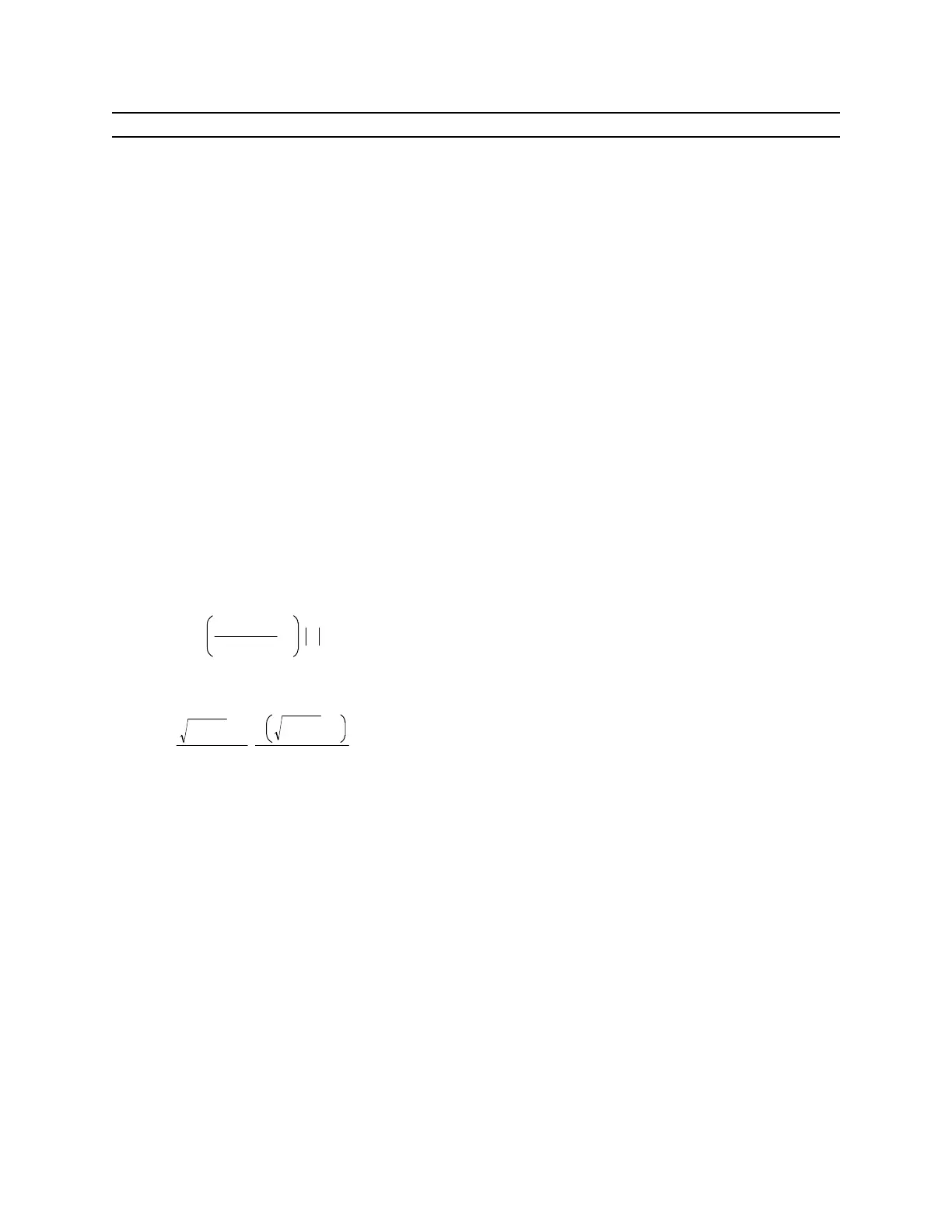
In some cases the zeros() function will ignore constraints that require a complex solution, and return a
general solution instead of False. For example:
zeros
x
2
−xy+1
x
,x | y
< 1
returns two solutions
y
2
−4
+y
2
−
y
2
−4
−y
2
Since both of these solutions return complex results for the original constraint |y| < 1, zeros() should
really return False.
(Credit to Bhuvanesh Bhatt)
[11.3] Try cZeros() and cSolve() to find real solutions
zeros() and solve() may return no solutions even when real solutions exist, for example:
solve((-1)^n=1,n)
returns false, and
zeros((-1)^n-1),n)
returns {}, indicating that no solution was found. However,
11 - 1



 To Next Page
 Loading...













