EasyManua.ls Logo

Texas Microsystems, Inc. 2003 - Installation

Default Icon
44 pages
Print Icon
To Next Page IconTo Next Page
To Previous Page IconTo Previous Page
Loading...
5.1.4
Installation
In
addition
to
the
instructions
for
installirg
modular
options
in
dlapter
1,
the
eight
position
keyboard
cable
l11.lSt
be
installed
at
J3
on
the
bottom
edge
of
the
card.
Insure
that
the
cable
ext:.enjs
to
the
bottom
of
the
cx:mpIter
for
proper
polarity.
Inproper
installation
may
result
in
keyboard
damage.
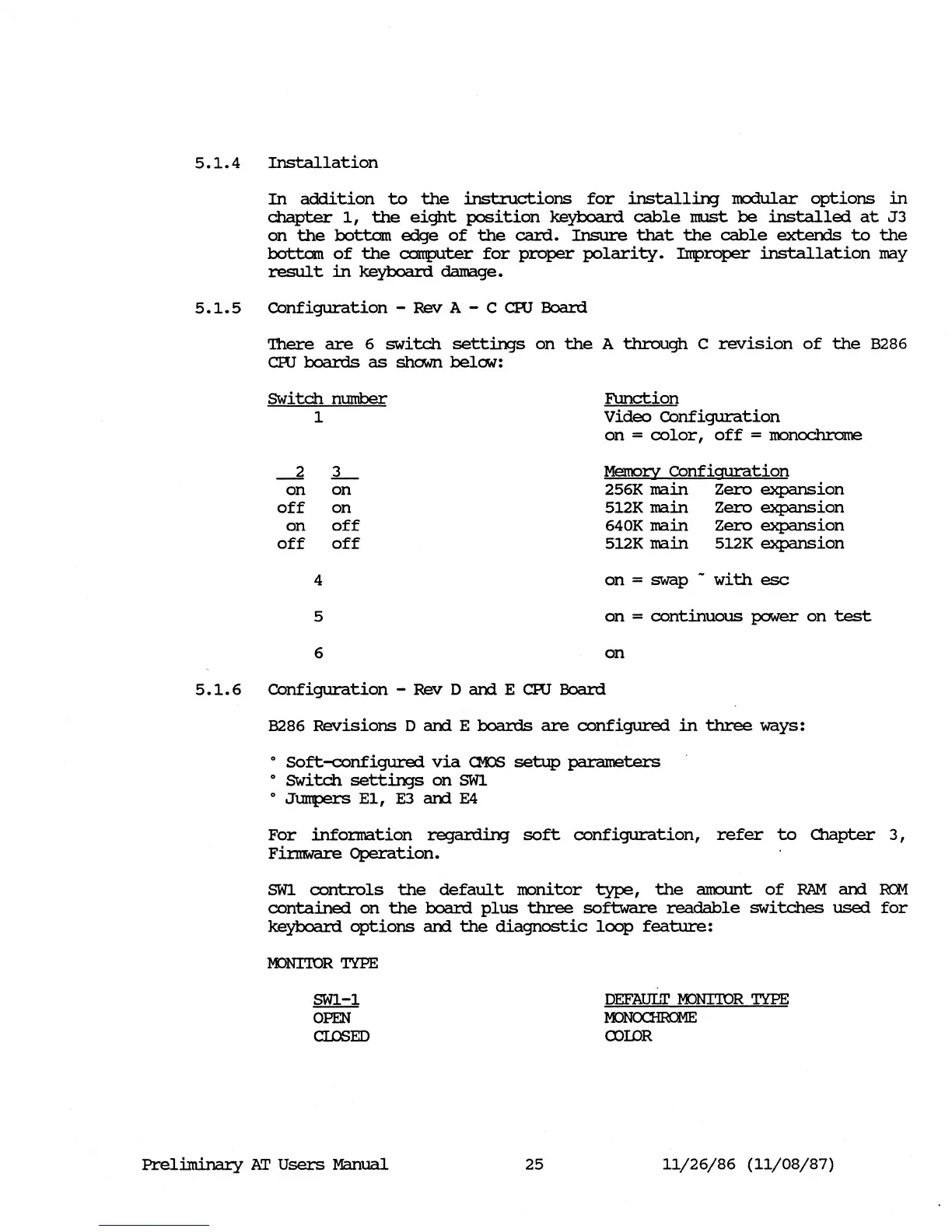
5.1.5
Configuration
- Rev A - C cro
Board
'!here
are
6
switch
settin;s
on
the
A
through
C
revision
of
the
8286
cro
boards
as
shown belCM:
SWitch
mnnber
1
--2
L-
on
on
off
on
on
off
off off
4
5
6
F\m.ction
Video
COnfiguration
on
=
color,
off
=
monoc::h:rome
Memory
COnfiguration
256K
main
Zero
expansion
512K
main
Zero
expansion
640K main
Zero
expansion
512K main 512K
expansion
on
= swap -
with
esc
on
=
continuous
power
on
test
on
5.1.6
Configuration
- Rev
DamE
cro
Board
8286
Revisions
DamE
boards
are
configured
in
three
ways:
o
Soft-configured
via
CK>S
setup
parameters
o SWitch
settin;s
on
SWl
o
JtnnperS
E1,
E3 am E4
For
infonnation
reganiing
soft
configuration,
refer
to
Cllapter
3,
Finnware
Operation.
SWl
controls
the
default
monitor
type,
the
anomt
of
RAM
am
ReM
contained
on
the
board
plus
three
software
readable
switches
used
for
keyboard
options
am
the
diagnostic
loop
feature:
KJNI'IDR
TYPE
SWl-1
OPEN
CIDSED
Prel.i.minal:y
AT
Users
Manual
25
DEFAUI1I'
M:>NI'IQR
TYPE
~
roIDR
11/26/86
(11/08/87)