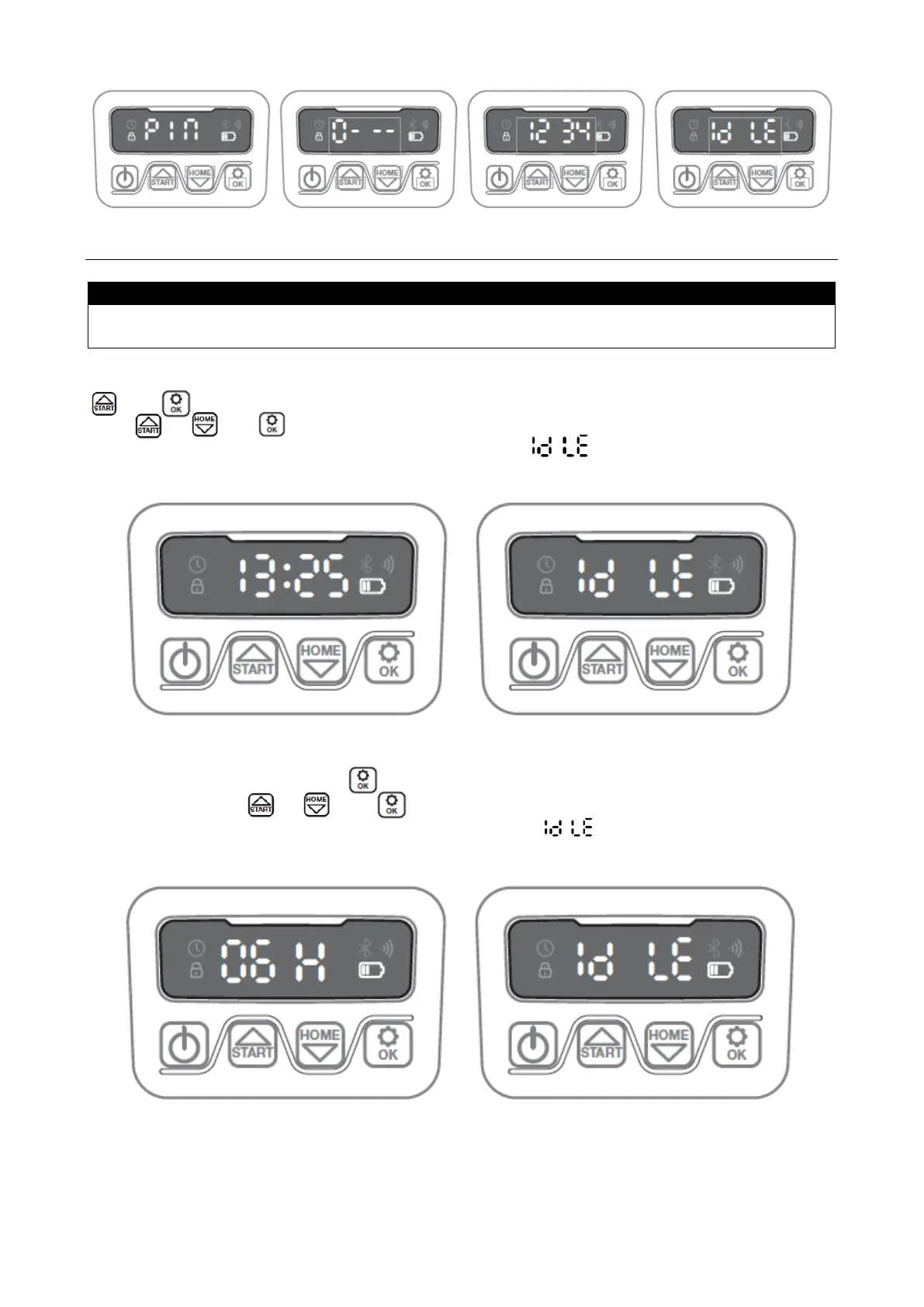
Setting start times and cutting time is easier to do via the App, rather than via the display
on the robot. See section 17 "Use of App".
The robot is set to start at 09:00 am by default. This start time can be changed by pressing
and at the same time for 3 seconds. After this, a new start time can be set by
using or and to confirm each number until the new start time is set.
When a new start time is saved, the display will show and a beep sound will be
heard. In the example below, a new start time is set to 13:25 pm.
The default cutting time is 6 hours per day. Cutting time can be changed to between 1-24
hours. This is done by pressing for 3 seconds. After this, a new cutting time can
be set by pressing or and to confirm new cutting time (hour number). When
new cutting time is set and saved, the display will show and a beep sound will be
heard. In the example below, new cutting time is set to 6 hours (06H).
In general: When display shows "IDLE", it means that the robot is ready, and everything is
OK.


 To Next Page