Pagina 44 di 48
STDITR01ADP2090EV TECNOFRIGO TUSCANY srl
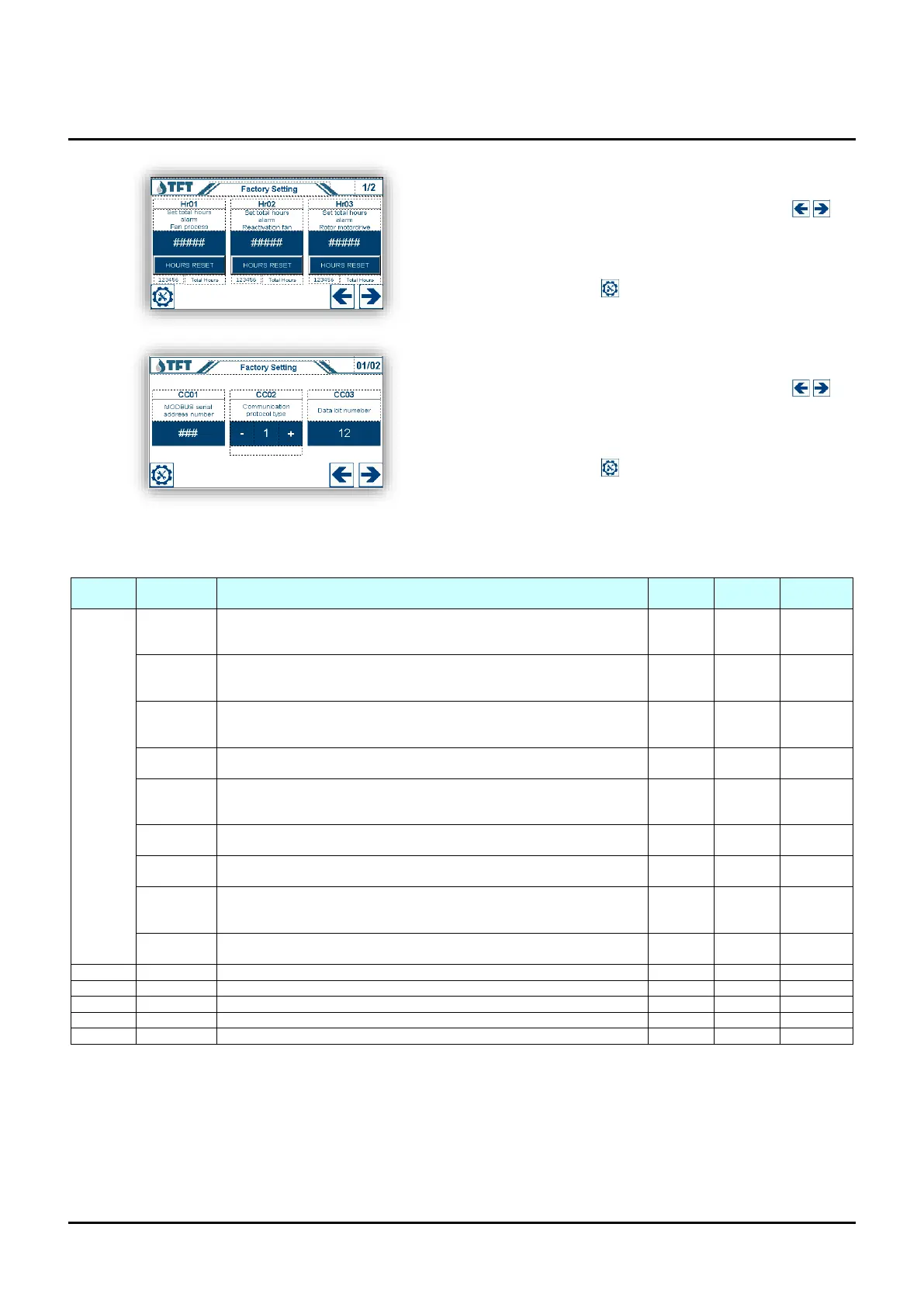
Parameter setting “Hr” (operating hours)
Scroll through the parameters with the arrow keys ,
to change the setting, press the number to change, a
keypad will appear to enter the desired value, confirm the
value set with the [ENTER] key. To return to the settings
menu, press the key .
Parameter setting “CC” (Communication ModBus)
Scroll through the parameters with the arrow keys ,
to change the setting, press the number to change, a
keypad will appear to enter the desired value, confirm the
value set with the [ENTER] key. To return to the settings
menu, press the key .
USER AND FACTORY PARAMETERS TABLE
Set-point setting % relative humidity, absolute humidity, DewPoint
(Function excluded with parameter CF05 = 0)
Differential % relative humidity, absolute humidity, DewPoint
(the differential works all over one side, above the set-point for dehumidification
and below for humidification)
Neutral zone % relative humidity, absolute humidity, DewPoint
(the neutral zone works at the center of the set-point split halfway up and down)
Set-point pre-treatment temperature setting
(Function excluded with parameter CF08 = 0)
Differential pre-treatment temperature
(the differential works all over one side, above the set-point for cooling and
below for heating)
Neutral temperature pre-treatment temperature
(the neutral zone works at the center of the set-point split halfway up and down)
Post-treatment temperature set-point setting
(Function excluded with parameter CF09 = 0)
Differential temperature post-treatment
(the differential works all over one side, above the set-point for cooling and
below for heating)
Neutral temperature post-treatment temperature
(the neutral zone works at the center of the set-point split halfway up and down)
Factory settings (only on request)
Factory settings (only on request)
Factory settings (only on request)
Factory settings (only on request)
Factory settings (only on request)
Software Version 2.0.0
(*) To make the change take effect, it is necessary to boot the instrument, remove the power, wait for a few seconds and reset the voltage.


 To Next Page