12
Operating Instructions
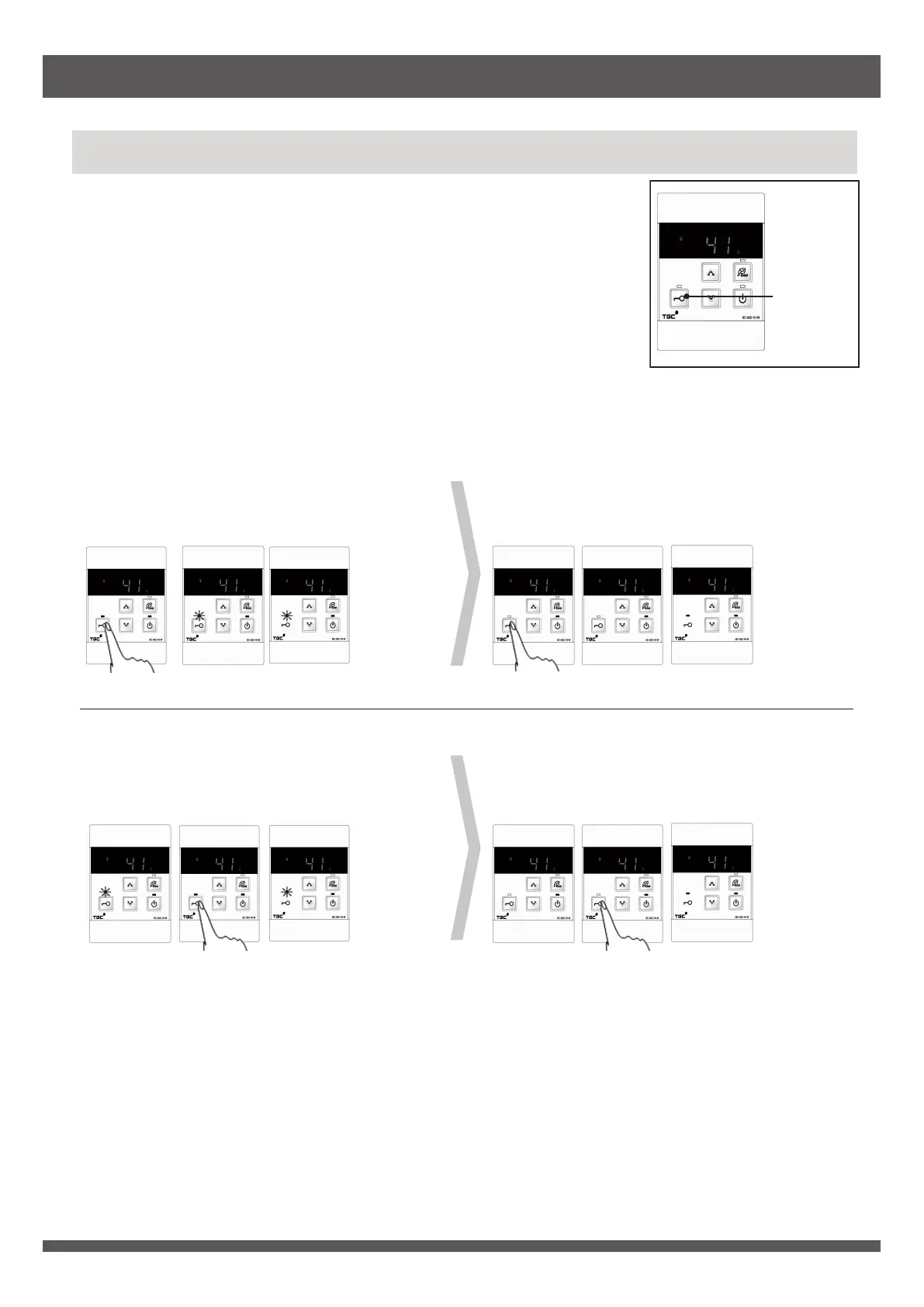
When two or more (maximum three) remote controls are installed, only
the front panel control or remote control with priority can adjust the hot
water temperature in order to avoid accidents, such as scalding.
When the front panel control or bathroom remote control has the
priority, its indicator lights up while the others will flash.
When the kitchen remote control has the priority, its indicator lights up
while the others will go out.
Use the front panel control or bathroom remote control to change the
priority to kitchen remote control.
Priority cannot be changed when the priority indicator is flashing or the appliance is in operation.
* B
athroom remote control (I) and (II) are BC-602-1H. Kitchen remote control is MC-602-1H.
Each remote control can memorize the previous water temperature setting (maximum 48°C) with
priority. When the priority is obtained, the previous water temperature setting will be displayed.
When the appliance is in standby mode for more than 10 minutes, priority will be released. All priority
indicators will go out thereafter. When appliance is used again, the appliance will provide hot water at
the temperature set by the latest front panel control or remote control with priority.
If hot water temperature is set at 50°C or above, water temperature setting will be returned to 48°C
when the priority is released.
Change of Priority (for installation of multiple remote controls)
Front Panel
Control/
Bathroom
Remote
Control*
(I)
Bathroom
Remote
Control*
(II)
Kitchen
Remote
Control*
Front Panel
Control/
Bathroom
Remote
Control*
(I)
Bathroom
Remote
Control*
(II)
Kitchen
Remote
Control*
(Priority indicator
lights up)
(Priority indicator is
flashing)
(Priority indicator is
flashing)
Press priority
button of
bathroom
remote
control (I) to
obtain the
priority.
(Priority indicator
goes out)
(Priority indicator
goes out)
(Priority indicator
lights up)
Press priority
button of
bathroom
remote control
(I) again to
change the
priority to
kitchen
remote
control.
Front Panel
Control/
Bathroom
Remote
Control*
(I)
Bathroom
Remote
Control*
(II)
Kitchen
Remote
Control*
Front Panel
Control/
Bathroom
Remote
Control*
(I)
Bathroom
Remote
Control*
(II)
Kitchen
Remote
Control*
(Priority indicator is
flashing)
(Priority indicator
lights up)
(Priority indicator is
flashing)
Press priority
button of
bathroom
remote
control (II) to
obtain the
priority.
(Priority indicator
goes out)
(Priority indicator
goes out)
(Priority indicator
lights up)
Press priority
button of
bathroom
remote control
(II) again to
change the
priority to
kitchen
remote
control.
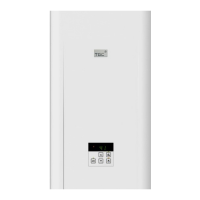
Priority
button &
Indicator


 To Next Page