Getting Started with 4G Modem Card
2.3 Start Up the Modem Card
16
t MLx31_startup_guide_v01 2021-05-06
Confidential / Prelimenary
Page 12 of 17
2.3.3 Reading MLx31-W Properties
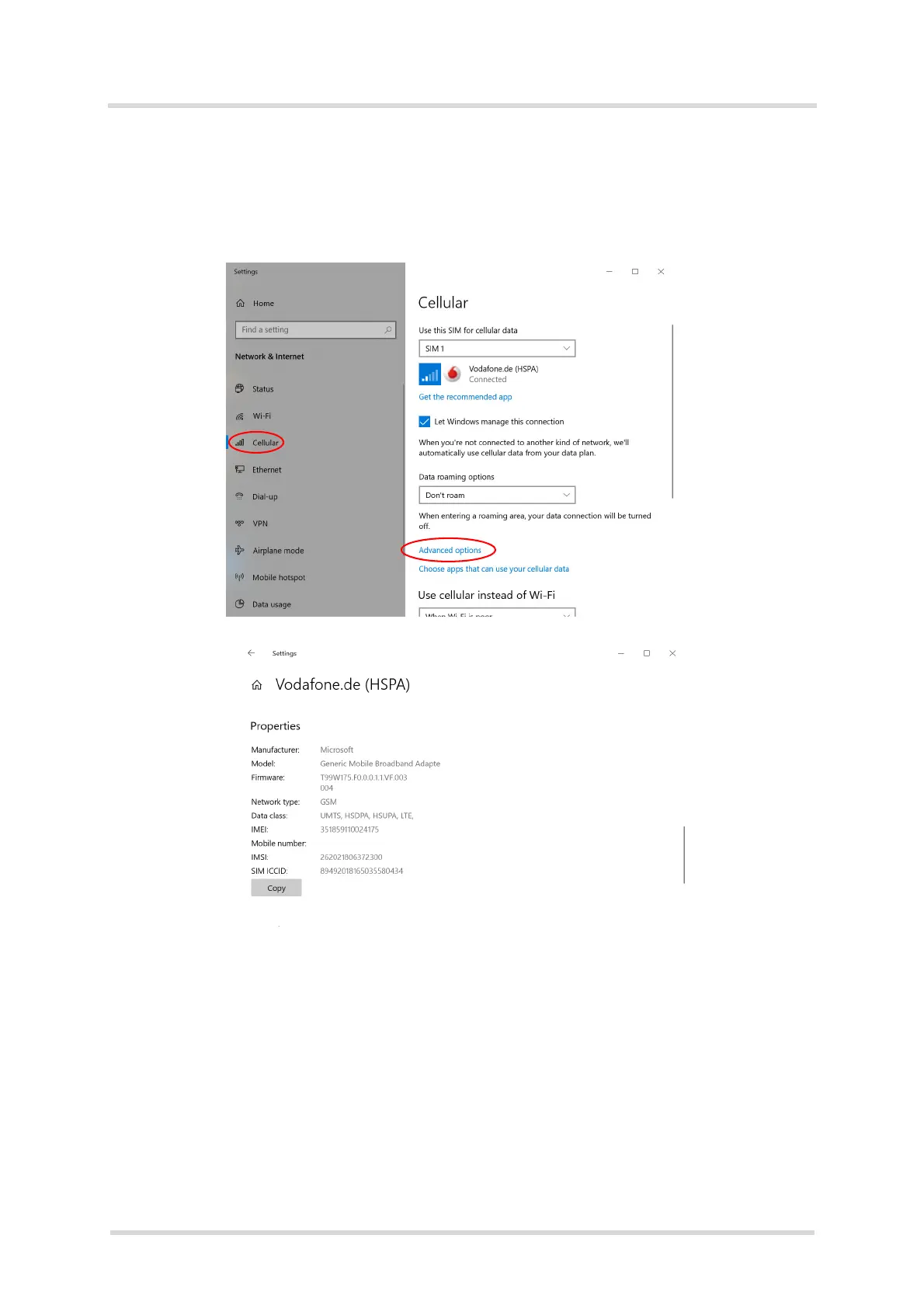
To read the properties (Firmware version, IMEI, ...) of MLx31-W go to "Network Connections"
(Click on "Start" with left mouse button and select "Network connection" and then, "Cellular"
(1). Under "Advanced Option" (2) the firmware version of the MLx31-W will be shown.
Additionally “Metered Connection”, “APN settings” can be configured and the SIM PIN can be
changed or removed too.



 To Next Page