Audio Codec Adapter Setup for Cinterion
®
Modules
2.1 MAX9860 Audio Codec Adapter
33
audio_codec_adapter_setup_v04 2019-10-16
Confidential / Released
Page 9 of 34
2.1.2.2 Configuration
There are two ways to configure the Audio Codec Adapter:
• Firstly, the hardware DIP switch can be used to configure the most important configuration
settings. See Section 2.1.1.1 and Section 3.1.1 for default and other settings. This way to
configure the adapter should normally be sufficient.
• Secondly, the RS232 interface can used via its COM port to configure almost all configura-
tion settings. This type of configuration can be only done while in the so-called Terminal
mode.
To reach the Terminal mode, the following steps should be completed:
- Below settings must be specified for a terminal program:
Baudrate: 115.2 kbits/s
Format: 8N1
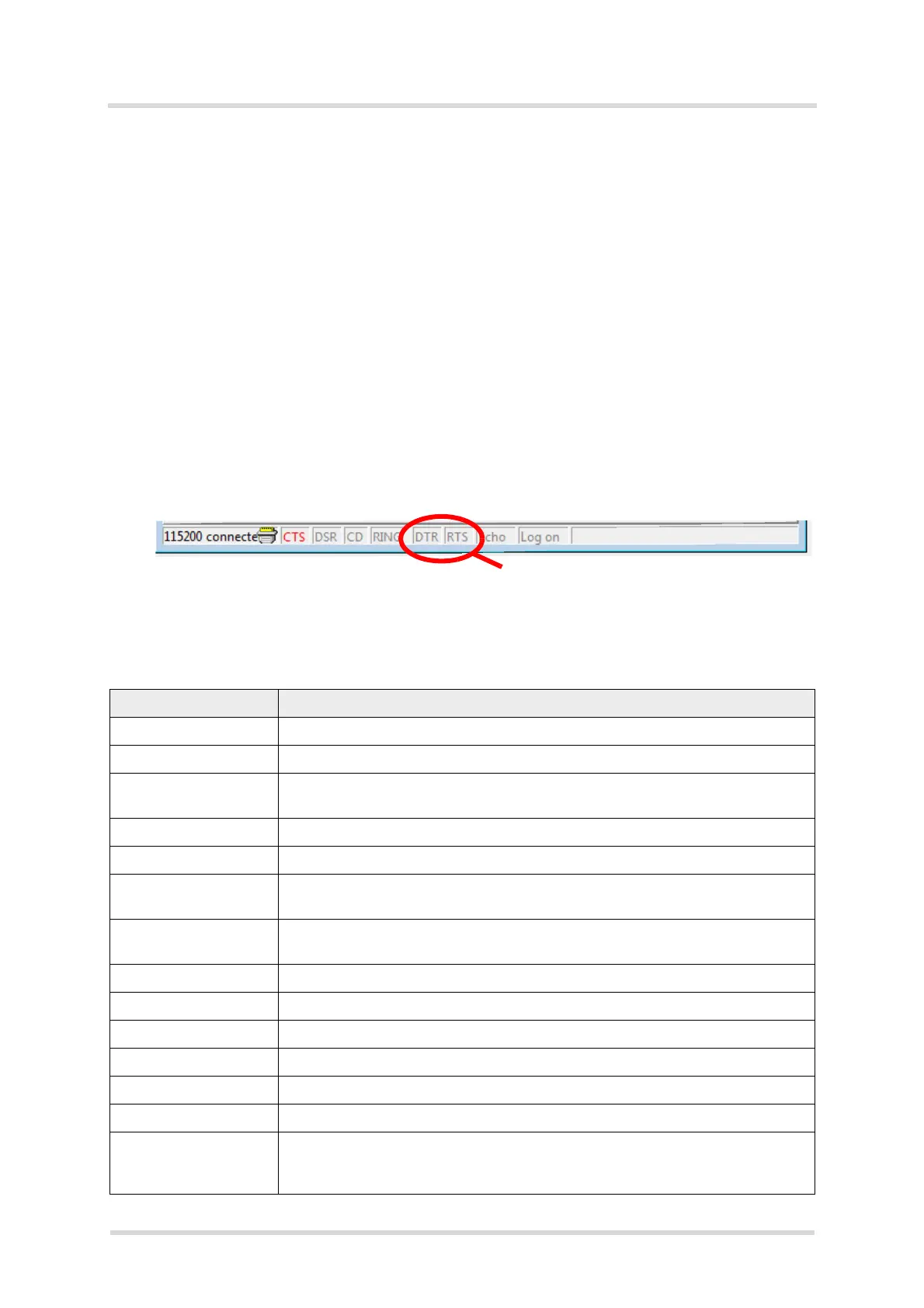
Flow Control: Hardware flow control must be disabled. This means DTR must be set
inactive (off or low level), and RTS must be set inactive (off or low level).
- Now, the RTS line must be reset to enable the Terminal mode, i.e. the RTS line has to
be activated and deactivated again.
Having enabled the Terminal mode the following commands are available to configure the Au-
dio Codec Adapter.
Table 1: Terminal mode commands
Command Description/Remark
? or Help Displays short help
Status or Mode Displays the current status, and measures BCLK and FSC frequencies
Master or Slave Selects master or slave mode from the adapter’s point of view. In slave mode
FSC is set automatically in case 8KHz or 16KHz were measured.
Interface=1.8V/3.0V Sets interface voltage level. 1.8V required for DSBmini (with Starter Kit B60).
MCLK=int/ext/bclk Selects MCLK (mainly for ext. MCLK mode; effective in master mode)
BCLK=256/512/1024/
2048
Sets the BCLK to the selected value (kHz; effective in master mode)
FSC=short/long/I2S
FSC=8kHz/16kHz
1. Sets the FSC to the selected value: Short, long, or I2S
2. Sets the FSC to the selected value: 8kHz=NB or 16kHz=WB
Vol=-3dB Speaker, headphone attenuation in +-1dB steps
Micvol=28dB Microphone volume in 1dB steps
Boost=20dB Displays and sets microphone preamplifier in dB (20dB or 30dB)
Reg Lists all audio codec registers
Reg 0x06 Lists audio codec register 6, <8 bits>
Reg7=0x55 Sets audio codec register to 0x55
DTMF=seq<n> local/
netw
Sends a DTMF sequence to the headset (<local>) or module (<netw>). <n>
can be 1, 2, 3 or 4, each with a predefined DTMF sequence variant. See also
Section 3.1.2.3.



 To Next Page