— 14 —
Operation
Auto Tune® (Continued)
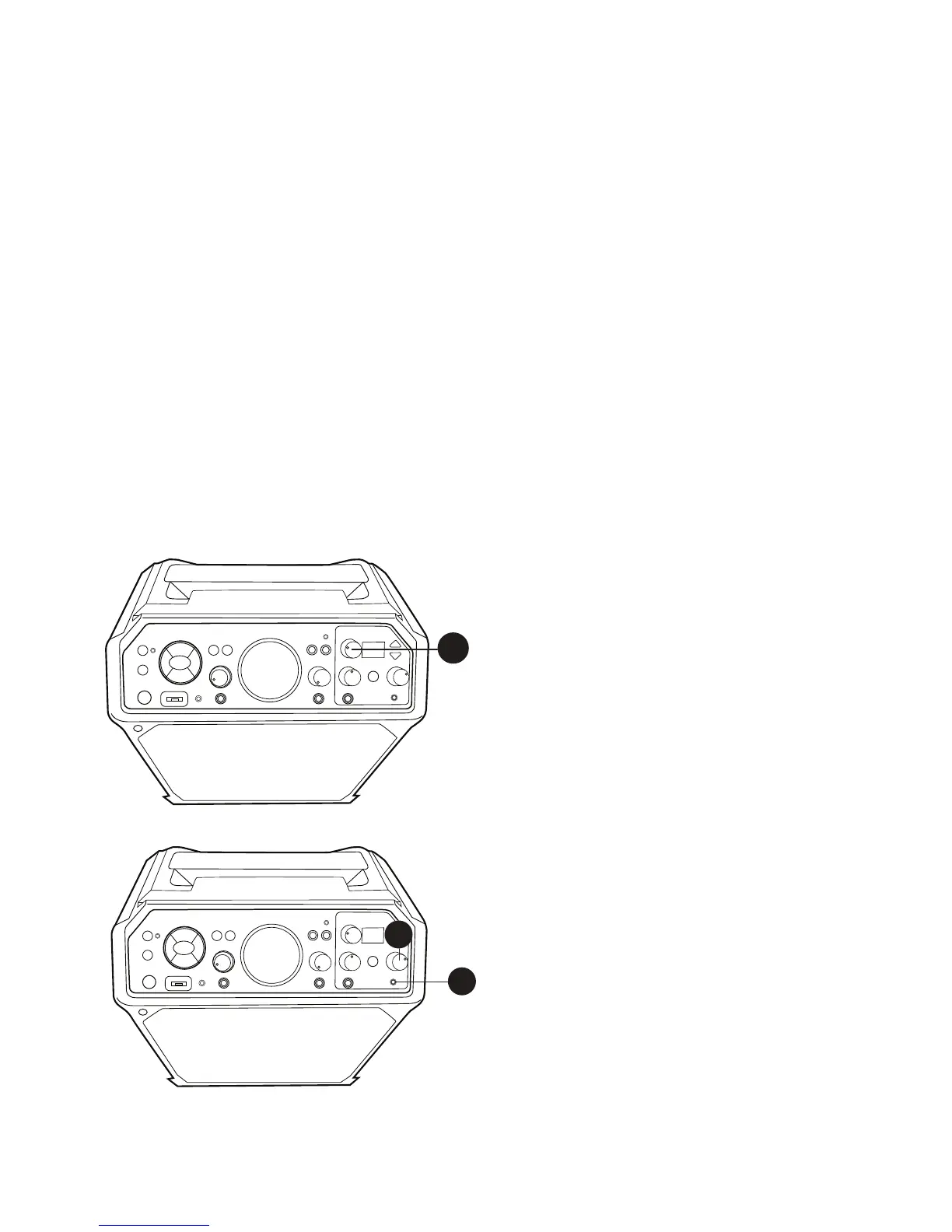
4
Rotate the KEY SELECT/FX LEVEL
control to set the desired effect
level.
5
To monitor your singing, use
headphones (not included). Insert
headphones into the Headphone jack.
The headphones have a dedicated
Volume control so rotate the
HEADPHONE’S VOLUME control as
desired.
The Headphones jack can also be
used as an audio out to connect to
another audio system using a 3.5mm
auxiliary audio cable (not included).
4
5
5
Name Display Effect Description
None -- No Vocal Effects
Studio Pop P1 Short ‘n fast echo followed by clean ‘n bright studio plate reverb
80’s Pop P2 A familiar 80’s-style long echo with vocal chorusing
Live Pop P3 Live pop show performance in a large auditorium
Rap H1 School gym echo with a fast & short echo
Hip/Hop H2 Grungy & fast lo-fi echo
Old School MC H3 “Springy” reverb with lots of reflective echoes
Rock Star R1 Big & dramatic reverb for arena-rock legends
Rock Club R2 Rocking out in a small club
Alternative Doubling
A1 Classic & versatile studio phasing / flanging / doubling effect
Alternative Tape Echo
A2 Vintage, lo-fi tape echo effect
Concert Hall Co Clean symphony hall reverb with short pre-echo
Lo-Fi Grunge G1 Distorted & filtered megaphone / transistor radio
Garage G2 Primitive yet vintage analog echo effects pedal
Nashville Country CT Classic slapback echo with a twangy reverb











 To Next Page