Connection
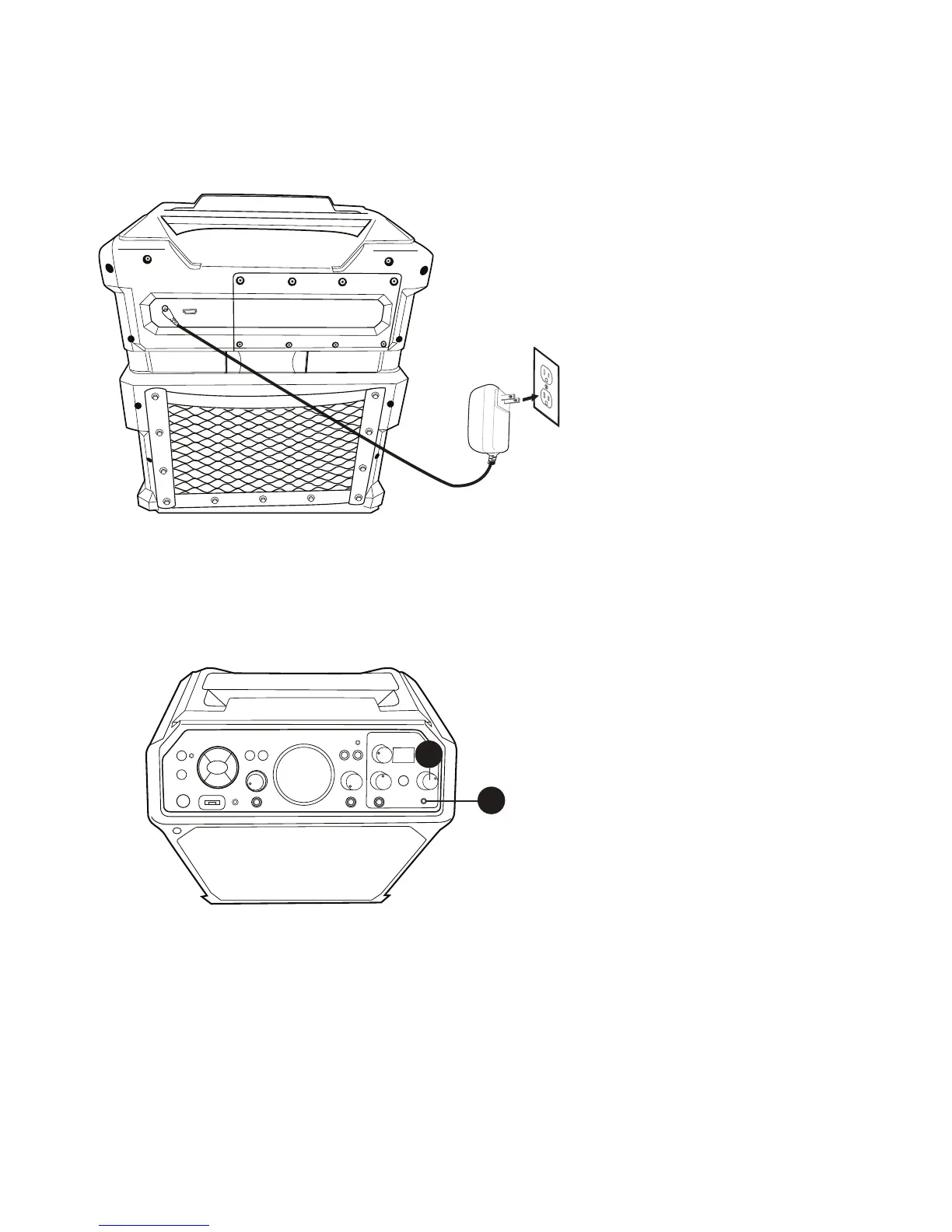
Connecting to AC Power
Connecting Headphones
Insert the small end of the AC
adapter into the DC IN Jack on
the rear of the unit. Insert the
other end (with the 2 blades)
into a conveniently located AC
outlet having 120V AC, 60Hz.
Note:
Make all connections before
connecting to AC power.
For private listening or to monitor
singing, use headphones (not
included). Insert headphones
into the Headphones jack u. The
headphones have a dedicated
Volume control so rotate the
HEADPHONE VOLUME control
v as desired.
The Headphones jack can also be
used as an audio out to connect
to another audio system using a
3.5mm Auxiliary Audio cable (not
included).











 To Next Page