— 18 —
Operation
Playing Songs from the USB (Continued)
4
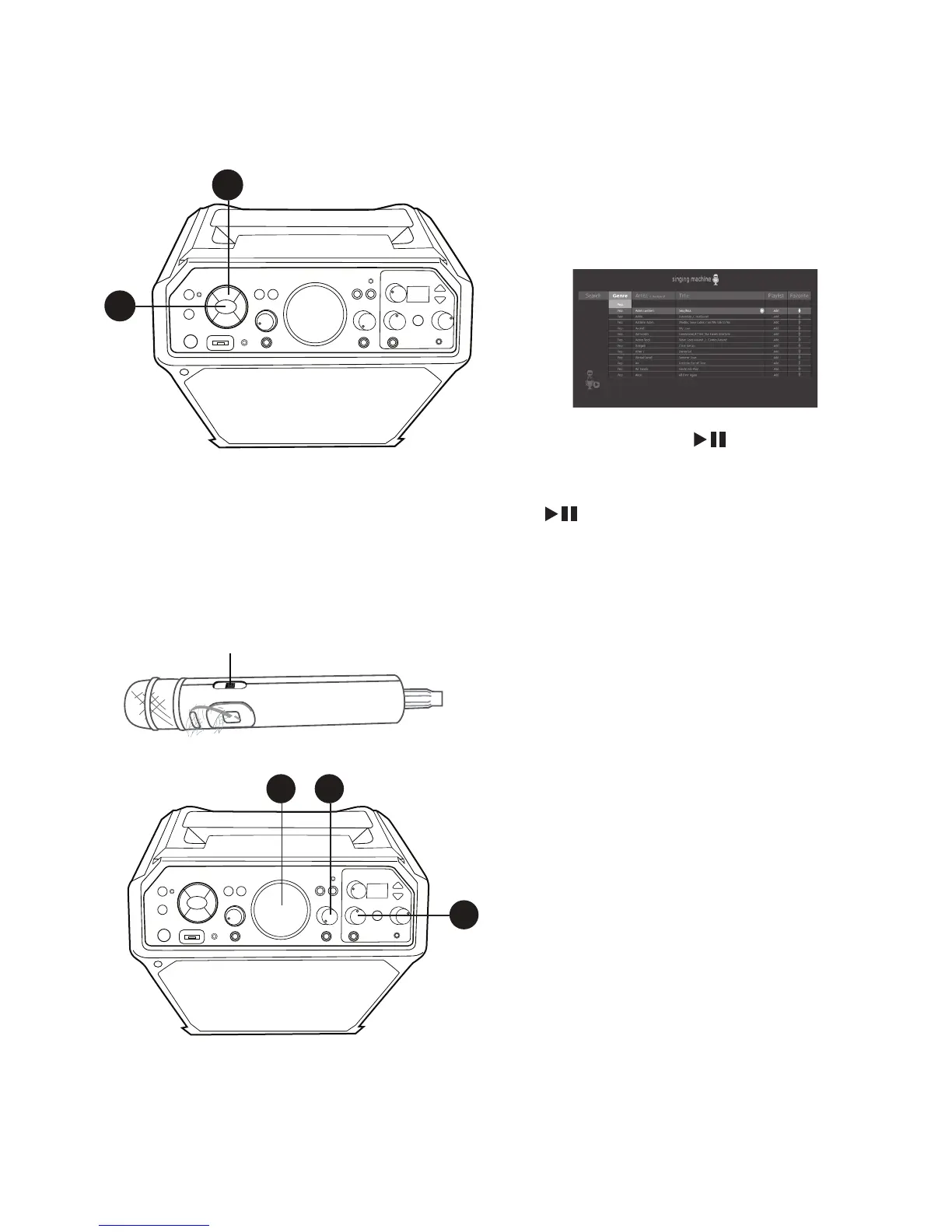
Use the Navigation 5 Up and
Down buttons to navigate through
the list of songs that you have
previously downloaded on your USB.
5
Press the ENTER button to start
the playback. The HD karaoke video
will play on the TV. Press the ENTER
button during playback to pause
the song. Press the MENU button
at any time to go back to the USB
menu.
6
Adjust the volume to a comfortable
level using the MASTER VOLUME
control.
Note:
• If connected to a TV, you can also
control the TV’s volume with the TV’s
volume control.
7
Connect the microphone(s). Slide
the Mic’s ON/OFF switch to the ON
position.
8
Adjust the MIC VOLUME 1 or 2
control as desired. Increasing this will
increase the volume of the respective
microphone.
V
4
5
6 8
8











 To Next Page