— E10 —
Connections
Connect to WiFi (Continued)
U
4
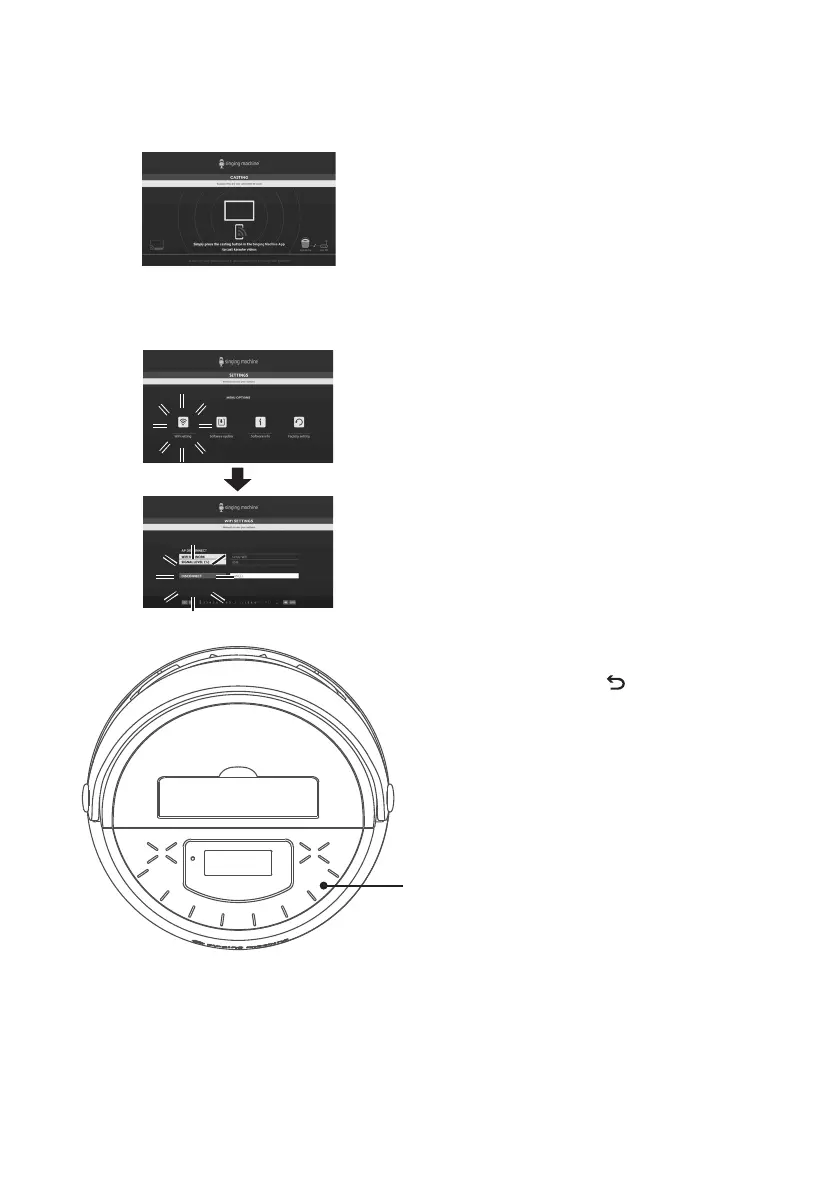
When the unit connects to your
WiFi successfully, "connected"
will display on-screen. You can
download the Singing Machine
Karaoke App to listen to your
favorite karaoke music and project
the HD karaoke video on your TV.
5
The unit automatically searches
and pairs to a previously paired
WiFi network. If you want to
connect to another WiFi network,
you can go to the main menu
and select SETTINGS>WiFi
setting>DISCONNECT to
disconnect from the WiFi network
in order to connect to another
WiFi network.
6
Press the button to go back
to the previous screen. Press and
hold to go to the main menu.










 To Next Page