— E17 —
Operation
Using a Bluetooth Device (Continued)
5
To control your Bluetooth device
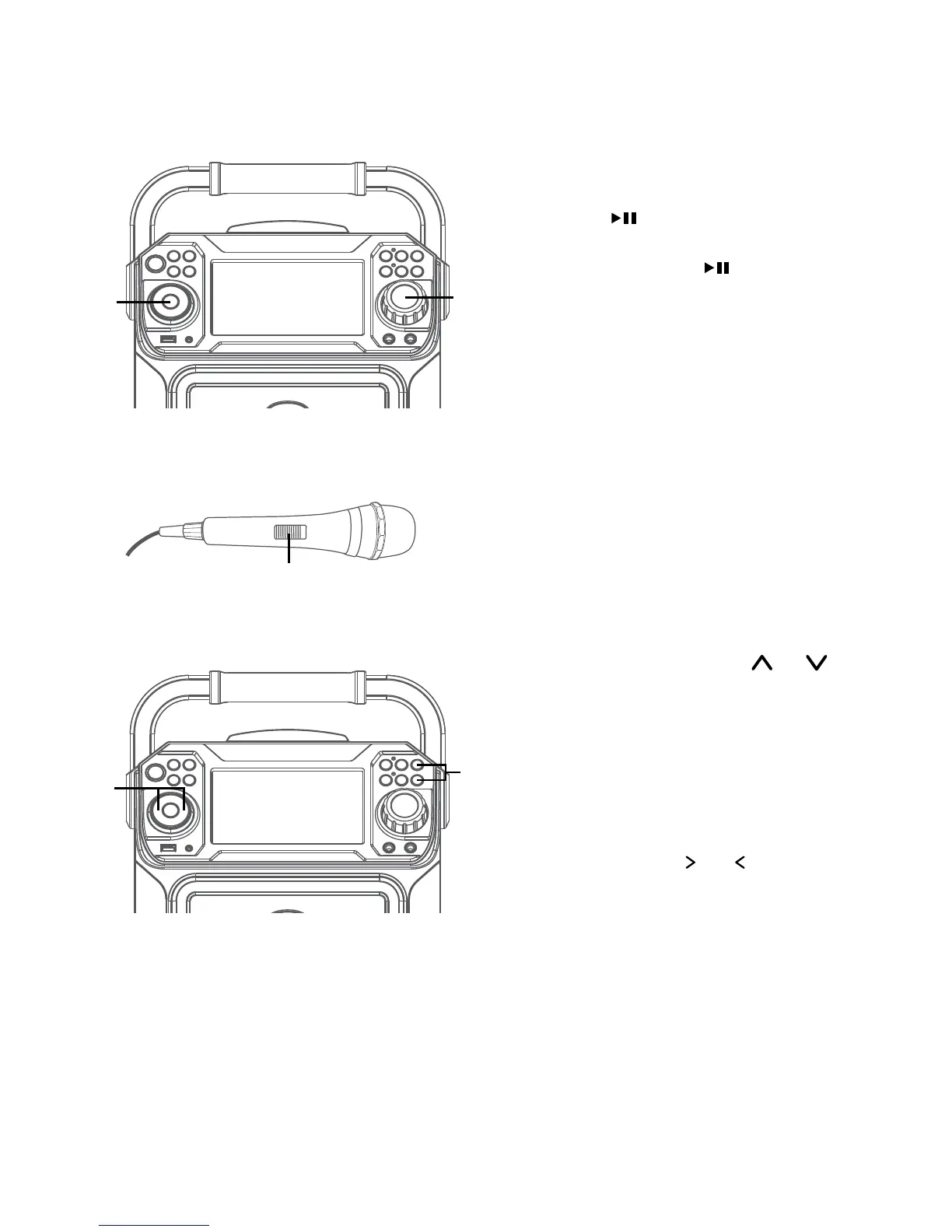
from this unit, press the PLAY/
PAUSE button to start playback
(music app must be open). Press
the PLAY/PAUSE button during
playback to pause the song.
6
Adjust the volume to a comfortable
level using the MASTER VOLUME
control on this unit as well as
the volume on your Bluetooth
device.
7
Connect microphone(s) and slide the
ON/OFF switch on the microphone
to the ON position.
8
Pressing MIC VOLUME or
button to adjust the mic volume
as desired. Increase this control
will increase the volume of both
microphones.
9
SKIP: Advance or go back one track
by pressing the or buttons.
y
W
X
U
V



 To Next Page