
 Need help?
Do you have a question about the The Singing Machine STVG785BT and is the answer not in the manual?
Covers electrical shock, voltage, laser safety, environmental hazards, and general usage precautions.
Details compliance with FCC and Industry Canada regulations for radio frequency energy.
Lists 17 essential safety guidelines for proper and safe product operation.
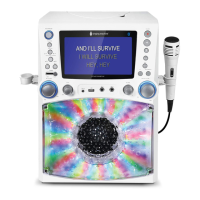
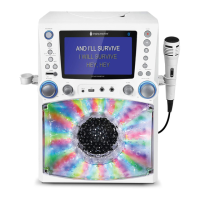
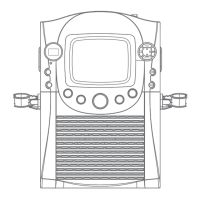
Identifies and describes the functions of controls located on the top and front of the main unit.
Details the audio output jacks and the DC input jack on the rear of the unit.
Instructions for connecting one or two microphones to the unit.
Steps to connect the Singing Machine to a TV for video and audio output.
Guide for connecting the unit to a power outlet using the AC adapter.
How to connect an external audio device using the Line In jack.
Instructions on how to use the disco light dimmer switch.
Steps for powering on the unit, inserting a CD, and initiating playback.
Using the Play/Pause, Monitor ON/OFF, and Function buttons for CD playback.
Adjusting master volume, microphone volume, and echo effect for singing.
Using Key +/- buttons and Auto Voice Control for vocal performance.
Using balance control, skipping tracks, and searching within tracks.
How to repeat a single track or all tracks during playback.
How to program up to 20 tracks for playback in a desired order.
Instructions for recording vocals, pausing, and stopping playback.
Connecting a USB drive and selecting USB mode for playing music files.
Using Play/Pause and Monitor ON/OFF buttons for USB playback.
Adjusting microphone volume, echo, key, and balance for USB playback.
Using the Auto Voice Control feature with USB files.
Navigating tracks, searching, and repeating playback for USB files.
How to program up to 20 tracks for playback from USB.
Managing playback by pausing, stopping, and turning off the unit.
Note stating that recording from USB is not possible.
Step-by-step guide to pair and connect a Bluetooth device to the unit.
Notes on passcodes, using the device as audio, and connection loss.
Controlling music playback, volume, and microphone levels via Bluetooth.
Adjusting echo effect and audio balance for Bluetooth audio.
Instructions for recording vocals while using a Bluetooth audio source.
How to turn off the unit after Bluetooth use.
Connecting and setting up an external audio source using the Line In jack.
Adjusting the volume for the external audio source.
Adjusting microphone, echo, and balance for Line In audio.
Instructions for recording vocals and audio from a Line In source.
Guide on how to purchase and download karaoke music files from the online store.
Provides solutions for common issues like no power, no sound, microphone problems, and connectivity errors.
 General
| Brand | The Singing Machine |
|---|---|
| Model | STVG785BT |
| Type | Karaoke System |
| Bluetooth | Yes |
| Display | 7" Color LCD |
| CD Player | Yes |
| USB Port | Yes |
| Microphone Inputs | 2 |
| SD Card Slot | No |
| Video Output | Yes |
| Power Source | AC Adapter |
| Microphone Included | Yes |
| Audio Inputs | Auxiliary |
| Audio Output | 3.5mm AUX |
| Included Accessories | Remote Control, Microphone |






 To Next Page
