
 Need help?
Do you have a question about the The Singing Machine STVG784BK and is the answer not in the manual?
Load CD, turn on unit, start playback, adjust volume, use AVC, and navigate tracks.
Adjust master volume, mic volume, and use Auto Voice Control with microphones.
Skip tracks, search for songs, repeat tracks, and program playback order.
Insert USB drive, turn on unit, select USB mode, and start playback.
Repeat current track or folder, and program up to 20 tracks for playback.
Pair a Bluetooth device, select Bluetooth mode, and connect.
Skip tracks, record singing via USB, and play back USB recordings.
Connect external audio source via Line In, set volume, and use function button.
Record singing via USB, and play back recorded files from USB.
 General
| Brand | The Singing Machine |
|---|---|
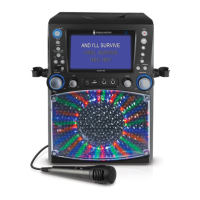
| Model | STVG784BK |
| Type | Karaoke System |
| Connectivity | Bluetooth |
| Power Source | AC Adapter |
| Color | Black |
| Display | LED |
| Audio Output | Speakers |
| Disc Compatibility | CD+G |
| Included Accessories | Microphone, RCA cable |







 To Next Page