— E9 —
Operation
Playing a CD (Continued)
5
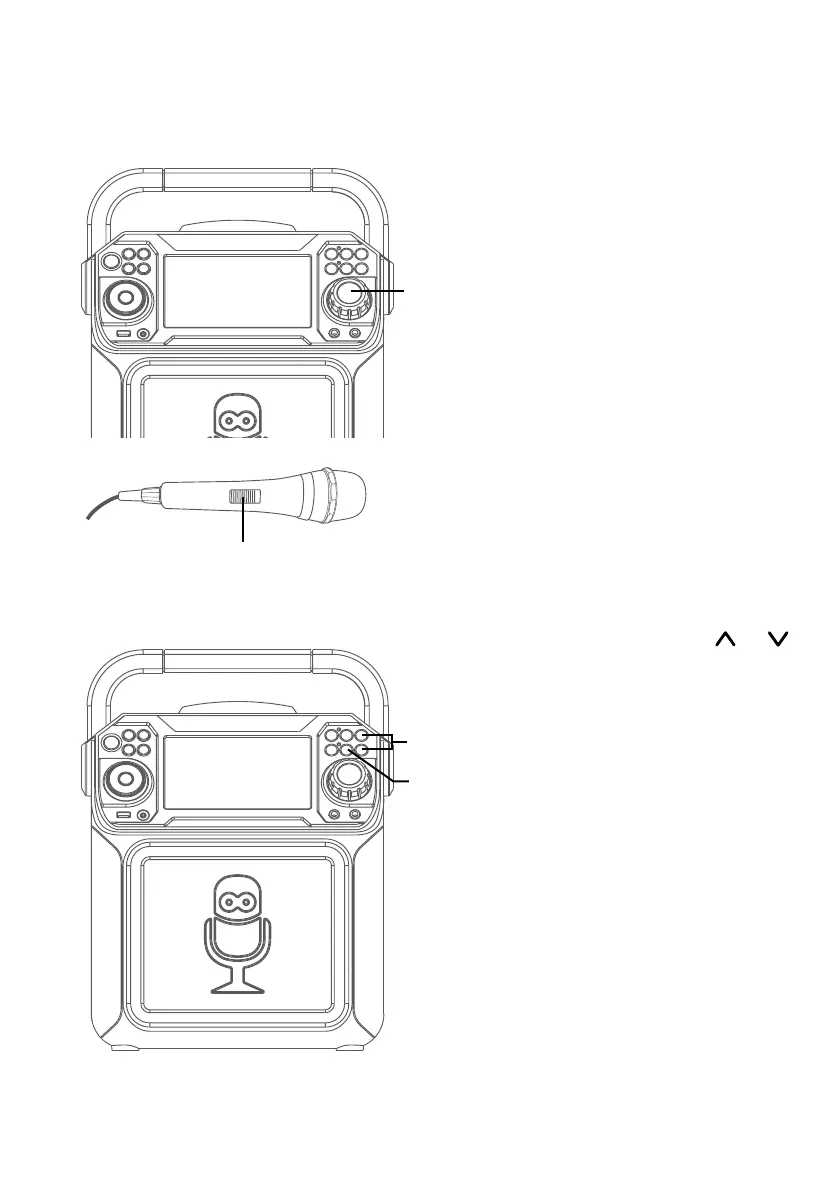
Adjust the volume to a
comfortable level using the
MASTER VOLUME control.
6
Connect microphone(s) and
slide the ON/OFF switch on the
microphone to the ON position.
7
Pressing MIC VOLUME or
button to adjust the mic volume
as desired. Increase this control
will increase the volume of both
microphones.
8
AUTO VOICE CONTROL can be
activated by pressing the A.V.C.
(AUTO VOICE CONTROL)
button. The vocals on a multiplex
recording will be muted as soon
as the singer begins singing into
the microphone. When the singer
stops singing, the recorded vocals
on the multiplex recording will
resume to normal.
Note: This is only for files recorded with
this multiplex feature.
U
y
V
W









 To Next Page