7
For more information or to place an order call 1-888-764-3700
Steam Cleaning
Instructions-Set Up
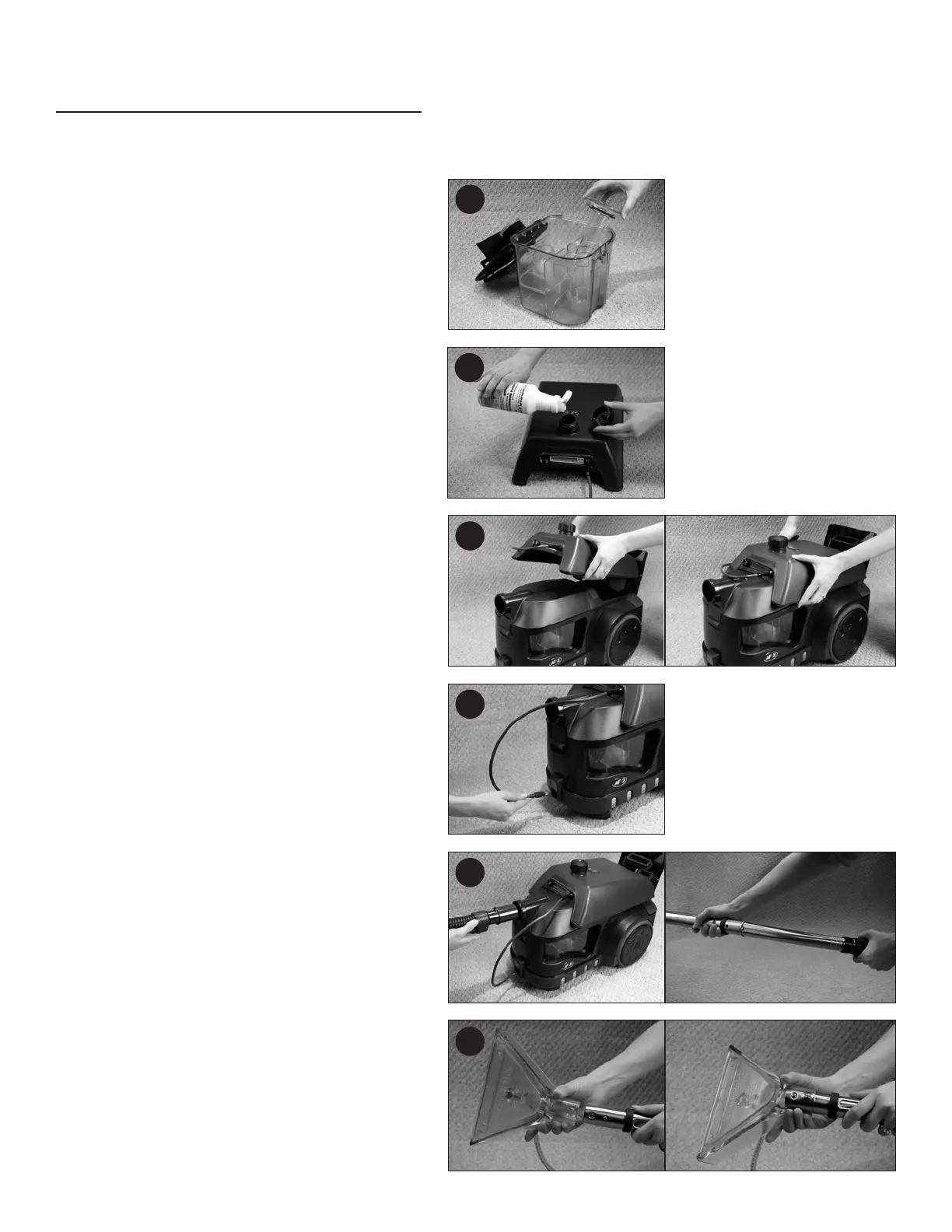
1. Be sure switch is off and canister is unplugged.
2. Remove the recovery tank from the canister and
remove the inner tube. is is accomplished by
twisting the tube slightly and lifting. e larger
outer tube must remain in the tank. When steam
cleaning you DO NOT put water in the recovery
tank.
3. Replace recovery tank, close and latch front lid.
4. Remove twist cap from the Steam Cleaning
Solution Tank. Add two ounces of ermax Liquid
Carpet & Upholstery Cleaner and then fill with
hot tap water. Replace the cap and shake the
solution tank to thoroughly mix the cleaner.
5. Open the rear lid of the canister and place the
solution tank on the top of the canister.
6. Plug the power cord from the solution tank into
the cord outlet.
7. Connect the vacuum hose end to the hose lock
and connect the vacuum hose handle to the sliding
wand by inserting the handle end into the wand
and gently twist until the button snaps into place.
8. Attach the steam head to the end of the telescopic
stainless steel wand.
2
4
7
8
5
6



 To Next Page