12
5. BASIC OPERATIONS
5.3.2 JOURNEY TICKET TABULAR
This function enables to print the received temperature measurements
over a period of time in a tabular format, 7 columns maximum; time in 1
st
column, then the 6 channel inputs.
The Set Point is printed in the header alongside the controller and
the data logger details.
i
00:00 2h
8h
4h
-7,6,5,
4,3,2,1
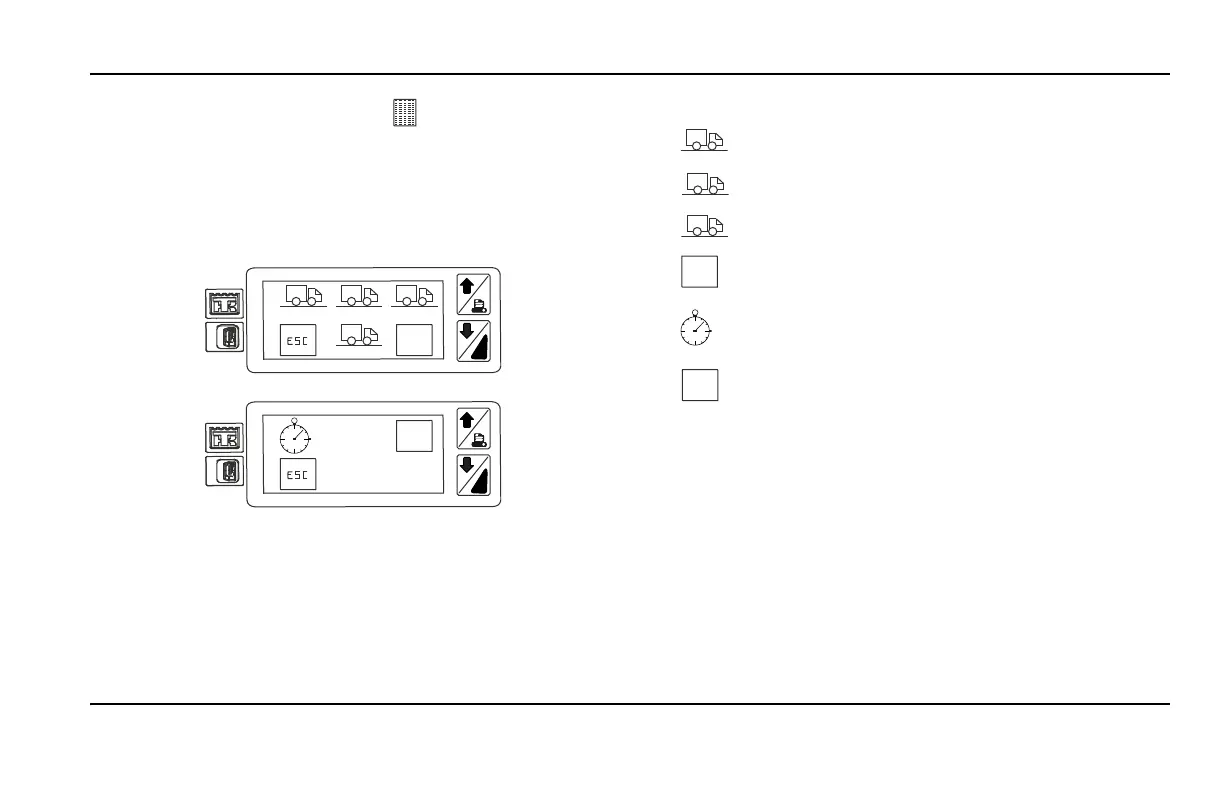
The different time intervals are front left to right in the menu:
– from midnight till now,
–
2h
last 2 hours,
–
4h
last 4 hours,
–
12h
last 12 hours
–
-7,6,5,
4,3,2,1
The time period is also customizable by selecting a specific
day from the last 7 days.
–
The time period is also customizable by selecting a specific
start time till now.
–
1 . . .
. . . 31
The time period is also customizable for past trips from
a specific day to a specific day.
NOTE 1:After printing a ticket with the TDP enabled, there is a time
window of 150s in which another trip cannot be requested.
The TouchPrint will show a sand clock symbol to indicate that
th
e user has to wait.
NOTE 2: With the TDP enabled, there is a conversion between
th
e data from the datalogger (CargoWatch, DAS) and the TouchPrint
Printer. It can easily happen that there is a variation of 0.1ºC between
the data stored in the datalogger and the value printed. If the user
wants to see the exact value of the datalogger then switch to TDP
disabled.


 To Next Page