18
7. ADVANCED OPERATION
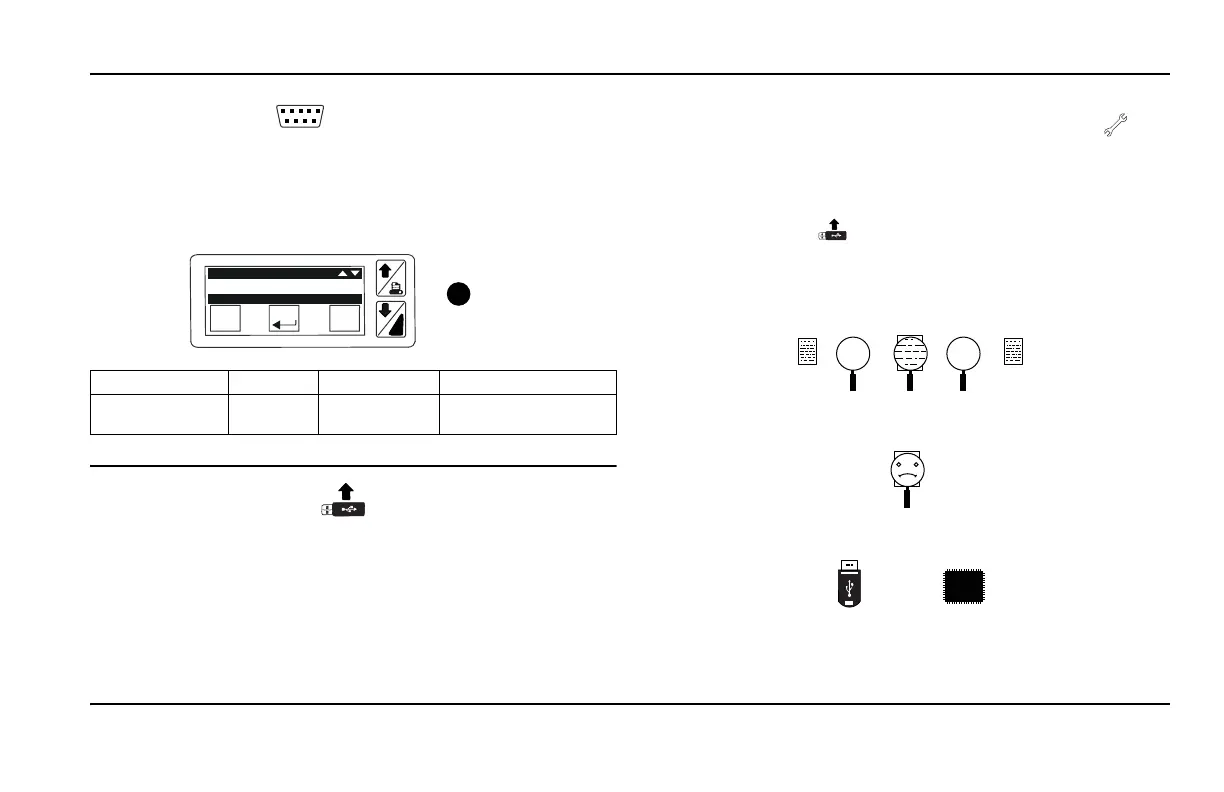
7.1.4 UART SETTING
S1
This menu enables to configure the serial communication ports of
the Printer in terms of Baud rate, parity and stop bit.
The protocol should be Printer
, and the Baud rate should be configured as
per the datalogger settings, see the table below.
.
Parity =
Stop Bit
!
Esc
Enter
i
STOP BIT= 1
PARITY= N
UART
Datalogger DAS II DAS IV Cargo Watch
Supported Baud
Ra
te
2400 2400, 9600 1200 TO 57600 (COM2
OF HMI)
7.1.5 UPDATE FIRMWARE
The TouchPrint Printer firmware has been setup as a whole, including
the user interface, the bootlogger version and the metrological data (temp
records) stored from the datalogger.
The process to load a new firmware is as follows:
1. Via a PC and no specific applicati
on, the user will copy the new
firmware version onto a USB memory key.
2. By using the provided cable, the user connect the USB memory key to
the T
ouchPrint front USB port.
3. Then after tapping once on the screen, the user will enter the main
men
u and will press more than 2 seconds on the service icon .
4. The user will be prompted with a password
request and after scrolling
through the number select the password 32010, and then press
ENTER.
5. Going through the menu icon, the user will
enter the firmware update
by pressing this icon
6. The menu will display the .bin files present on the USB memory key,
i.e. “557_x_x_x.bin”, and to select the user should press ENTER
7. The file will be checked and the user will
be informed during
the check-in phase with this animation.
If the CRC file test won’t pass the check, the wrong file icon will
appear.
8. If the file is considered valid and up to date, the firmware update will
start.


 To Next Page