EasyManua.ls Logo

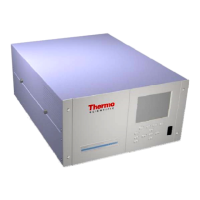
Thermo Scientific 48i - User Manual

Thermo Scientific 48i
321 pages
Print Icon
To Next Page IconTo Next Page
Loading...
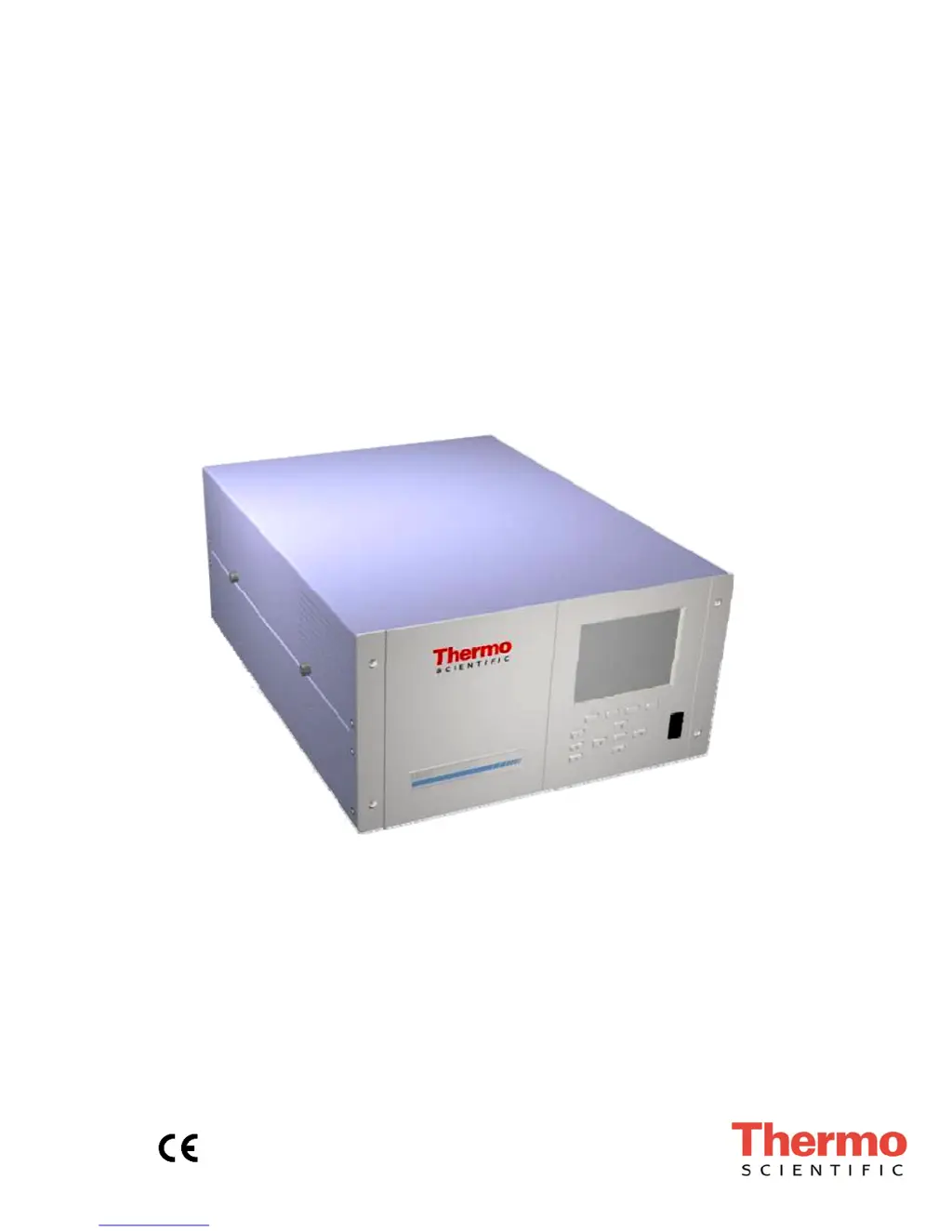
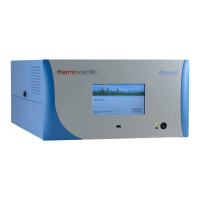
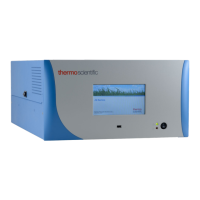
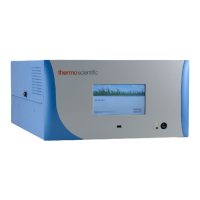
Model 48i
Instruction Manual
Gas Filter Correlation CO Analyzer
Part Number 101891-00
10Aug2017

Questions and Answers

  • A
    amyrichardsAug 17, 2025
    How to troubleshoot a Thermo Scientific Measuring Instruments device that does not start?
    • J
      John HudsonAug 17, 2025
      If your Thermo Scientific Measuring Instruments device isn't starting, verify that the power line is active and matches the instrument's voltage and frequency. Check the main fuse on the back panel, replacing it if blown. If those steps don't work, unplug the power cord and use a multimeter to check the switch and wiring connections.
  • E
    erikprattAug 20, 2025
    What to do if Thermo Scientific Measuring Instruments instrument zeros but has weak response to span gas?
    • B
      Brian KentAug 20, 2025
      If your Thermo Scientific Measuring Instruments instrument zeros, but shows little to no response to span gas, first, check the span cylinder to ensure it isn't empty. Next, verify the calibration system is delivering span gas properly by inspecting solenoids and related hardware. Also, check that the zero air system provides adequate flow compared to what the instrument draws. Finally, check the IR Source intensity and replace the source if it has failed.
  • K
    Kenneth FosterAug 22, 2025
    Why can't I zero my Thermo Scientific Measuring Instruments or why is there a high background signal?
    • J
      jay10Aug 22, 2025
      If you cannot zero your Thermo Scientific Measuring Instruments or there's a high background signal when sampling zero air, check that the zero air flow rate is sufficient by checking the by-pass or atmospheric pressure vent. Verify the instrument is drawing in sample and span gas using an independent flow meter to check flows at the sample inlet and exhaust. Replace the inlet filter (if installed) and as much of the tubing as possible to address potential contamination.
  • C
    Corey HarperAug 26, 2025
    What to do if Thermo Scientific Measuring Instruments powers on, but the pump isn't running?
    • B
      Brian MurphyAug 26, 2025
      If your Thermo Scientific Measuring Instruments device powers on but the pump isn't running, first, check if AC power is reaching the pump by using a voltmeter on the three-pin connector on the interface board. If there's voltage, try carefully rotating the pump fan to overcome any sticking caused by a new or stiff diaphragm. If the pump is still jammed or noisy, the motor bearings may have failed; disconnect AC power and remove gas lines before attempting to rotate the pump fan.
  • A
    Alexander WhiteAug 27, 2025
    How to troubleshoot a Thermo Scientific Measuring Instruments analyzer that does not calibrate properly?
    • A
      Adrienne BradleyAug 27, 2025
      If your Thermo Scientific Measuring Instruments analyzer isn't calibrating properly, check for system leaks and repair them. Recalibrate the pressure and temperature transducers. Clean the cells and flow components. If the issue persists, replace the correlation wheel with a known good one.
  • J
    Jose TurnerAug 30, 2025
    What to do if Thermo Scientific Measuring Instruments display doesn't come on, but the pump is running?
    • B
      Blake JohnsonAug 30, 2025
      If the display on your Thermo Scientific Measuring Instruments isn't coming on but the pump is running, check the green LED on the back edge of the power supply. If it's off, the power supply has failed. Also, check the surface mount LEDs labeled '24V PWR' on the motherboard and measurement interface board; if they're lit, power is OK, so check for 24VDC from the power supply using a voltmeter. If possible, check instrument function through RS-232 or Ethernet.
  • K
    Kim RodriguezSep 1, 2025
    What does the Flow alarm mean on Thermo Scientific Measuring Instruments?
    • M
      Martin LewisSep 1, 2025
      If you receive a Flow alarm on your Thermo Scientific Measuring Instruments, check the sample capillary for blockages and replace it if necessary.
  • G
    Gloria DiazSep 4, 2025
    What does the Pressure alarm mean on Thermo Scientific Measuring Instruments?
    • D
      Daniel DavisSep 4, 2025
      If your Thermo Scientific Measuring Instruments is showing a Pressure alarm, check the plumbing for leaks.
  • R
    ramseyroySep 6, 2025
    How to fix excessive response time on Thermo Scientific Measuring Instruments?
    • T
      Thomas NormanSep 6, 2025
      If your Thermo Scientific Measuring Instruments has an excessive response time, go to Averaging Time (Main Menu) and verify the setting.
  • R
    Rebecca FrySep 9, 2025
    What does the Internal Temp alarm mean on Thermo Scientific Measuring Instruments?
    • W
      Walter MeyerSep 9, 2025
      If your Thermo Scientific Measuring Instruments displays an Internal Temp alarm, replace the fan if it is not operating properly.

Summary

WEEE Compliance

Reference Method Designation

Model 48 i Specifications

Lists the technical specifications for the Model 48i CO Analyzer.

Chapter 1 Introduction

Principle of Operation

Explains the Gas Filter Correlation (GFC) technology used by the Model 48i.

Specifications

Details the technical specifications of the Model 48i analyzer.

Chapter 2 Installation

Lifting

Provides guidance on safely lifting the instrument.

Unpacking and Inspection

Details the procedure for unpacking and inspecting the instrument.

Setup Procedure

Outlines the steps for setting up the instrument correctly.

Connecting External Devices

Explains how to connect external devices to the analyzer's I/O ports.

Startup

Describes the procedure for starting up the instrument.

Chapter 3 Operation

Display

Describes the front panel graphics display and navigation.

Pushbuttons

Explains the function of the front panel pushbuttons.

Firmware Overview

Provides an overview of the analyzer's menu-driven firmware.

Range Menu

Allows selection of gas units, CO ranges, and custom ranges.

Averaging Time

Defines the time period for CO measurement averaging.

Calibration Factors Menu

Displays and allows adjustment of calibration factors for CO readings.

Calibration Menu

Used to perform zero and span calibration of the analyzer.

Instrument Controls Menu

Controls various operational parameters like datalogging and communication.

Diagnostics Menu

Provides access to diagnostic information and troubleshooting functions.

Alarms Menu

Displays monitored items and their alarm status.

Service Menu

Accesses advanced diagnostic functions and adjustments.

Password

Allows configuration of password protection for settings.

Chapter 4 Calibration

Equipment Required

Lists necessary apparatus for instrument calibration.

CO Concentration Standard

Specifies requirements for the CO calibration gas cylinder.

Zero Air Generator

Details requirements for a contamination-free zero air source.

Pre-Calibration

Discusses instrument preparation and stabilization before calibration.

Calibration

Outlines the general procedure for calibrating the instrument.

Zero Adjust

Details the procedure to set the CO reading to zero.

Span Adjust

Explains how to adjust the span calibration of the analyzer.

Periodic Zero and Span Checks

Describes routine checks for maintaining instrument accuracy.

HI and LO Multi-Point Calibration

Covers multi-point calibration for different ranges.

Default Coefficients

How to reset calibration coefficients to default values.

Cal Point 1, 2, and 3 Adjust

Procedure for adjusting calibration points for multi-point calibration.

Chapter 5 Preventive Maintenance

Safety Precautions

Safety guidelines to follow before performing maintenance.

Replacement Parts

Refers to the servicing chapter for a list of replacement parts.

Cleaning the Outside Case

Instructions for cleaning the external case of the instrument.

Cleaning the Optics

Procedure for cleaning the instrument's optical components.

IR Source Replacement

Details the process for replacing the IR source component.

Fan Filter Inspection and Cleaning

How to inspect and clean the fan filter.

Leak Test and Pump Check Out

Procedures for testing for leaks and checking the pump.

Pump Rebuilding

Step-by-step guide for rebuilding the instrument's pump.

Chapter 6 Troubleshooting

Safety Precautions

Safety guidelines before performing troubleshooting actions.

Troubleshooting Guides

Provides general information and checks for instrument problems.

Board-Level Connection Diagrams

Illustrates internal board connections for troubleshooting.

Connector Pin Descriptions

Details pin configurations for various connectors.

Service Locations

Information on contacting distributors for assistance and service.

Chapter 7 Servicing

Safety Precautions

Critical safety measures for servicing procedures.

Firmware Updates

Describes how to update the instrument's firmware.

Accessing the Service Mode

Guide to enabling and using the instrument's service mode.

Replacement Parts List

Lists major subassemblies and their part numbers for replacement.

Fuse Replacement

Step-by-step instructions for replacing instrument fuses.

IR Source Replacement

Procedure for replacing the IR source component.

Pump Replacement

Detailed steps for replacing the instrument's pump assembly.

Chapter 8 System Description

Hardware

Lists and describes the Model 48i's main hardware components.

Firmware

Explains the organization and tasks of the processor firmware.

Electronics

Describes the operation of the instrument's electronic systems.

I;O Components

Details the analog and digital input/output capabilities.

Chapter 9 Optional Equipment

Internal Zero;Span Assembly

Describes the internal zero/span assembly option.

Internal Oxygen (O2) Sensor

Describes the O2 sensor option for concentration correction.

Internal Zero Air Scrubber

Details the function of the internal zero air scrubber.

Teflon Particulate Filter

Information on installing and using the Teflon particulate filter.

I;O Expansion Board Assembly

Details the I/O expansion board for analog I/O.

Mounting Options

Describes different ways to install the analyzer in a rack or on a bench.

Appendix A Warranty

Appendix B C-Link Protocol Commands

Commands

Explains the syntax and structure of C-Link commands.

Measurements

Lists C-Link commands for reporting instrument measurements.

Alarms

Details C-Link commands for querying and setting alarm limits.

Diagnostics

Lists C-Link commands for retrieving diagnostic information.

Datalogging

C-Link commands for configuring and managing data logging.

Calibration

C-Link commands related to instrument calibration procedures.

Keys;Display

C-Link commands for simulating front panel key presses and screen info.

Measurement Configuration

C-Link commands for configuring measurement parameters like ranges.

Hardware Configuration

C-Link commands for configuring hardware settings like contrast.

Communications Configuration

C-Link commands for managing communication settings like TCP/IP.

I;O Configuration

C-Link commands for configuring analog and digital I/O.

Record Layout Definition

Defines format specifiers for parsing data responses.

Appendix C MODBUS Protocol

Serial Communication Parameters

Configures serial port parameters for MODBUS RTU.

TCP Communication Parameters

Details TCP/IP parameters for MODBUS Ethernet communication.

Function Codes

Explains supported MODBUS function codes for instrument interaction.

MODBUS Parameters Supported

Lists MODBUS addresses supported by the Model 48i.

Appendix D Gesytec (Bayern-Hessen) Protocol

Serial Communication Parameters

Configures serial port parameters for Gesytec protocol.

TCP Communication Parameters

Details TCP/IP parameters for Gesytec Ethernet communication.

Instrument Address

Sets the instrument address for Gesytec and MODBUS commands.

Gesytec Commands

Lists supported Gesytec commands for instrument control and data query.

Operating and Error Status

Describes status bytes for operating conditions and errors.

Thermo Scientific 48i Specifications

General IconGeneral
BrandThermo Scientific
Model48i
CategoryMeasuring Instruments
LanguageEnglish

Related product manuals