B
·
R
·
A
·
H
·
M
·
S GmbH
B
·
R
·
A
·
H
·
M
·
S KRYPTOR compact PLUS User Manual (Version R08en) Page 24 of 30
Pipetting/Reading sequence
During pipetting / reading sequence it is forbidden to
close interface to avoid to lose samples results or to
have bad behavior of results list management.
Clot management
A clot management is available on the system during
aspiration step on sample and dilution. The user is
warn ed of clot presence by two kinds of information.
Case 1:
Clot has been released into the tube, tip has been
washed before continuing the pipetting sequence.
Sample tube with clot is in red status with tests not
pipetted in cancel status, and test with clot problem
with flag “System error: clot detected”.
User intervention should be done on tube (clot removal
or sample tube change) before to launching new tests.
Case 2:
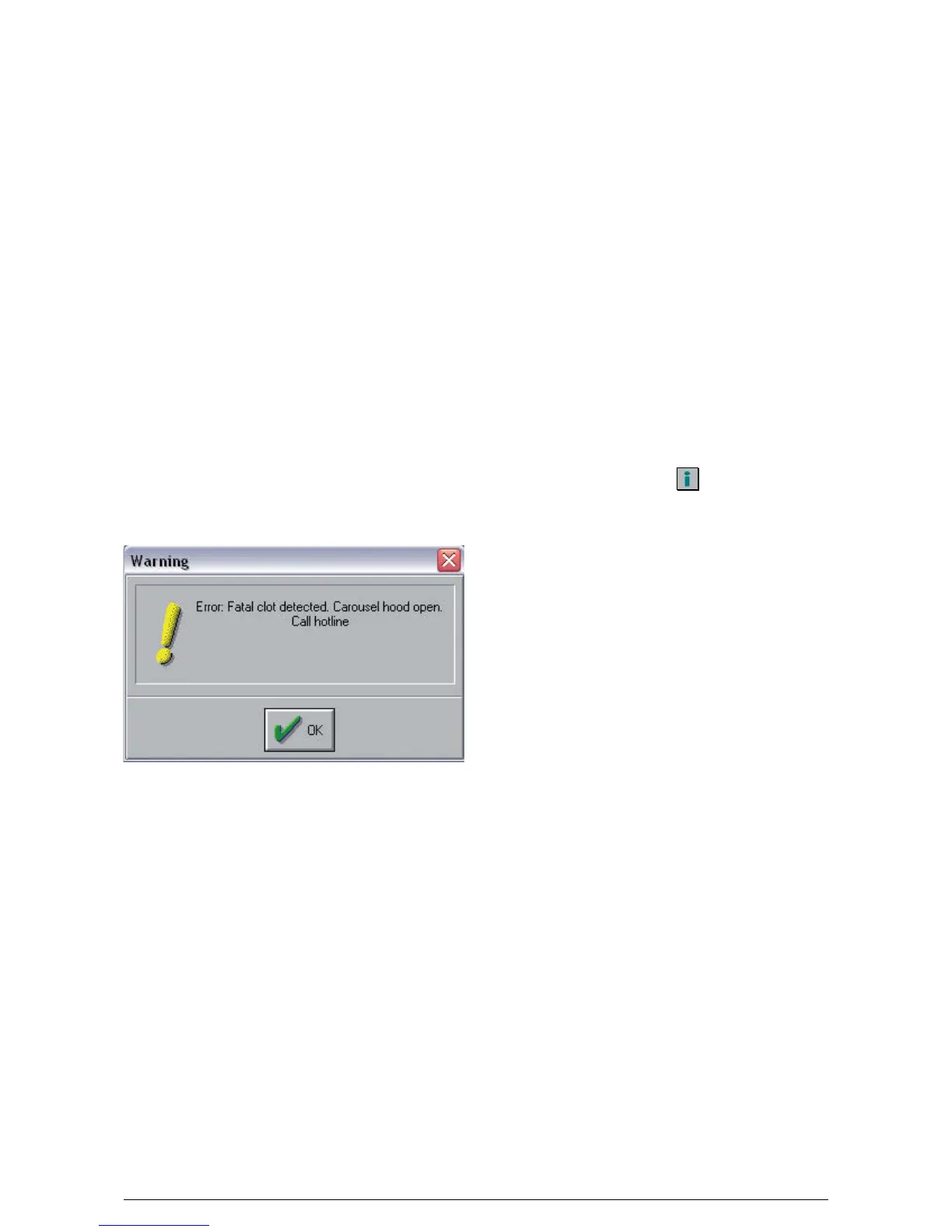
Clot could not be released, tip is blocked. This popup
appears to inform that pipetting sequence is stopped
with carrousel hood open.
Tip cleaning after fatal clot detection
• Open fluidic hood, place tip on Zhome position.
• Clean point of tip.
• Unscrew tubing on tip, liquid must flow out into
wash bowl.
• Disconnect tip electronic board, Caution to not bend
the tip point.
• Pass through a fish line (dia 0.45 mm) into the tip
from the small end towards the tip board.
• Clean by blowing with a neutral gas through the
tube from the small end.
• Connect tip electronic board on specific location.
• Close fluidic hood.
• Close carousel hood.
• Check dot point throught monthly maintenance
“Automatic check dot”.
• Launch a prime.
Help
Some help is available, in three languages (English,
French and German), through button or Help/User
Manual menu.





 To Next Page