22
User Interface ( Keypad )
Top Menu
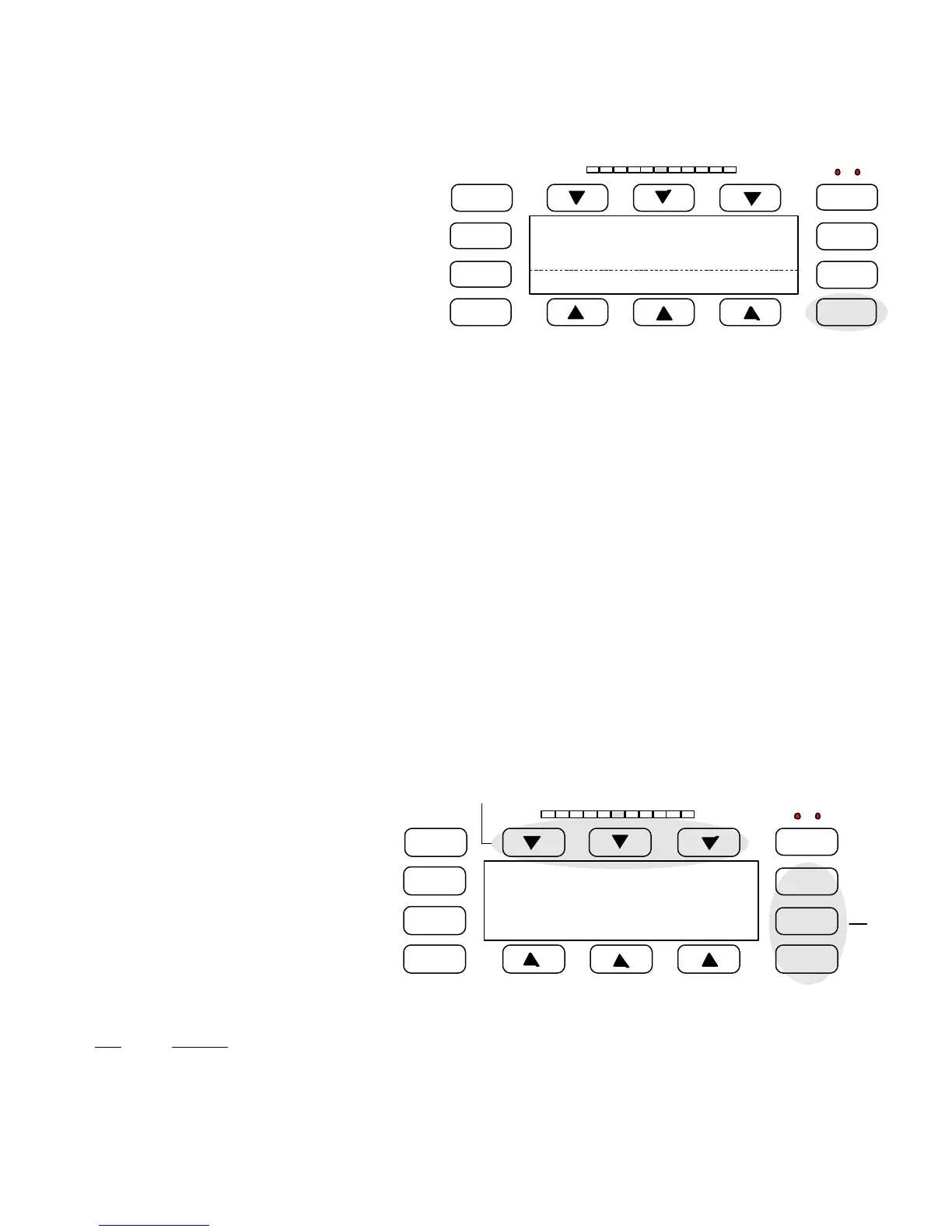
Throughout this manual you will be asked to start from
the Top Menu when selecting options etc.. To find the
top menu press the 'Exit' key until you see this screen.
Figure 25
Path
Major functions described in the following pages will have a path specified. This path refers to key presses required to reach
that menu from the ‘Top Menu’
Soft Keys
The keypad has six soft keys which are labeled with an arrow. The function of these keys change depending on the menu you
are currently in. Some menus will have need for only a few keys and others will use all of them. The remainder of the keys are
dedicated to specific tasks and are called hard keys. The function of the hard keys is as follows:
Hard Keys
Learn The learn key when pressed jumps to the product learn menu.
Product This key toggles stored product settings. Each press of the key scrolls to the next
stored product.
Function This is a user defined key and its function can be selected from a list of options.
Test Initiates the QA test routine menu.
Alarm Reset Can be configured to reset a reject alarm when using the latch reject output option.
Exit Use this key when you wish to leave a menu, and return to the “top” menu.
How To Edit Options
When editing an option that requires changing a
number use the soft keys above the arrows to
move the cursor to the digit you which to edit.
Then use the soft keys below the plus / minus
keys to change the value of the number. Once
you have set the correct value press the arrow
under ‘ Accept ‘ . This will change the value to
the new number. Then press the ‘ Exit ‘ key to
leave that menu.
Figure 26
Item Function
+ Increases number, or letter
- Decreases number, or letter
ï
Moves cursor to left
ð
Moves cursor to right
FAULT
LEARN
PRODUCT
FUNCTION
DETECT
TEST
ALARM
RESET
EXIT
Status
Setup Rejects: 0
Sensitivity
Product: 1
Product
Sens: 100
Peak: 20
FAULT
LEARN
PRODUCT
FUNCTION
DETECT
TEST
ALARM
RESET
EXIT
-
Sens: 100
Peak: 20
Accept
Soft
Keys
Hard
Keys



 To Next Page