Startup & Shutdown
Procedure
Thermo Fisher Scientific Prima PRO & Sentinel PRO Mass Spectrometers User Guide 7-7
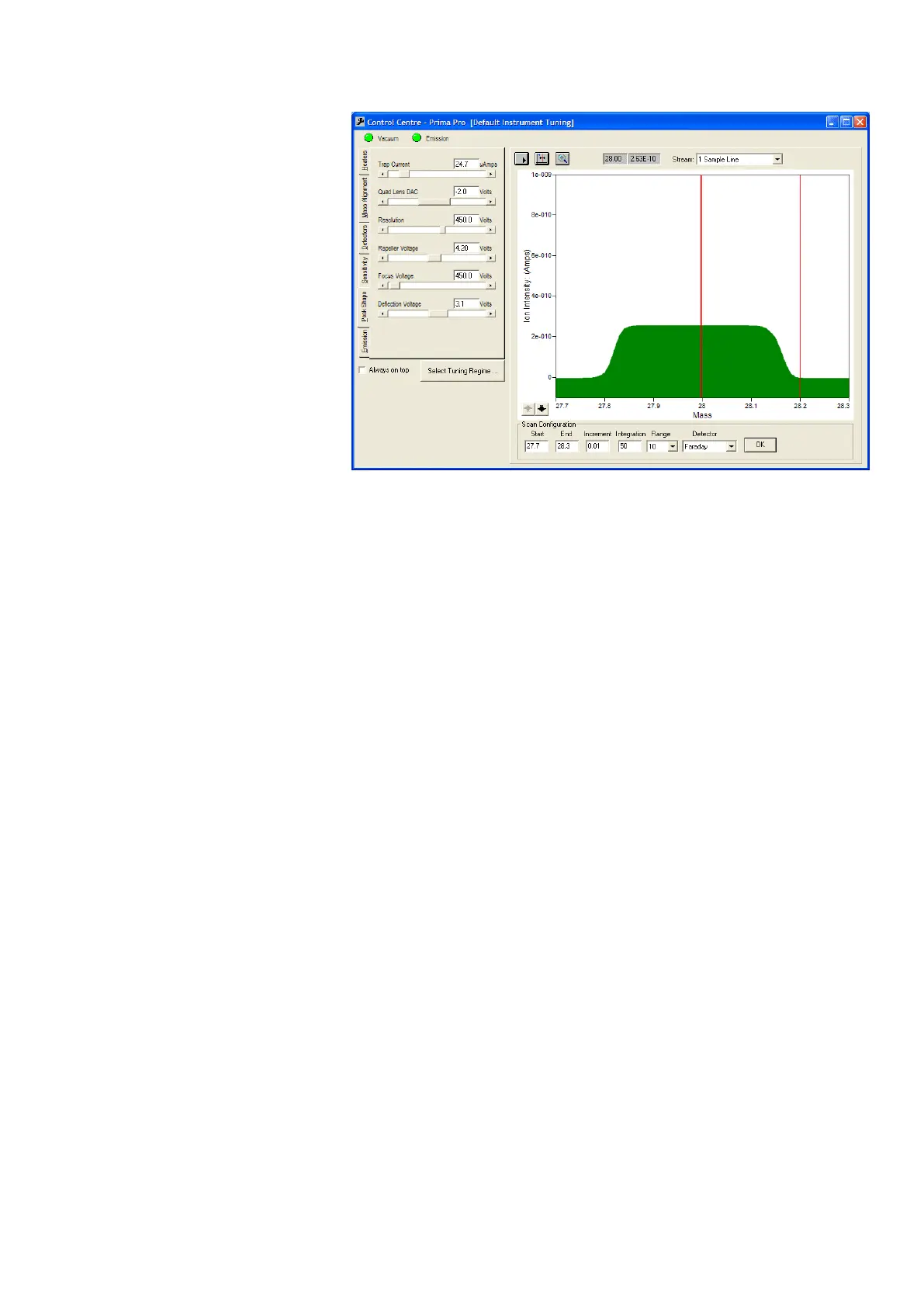
Figure 7–7. Peak Shape tab
Once a suitable peak has been located, the peak shape (height and
width, extent of flat top, and steepness of peak sides) may be
optimized by adjusting the following parameters:
Trap Current
Quadrupole Lens
Resolution
Repeller Voltage
Focus Voltage
Deflection Voltage
The effect on ion intensity at a selected mass (default mass 28.0) of
changing the repeller, focus, deflection and resolution voltages can
be viewed on the Sensitivity tab (Figure 7–8). Each parameter can be
selected in turn from the Function drop down list, and a graph of
peak intensity versus voltage produced. A cursor can be selected, set
at the optimum position on the graph, and the associated tuning
parameter setting stored using the Set DAC button.







 To Next Page