MLAB
www.instrument.co.th
2 Press and hold °C/°F button for 3
seconds to switch between °C and °F.
Please note that the temperature unit
selected will remain when you turn on
the thermometer next time.
.
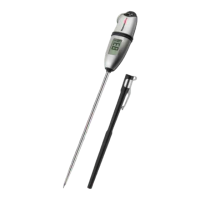
3 Insert the tip of the probe into food
being cooked as shown in the picture
below. The thermometer will start to
measure the internal food
temperature.
.
5. Temperature reading can be
displayed with a 180° global viewing
angle
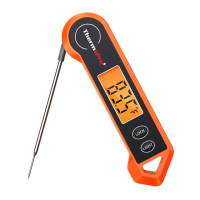
6. Press the LOCK button to hold the
temperature for 5 seconds.
7. Wash the thermometer under running
water after use.
8. Thermometer will automatically turn
off if the probe is not folded in and
no button has been pressed in 90
seconds.
the probe not folded in and then
picked up or moved, the thermometer
will automatically power on.
The thermometer comes with a
Calibration feature. In most cases, the
thermometer was calibrated precisely
at our manufacturing facility, and
generally you do NOT need to calibrate
the thermometer. However, after a long
period of use and you believe that the
temperature reading displayed by the
thermometer is not accurate, you may
follow the process below to re-calibrate
the thermometer:
1. Use distilled or purified water to
make ice cubes in your refrigerator;
2. Get a thermal insulated bottle. If you
don’t have one, use a beaker or a
regular cup;
3. Fill the bottle with ice cubes (no less
than 70% of the volume), then top off
with cold distilled or purified water
(no greater than 30% of the volume);
4 Wait until temperature reading
stabilizes on the display.
.
5 Calibration
4. Stir the mixture and let it sit for 10
minutes to allow the ice and water to
reach its temperature equilibration;
5 Turn on the thermometer, unscrew
and take off the battery cover.
.
9. If the thermometer is sleeping with
-4- -5-
EN EN



 To Next Page