-2-
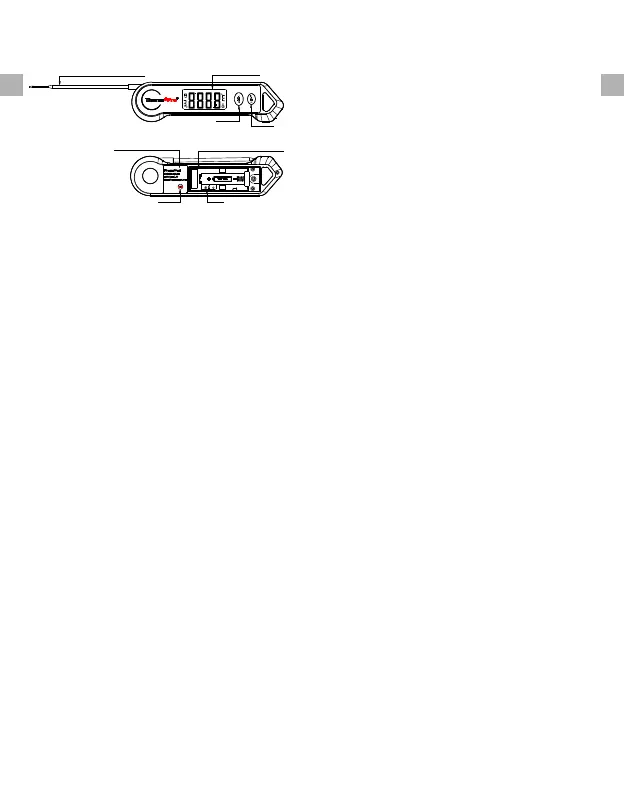
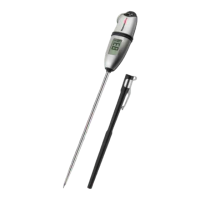
Temperature Probe
LCD Display
1 PRODUCT
2 SPECIFICATIONS
1. Temperature range: -58°F ~ 572°F
(-50 °C ~ 300 °C). If the temperature
is below -58°F (-50 °C) or above
572 °F (300 °C), LLL or HHH will
show on the screen
2 Three Buttons: LOCK, LIGHT, C/°F. °
3 90 seconds Auto-off feature .
4 Resolution: 0.1 °C/°F.
5 Temperature Accuracy: ±0.9°F
(±0.5°C) in range between 14 to
212°F (-10 to 100°C)
.
6 Battery: 1 x AAA 1.5V included.
3 BEFORE FIRST USE
4 TO MEASURE FOOD
TEMPERATURE
-3-
EN EN
LOCK
LIGHT
°C/°F
CAL
Built-in Magnet
Battery Compartment
1 LCD Display: Displays the current
temperature
.
2 LOCK: Press once to lock the current
temperature for 5 seconds, press
again to unlock
.
3. LIGHT: Press once to turn ON/OFF
the backlight
4 C/°F: Hold for 3 seconds to switch
between °C and °F
. °
5 CAL: Press and hold it for 5 seconds
to calibrate the unit. Press again to
confirm the calibration
.
6 Battery Compartment: Use 1 x AAA
battery to power the unit
.
7 Temperature Probe: Insert the probe
into food to get the internal meat
temperature
.
8 Super-Fast Temperature Probe: High
precision sensor, you can get a temp
readout within 3-4 seconds
.
9 Waterproof: IP65.
10 Auto-rotating display..
11 Motion-sensing sleep and wake
modes
.
12 Built-in magnets.
13 Temperature chart.
1. Insert 1* AAA battery with correct
polarity (+) and (-) as indicated.
2 Wash probe tip with warm soapy
sponge or cloth, then rinse and dry.
.
3 Wash under running water without
fear!
.
4 PLEASE READ AND FOLLOW ALL
INSTRUCTIONS.
.
5 The thermometer is now ready to use..


 To Next Page