5. Humidity range: 10% ~ 99%.
6. Temperature display unit: °C and °F selectable.
7. Temperature Resolution: 0.1 °C/°F.
8. Humidity Resolution:1%.
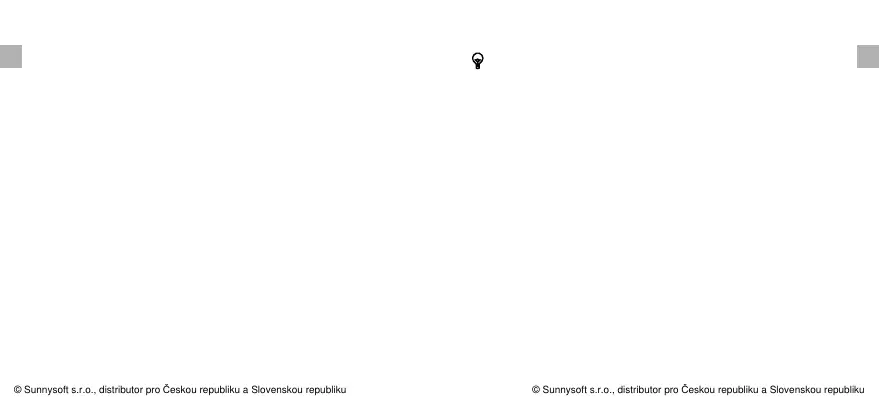
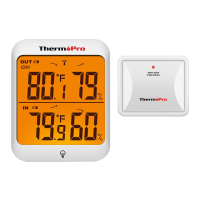
1. LCD display: Displays the current outdoor humidity/
temperature and indoor humidity/temperature.
2. Battery Compartment: Holds 2 AAA batteries to power
the unit.
3. Tabletop, wall-mountable and magnet-mountable design.
4. Indoor Temperature range: -4 °F~158°F(-20°C~70°C).
9. Low battery indication.
10. Backlight.
MAX/MIN/CLEAR: Press once to display the maximum or
minimum temperature and humidity; Press and hold to
clear the history data.
°F/°C/All-time/24: Press to select the temperature display
in ºC or ºF; After pressing the MAX/MIN button, and the
display shows the maximum or minimum temperature and
humidity. Touch this button once to set the maximum and
minimum data recording time interval between ALL TIME
or 24 hours.
Buttons
: Touch once to turn on/off backlight. If the button is
not pressed in 15 seconds, the backlight will automatically
turn off.
Note: Both ALL TIME and 24 hours represent the last time
EN EN
-4- -5-
© Sunnysoft s.r.o., distributor pro Českou republiku a Slovenskou republiku
© Sunnysoft s.r.o., distributor pro Českou republiku a Slovenskou republiku


 To Next Page