Need help?
Do you have a question about the ThermoPro TP829B and is the answer not in the manual?
Provides contact details for warranty repairs and servicing instructions.
Includes telephone, email, and operating hours for customer support.
Explains the function and operation of each button on the receiver unit.
Details the buttons on the transmitter and their respective operations.
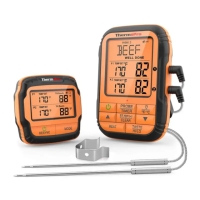
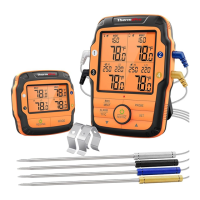
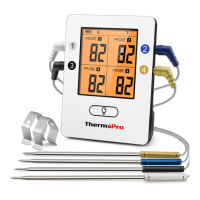
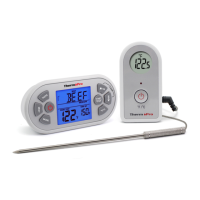
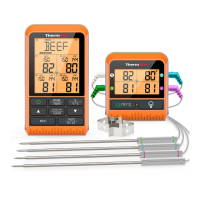
The ThermoPro Remote Food Thermometer (Models TP829B/TP829C) is a professional-grade, programmable radio frequency food thermometer designed to help you cook like a pro every time. This device allows you to remotely monitor the temperature of cooking food, as well as the ambient temperature inside your grill, oven, or smoker, from anywhere within your home. With its four probes, you can simultaneously track the temperature of multiple pieces of meat or different sections of a large cut, ensuring perfect results for various dishes.
The system consists of a receiver and a transmitter. The receiver features an LCD (Liquid Crystal Display) that shows all icons and temperature readings, a low battery indicator, and a remote range of up to 1000 feet (300 meters). It is IPX4 waterproof, meaning it is protected from splashing water but should not be submerged. The receiver also includes a backlight for easy viewing in low-light conditions, a temperature alarm, and a tabletop, magnet, and wall-mounted design for versatile placement. It operates on two AAA batteries.
The transmitter is designed to send temperature signals to the receiver. It also features an LCD for displaying current temperatures from each probe, a low battery indicator, and a backlight that automatically turns off after 15 seconds of inactivity to conserve power. The transmitter is also IPX4 waterproof and can be placed on a tabletop or mounted. It requires two AAA batteries.
Operating the device is straightforward. To turn on/off the receiver, simply press the power button. To enter synchronization/pairing mode, press and hold the power button for 3 seconds. The PROBE/TIMER button allows you to rotate between the four thermometer probes (Probe 1, 2, 3, or 4) and, when held for 3 seconds, switches to Timer mode. The /°F/°C button turns the backlight on/off and, when held for 3 seconds, switches between Fahrenheit and Celsius temperature units.
For setting temperatures, the ▲ and ▼ buttons are used. In thermometer mode, these buttons increase or decrease the temperature setting. Holding them down for 3 seconds allows for rapid scrolling through digits. In timer mode, they adjust the Hour, Minute, or Seconds settings, with rapid scrolling also available by holding them down. The S./S./()/CLEAR button is multi-functional: it turns the alarm on/off in thermometer mode, confirms timer settings, starts/pauses the timer, and clears the timer setting when held for three seconds.
The MEAT button is used to select the type of meat you are cooking, offering options such as Ground Poultry, BBQ, Program (user-defined temperature), Beef, Veal, Chicken, Pork, Poultry, Lamb, Fish, Ham, and Ground Beef. The TASTE/HI/LO button allows you to select the desired doneness level for preset meat types (Rare, Medium Rare, Medium, Medium Well, and Well Done). In BBQ mode, this button displays either the HI or LO BBQ temperature. It also confirms temperature settings and, in timer mode, selects between an Hour/Minute timer and a Minute/Second timer.
The device comes pre-paired from the factory, so typically you just need to insert batteries and probes, turn on the units, and they will be ready for use. However, if re-synchronization is needed, the manual provides clear steps to re-pair the transmitter and receiver.
Setting meat temperatures to preset or specific tastes is easy. You can select a probe, then choose a meat type and doneness level. The receiver will sound an alarm once the target temperature is reached. For specific temperature settings, you can select the "PROG" (program) mode and manually adjust the desired temperature using the ▲ and ▼ buttons.
Monitoring BBQ temperature is also a key feature. You can use any of the probes to measure the ambient temperature inside your smoker, barbecue, or oven. After selecting a probe and switching to BBQ mode, you can set both HI and LO BBQ temperature alarms. The HI BBQ alarm range is 140°F - 572°F, with a default of 250°F, while the LO BBQ alarm range is 32°F - 554°F, with a default of 225°F. The LO BBQ alarm will not activate until the actual BBQ temperature goes above the set LO temperature.
The thermometer also includes timer functions. You can set a countdown timer for up to 99 hours and 59 minutes, with options for Hour/Minute or Minute/Second display. The timer can be paused, cleared, and an alarm will sound when it reaches zero. A count-up timer is also available, tracking time up to 99 hours and 59 minutes, which can also be paused and cleared.
For maintenance and care, it is crucial to always wear heat-resistant gloves when handling the stainless-steel probe sensors and wires during or after cooking, as they can become very hot. Keep the probes and wires away from children. Clean the stainless-steel probes thoroughly after each use with hot soapy water and dry them completely. Do not immerse the probe plugs or sockets in water or any liquid, as this can lead to faulty readings. The transmitter and receiver should be wiped with a damp cloth and never immersed in water or exposed to direct heat. Do not use the stainless steel probes in a microwave oven. The probes are designed to register temperatures up to 572°F (300°C); exceeding this temperature will deteriorate the wire. This device is not intended for use by persons aged 12 and under.
The device also features an auto-off function to conserve battery life. The receiver will automatically turn off if it hasn't received a temperature signal from the transmitter for more than 30 minutes. The transmitter will shut down if all four probes remain below 40°C for two hours.
Should you encounter issues such as incorrect temperature readings or no display, ensure probes are firmly inserted and at room temperature. If temperatures seem too high or increase too quickly, reposition the probe tip to the center of the thickest part of the food, avoiding bones or heavy fat areas.
The ThermoPro Remote Food Thermometer is designed to simplify your cooking experience, providing precise temperature control and remote monitoring for consistently delicious results.
 General
| Display | LCD |
|---|---|
| Backlight | Yes |
| Warranty | 1 Year |
| Resolution | 0.1°F/°C |
| Waterproof | No |
| Distance to Spot Ratio | 12:1 |
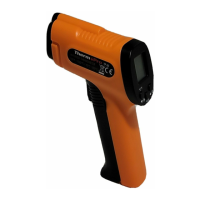
| Type | Infrared Thermometer |
| Temperature Range | -58°F to 1022°F (-50°C to 550°C) |
| Response Time | 500ms |
| Emissivity | Adjustable 0.1-1.0 |

 To Next Page