Notes:
1. The actual operating time depends on the intensity of using Wi-Fi, video
recorder, and AI rangefinder.
2. Improvements may be made to the design and software of this product
to enhance its useful features. The specifications of the device may be
improved without prior notice.
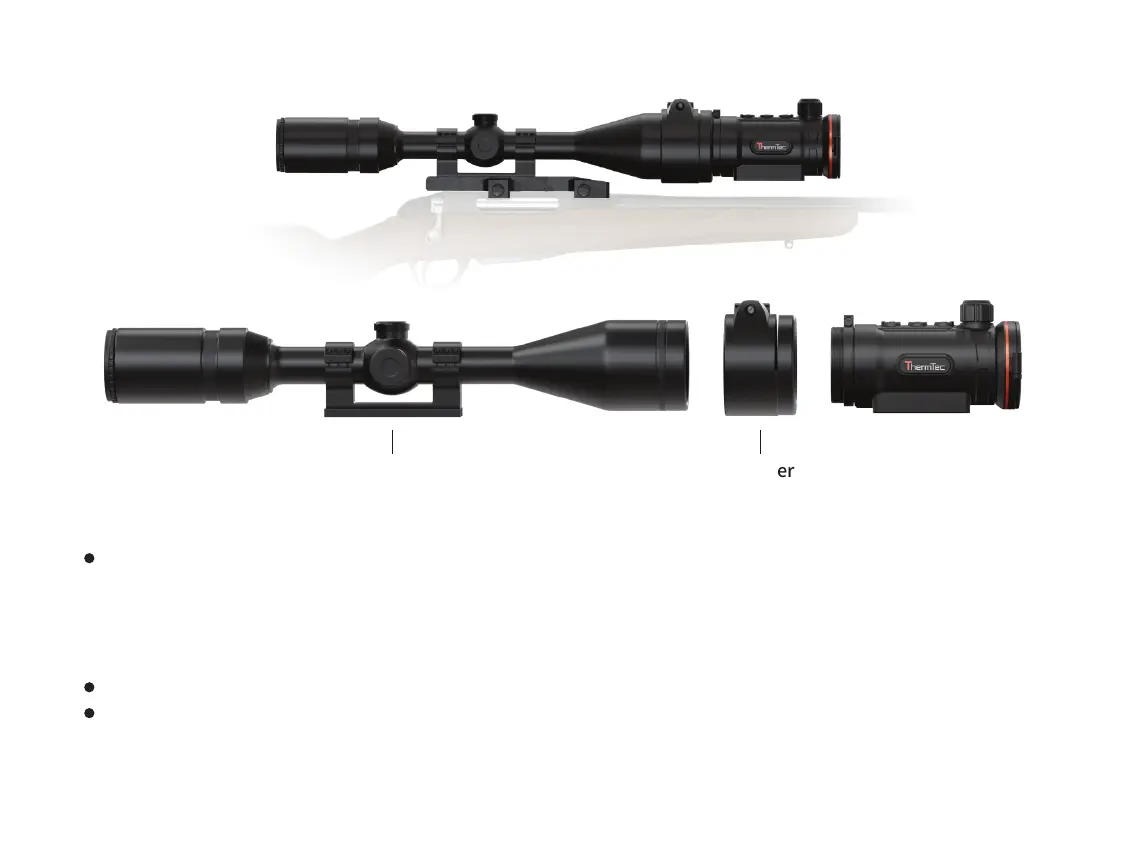
Day Scope Adapter
If you see there is a clearance, please:
- Loosen the locking screw with the hex-nut wrench (which depends on the adapter you used).
- Tighten the screw with hex-nut wrench with a clamping force necessary to ensure that the adapter fits tightly the
objective lens.
- Tighten the locking screw.
Mount the Hunt onto the adapter, and tighten the eyepiece bayonet-type ring counter clockwise to lock Hunt.
After installation, if the center of Hunt’s display is not aligned with the center of your day scope:
- Loosen the locking screw with the hex-nut wrench.
16



 To Next Page