7.MAIN MENU
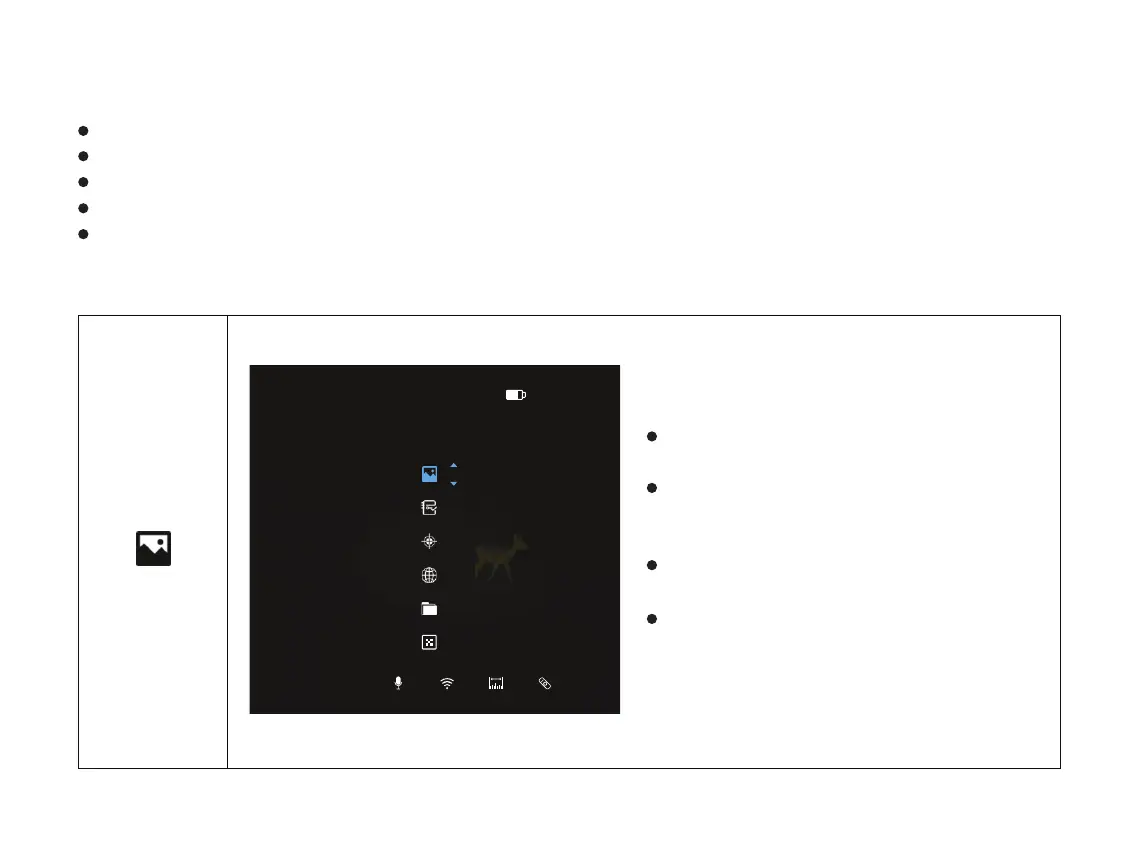
On the home screen, double click the menu button “ M ” to enter the main menu interface.
In the main menu, short press the “+ / -” button to switch the menu options.
Short press the menu button “M” to adjust the parameters of present option.
Press and hold the down menu button “M” for 3 seconds to exit to the home screen.
Short press the Menu button “M” to save.
Double click the menu button “M” to enter
the main menu.
Select the Image Set option with the “+ / -”
button. Short press the menu button “M” to
enter Image Set.
The icon will be turned into blue when Image
set is selected.
Set the parameters including Sharpness,
Contrast, Brightness and Denoise as needed.
These parameters are ranged from 1-10.
Main Menu function descriptions
Turn Image set on/off
Image Set
14:04P1
Image Set/Brihghtness
5 5 5 5
20



 To Next Page