Long press to turn on/off the Target Outline Mode.
6.6 Pseudo Color Switch
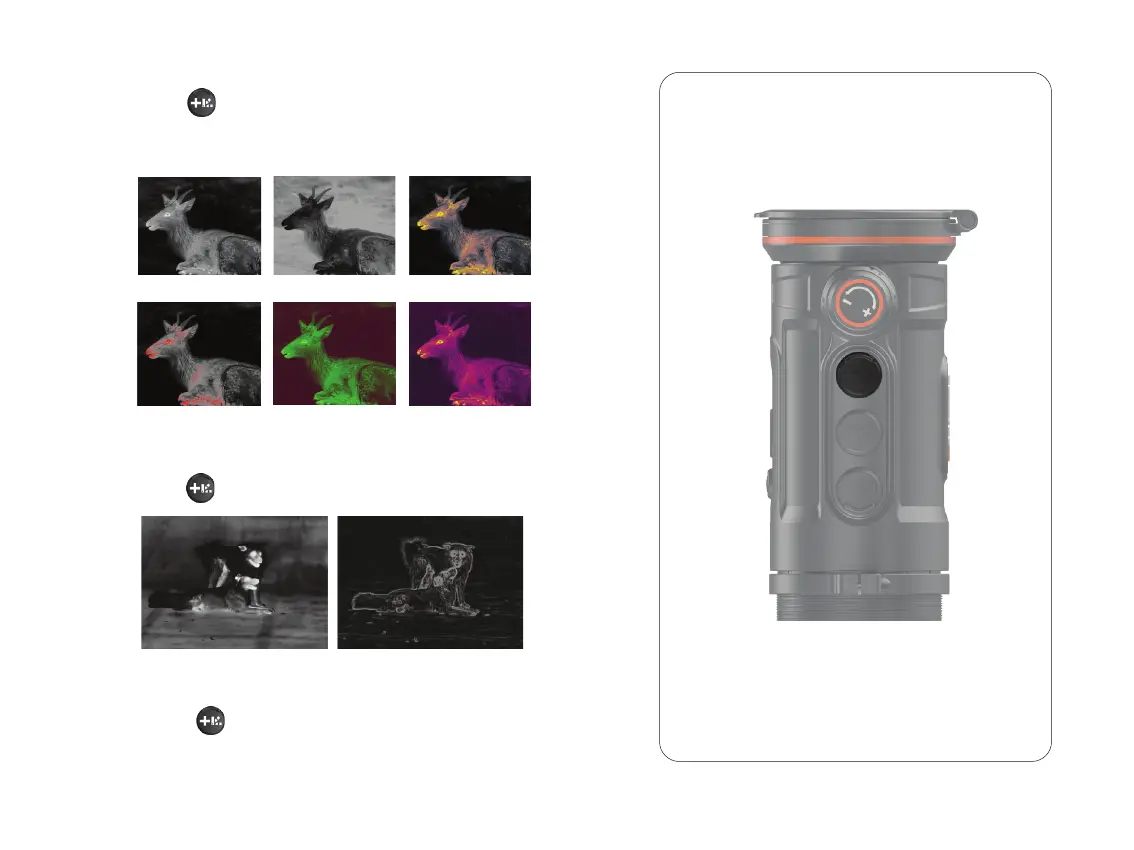
Short press to change the pseudo colors. There are totally six
pseudo colors (white hot, black hot, red hot, green, golden, violet)
for user choice.
6.7 Target Outline Mode
Double click to zoom in/out the UI icons to be well suited to
the variable magnifications of your day optics.
6.8 UI Zooming
White
Red
GoldenBlack
Green Violet
18



 To Next Page