Applied Instructions
130
Function & Action
即使使用 X000=OFF 停止执行 TZCP 指令时,M0~M2
仍然保持 X000 变为 OFF 以前的状态。
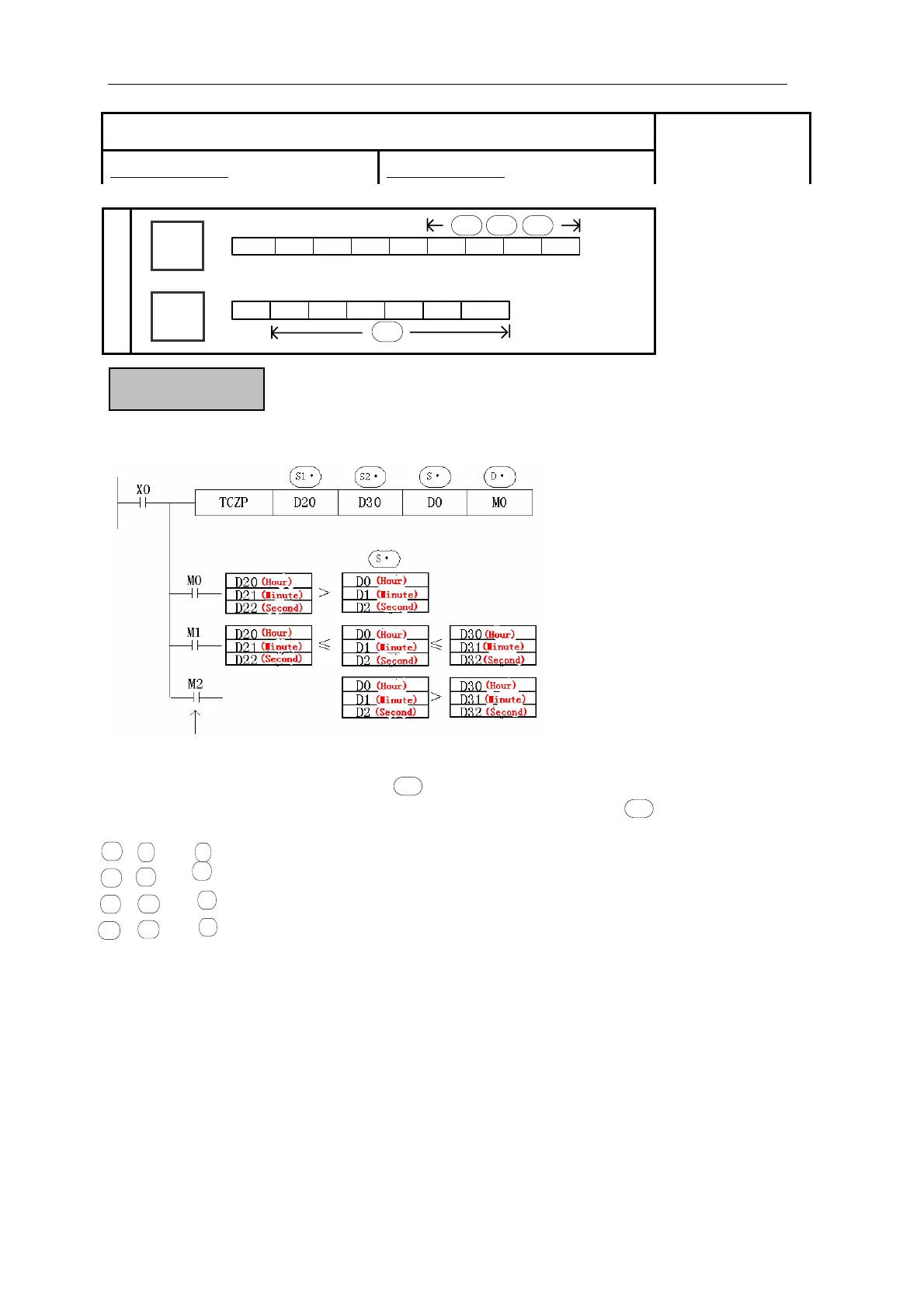
Compare the two assigned time with time data
z Compare the 3 clock data start from with the two ends on the clock compare bound,
according to the area bound, output the three ON/OFF status starts from
S·
D·
+1 2 : Assign the compare low limit in the form of “Hour”, “Minute” and “Second”.
+ 2 : Assign the compare low limit in the form of “Hour”, “Minute” and “Second”.
+1 +2 : Assign the clock data in the form of “Hour”, “Minute” and “Second”.
+1 +2 : According to the compare result, the 3 devices output ON/OFF.
S1·
, , +
, 1, +
S1·
S1·
S2·
, ,
S2·
S2·
S·
, ,
S·
S·
D·
D·
D·
The valid range of “Hour” is「0~23」.
The valid range of “Minute” is「0~59」.
The valid range of “Second” is「0~59」.
[TZCP]
16 bits instruction:DIV 32 bits instruction:DDIV
Suitable Models:
XC3、XC5
Word
Device
Bit
Device
The status of the destination devices is ke
t
even if the TCMP instruction is deactivated.
X Y M S T C Dn.m
D·
D
FD
DM
DX
DY
DS
TD
CD
K/H
S1·
S2·
S3·



 To Next Page