Filter Selection
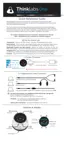
Your Thinklabs One Digital Stethoscope is programmed with multiple audio filters,
so that you can more finely set your stethoscope to listen to particular frequency
ranges, according to your work needs and personal preferences. The specific
filters are listed here. (The selection may change from time to time. Your One
package includes details of the specific filters programmed into your One.)
Using the Filter (f) Key, you can sequence through all the filters, or rapidly flip
between two selections. As shown in Circle 1, Push & Hold the Filter (f) Key and
One will sequence to the next filter in red circle 1, cycling through all selections. If
you then CLICK the Filter (f) Key (rapid click rather than hold down), your One
will remember which filter you have currently selected in red circle 1 and will then
jump across to red circle 2. You can then repeat the Push & Hold sequence to
cycle through the same selections in red circle 2. If you then CLICK the Filter (f)
Key, One will remember your selection in circle 2 and jump back to circle 1,
remembering your selection in circle 1. CLICK again and jump back to your last
selection in circle 2. In short, Push & Hold to sequence through filters, Click to
save your selection and jump to the other circle. Once you've selected a favorite
in each circle, simply click the Filter (f) Key to alternate between your two favorite
filters.
12


 To Next Page